
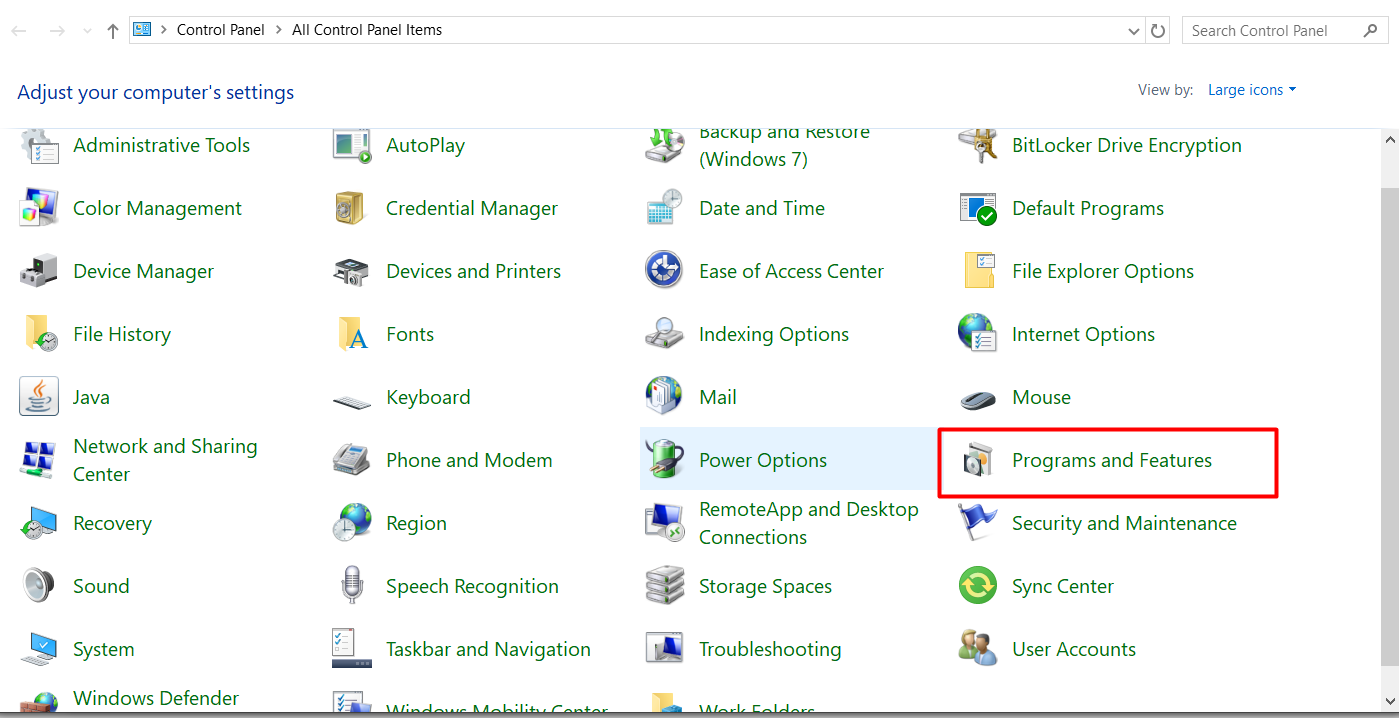
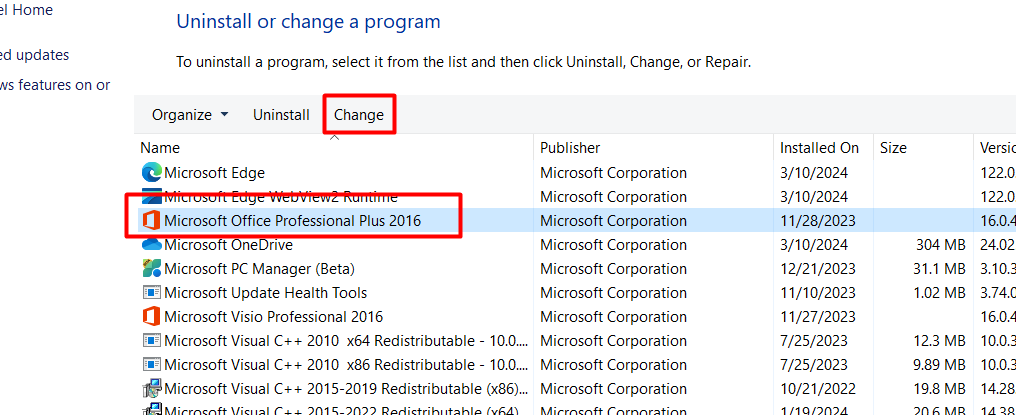
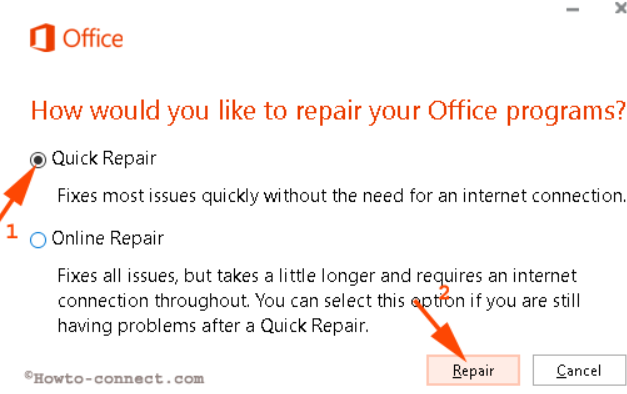
Cum reparam Office folosind functia “Quick Repair” Data 15/03/2024 Autor Andrei Muntianu Categorie OS - Windows, Soluții -1 499 Configurare noua (How To) SituatieCand avem probleme cu pachetul Office putem folosi acest “Quick repair” pentru a rezolva anumite probleme, spre exemplu Microsoft Word nu se deschide. Solutie Pasi de urmat Intram in Control Panel la “Program And Features” Cautam in lista Microsoft Office si apasam pe Change Selectam Quick Repair si Repair. Tip solutiePermanent Etichetare: officeoutlookTime of Day Voteaza Up Down (20 din 41 persoane apreciaza acest articol) ShareTweetShare Despre Autor Andrei Muntianu Solutii Asemanatoare Cum activati un profil custom pe Antivirusul Bitdefender 1 Check who’s using your iPhone Hotspot Data 2 Funcția UNIQUE nu funcționează în Excel 3 Outlook nu funcționează cu VPN pe PC Windows 3 Bara de volum in Windows 11 apare incontinuu 3 Kubuntu installation guide 1 Leave A Comment? × Cancel Reply Save my name, email, and website in this browser for the next time I comment. eight + 3 =
Leave A Comment?