
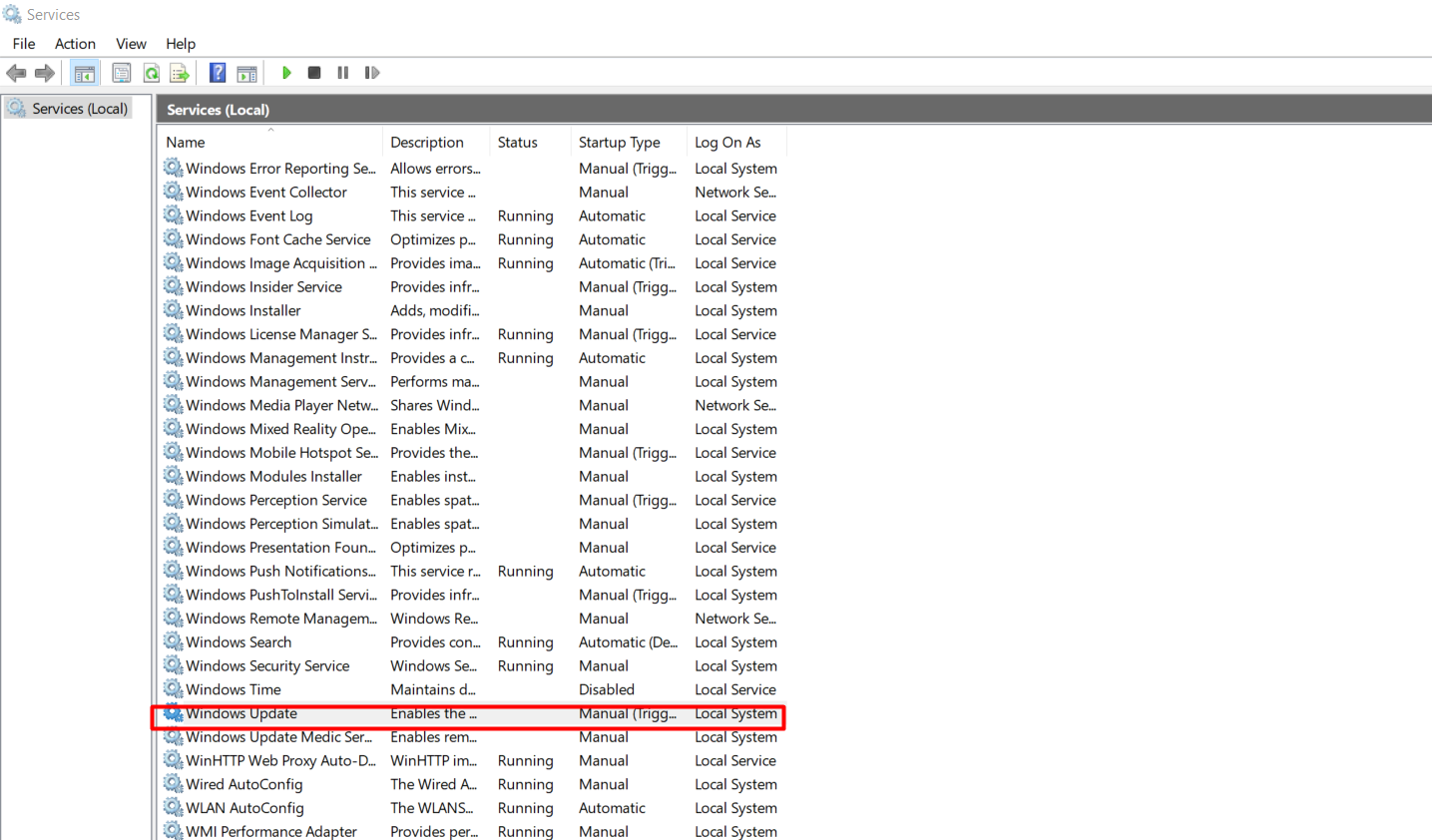
Cum opresti toate update-urile pentru Windows 10 in 2024 Data 27/03/2024 Autor Andrei Muntianu Categorie OS - Windows, Soluții 1 454 Configurare noua (How To) SituatieAnumite aplicatii au nevoie de un anumit build de Windows pentru a putea rula anumite programe. Solutie Pasi de urmat Dupa instalarea build-ului dorit intram in Services si cautam Windows Update: Click Dreapta pe Windows Update si Properties, iar la Startup Type selectam Disable, Aplly si Ok: Tot in Services cautam Update Orchestrator Service si reluam pasii de la Windows Update. Tip solutiePermanent Etichetare: updatewindows update Voteaza Up Down (21 din 41 persoane apreciaza acest articol) ShareTweetShare Despre Autor Andrei Muntianu Solutii Asemanatoare How to check what graphics card (GPU) is in your PC 5 How to Deploy a Secure Dockerized Web App with Nginx Reverse Proxy 5 How to build an Automated Patch-Management System using PowerShell & Task Scheduler 3 Arduino Fingerprint Sensor 4 Arduino Air Quality Monitoring System 3 Cum restaurezi setările la valorile implicite în Opera GX 0 Leave A Comment? × Cancel Reply Save my name, email, and website in this browser for the next time I comment. × seven = sixty three
Leave A Comment?