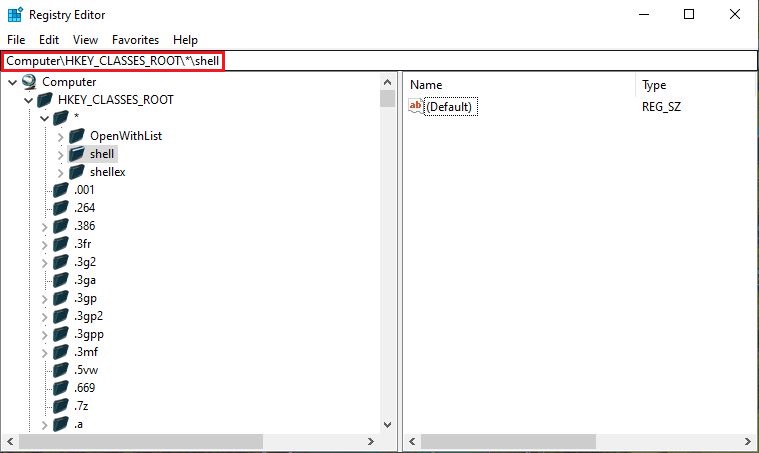
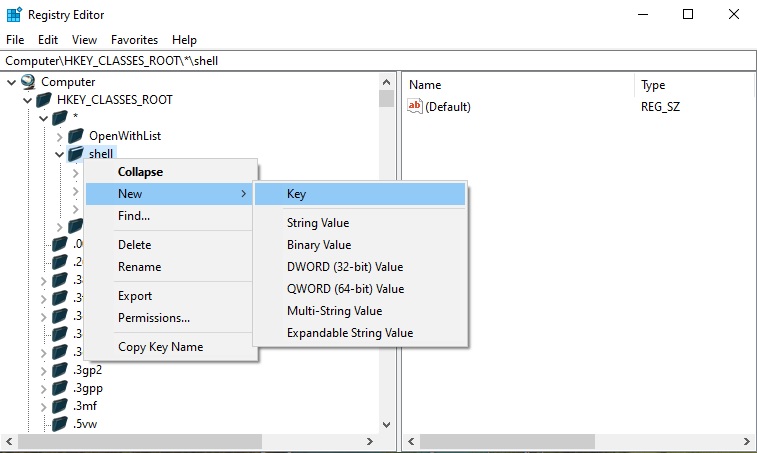
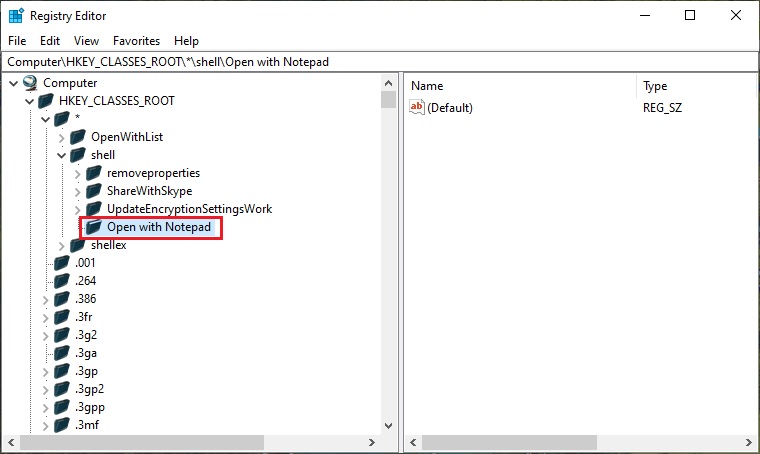
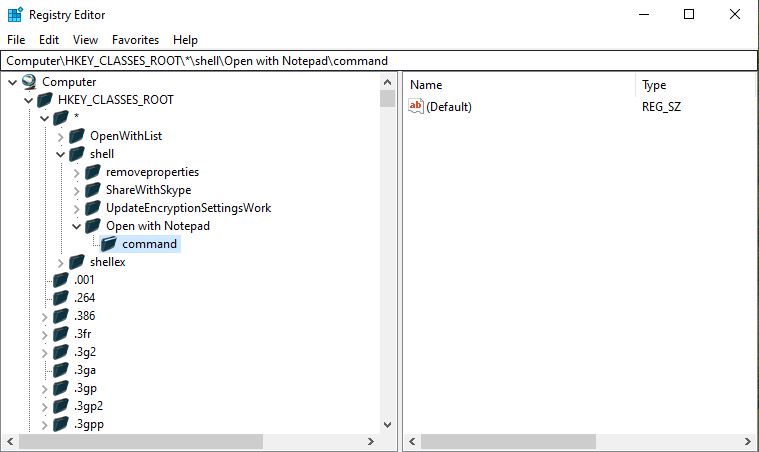
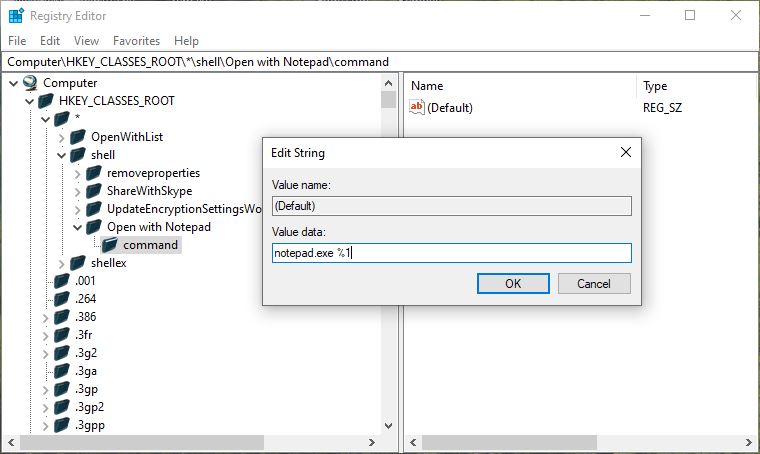
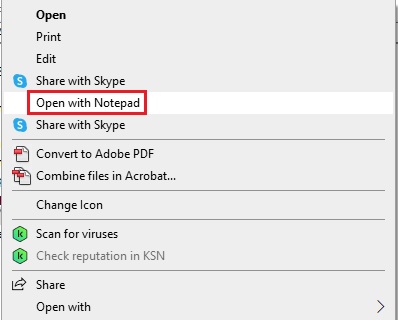
Cum adaugam Open with Notepad in meniul contextual pe Windows 10 Data 13/04/2025 Autor Razvan Florescu Categorie OS - Windows, Soluții 10 354 Configurare noua (How To) Situatie Solutie Pasi de urmat Deschidem Registry Editor (regedit.exe) In registru copiem cu copy paste calea: Computer\HKEY_CLASSES_ROOT\*\shell apoi apasam tasta enter Facem click dreapta pe Shell, apoi click pe New > Key si o denumim Open with Notepad In pasul urmator trebuie sa dam click dreapta pe Open with Notepad, apoi New > Key pe care o sa o numim: command. Apasam tasta enter. Dublu click pe Default, iar la Value data Introducem: notepad.exe %1, apoi dam click pe OK. Open with Notepad apare acum in meniul nostru contextual. Tip solutiePermanent Voteaza Up Down (14 din 18 persoane apreciaza acest articol) ShareTweetShare Despre Autor Razvan Florescu Solutii Asemanatoare How to resolve a Windows Update Install Error – 0x80070002 4 Bring your Windows Desktop to life with Wallpaper Engine 3 How to move Taskbar to top or side on Windows 11 0 Reparare eroare:”Trust Relationship Failed” fără scoatere din domeniu și fără restart (PowerShell) 3 You’ve been deleting files the wrong way in Windows 3 Arduino Soil Moisture Sensor 1