
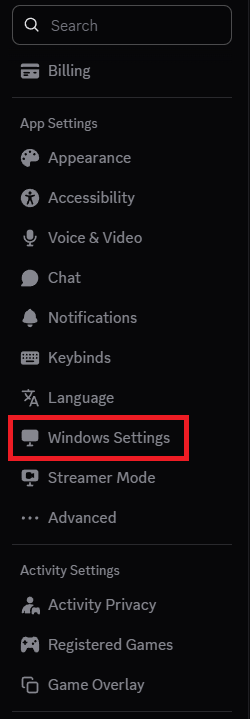
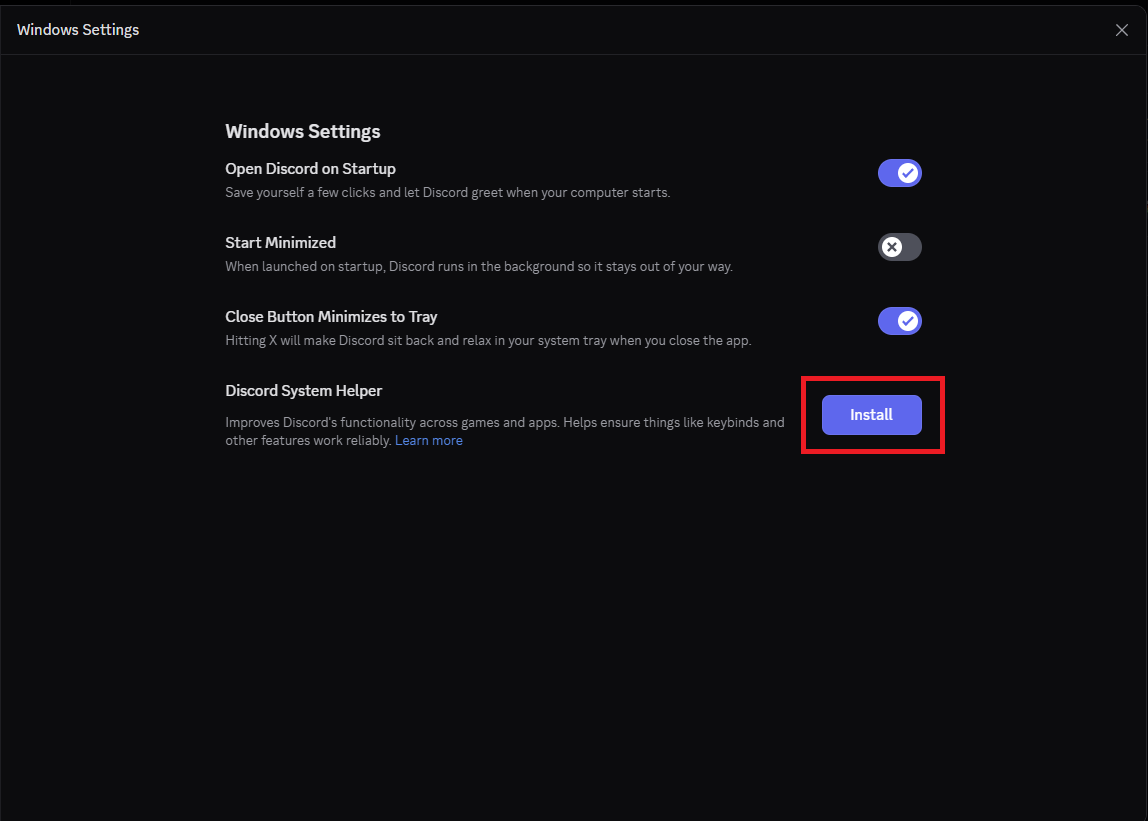
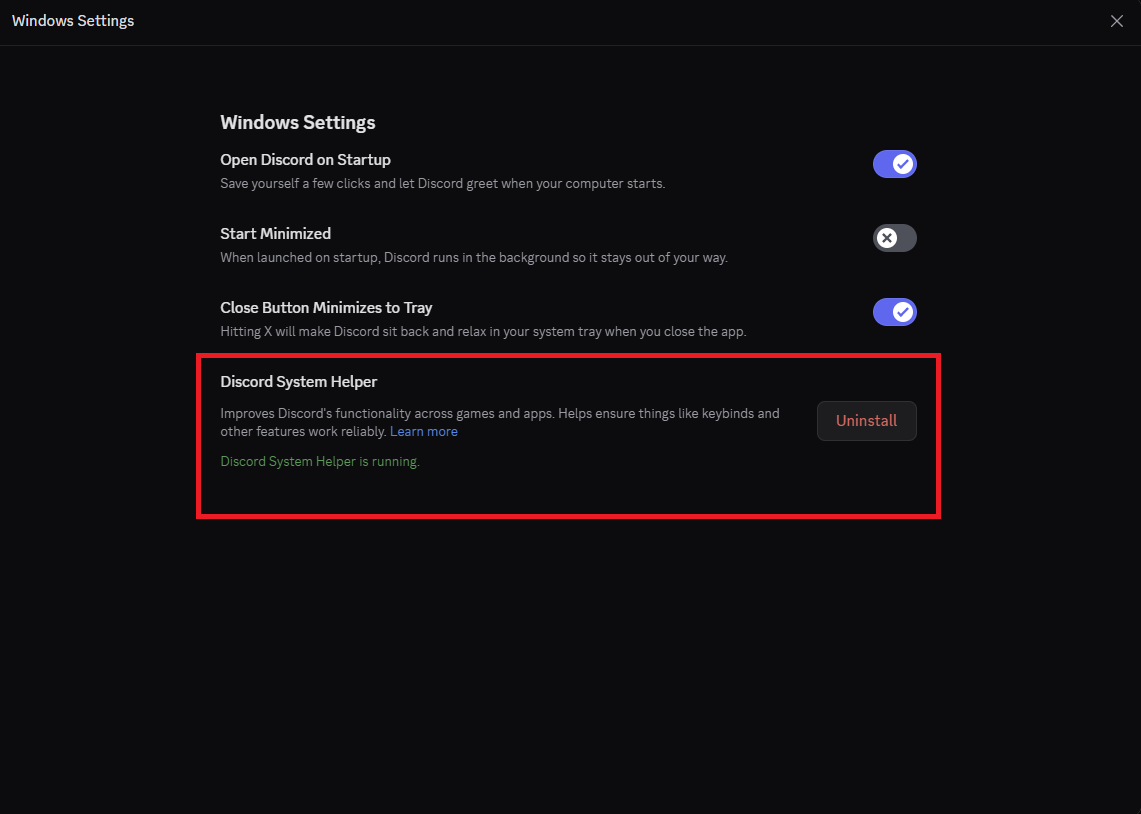
Cum instalati “Discord System Helper” din aplicatia Discord Data 29/11/2025 Autor preda silviu Categorie Soluții 3 40 Configurare noua (How To) Situatie Solutie Pasi de urmat Deschideti aplicatia “Discord” In stanga jos, click pe butonul ‘Settings’ In meniul din partea stanga, derulati in jos si selectati “Windows Settings” Click pe “Install” si acceptati casuta UAC. Dupa finalizare ar trebui sa va arate ca “Discord System Helper” este instalat. Tip solutiePermanent Voteaza Up Down (4 din 5 persoane apreciaza acest articol) ShareTweetShare Despre Autor preda silviu Solutii Asemanatoare Cum selectezi si editezi text dintr-o imagine pe Windows 11 0 How to enable Windows Sandbox in Windows 11 1 Repair commands to run before you reinstall Windows 8 Ways to insert a Command or Code Block in Microsoft Word 1 Microsoft Word is making a big change to web links 6 Importanța testării automate în dezvoltarea software modernă 2 Leave A Comment? × Cancel Reply Save my name, email, and website in this browser for the next time I comment. + 1 = 10
Leave A Comment?