
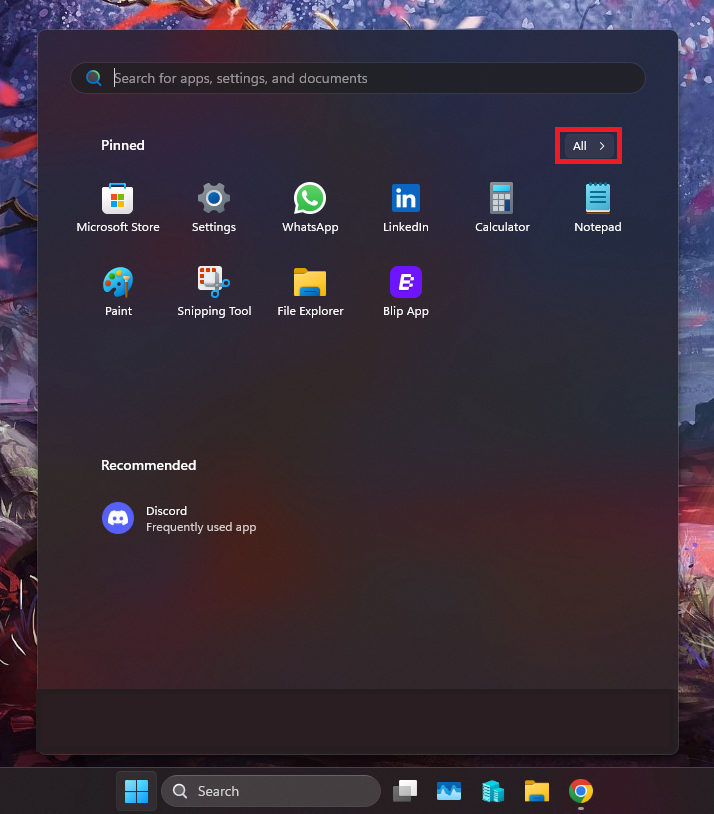
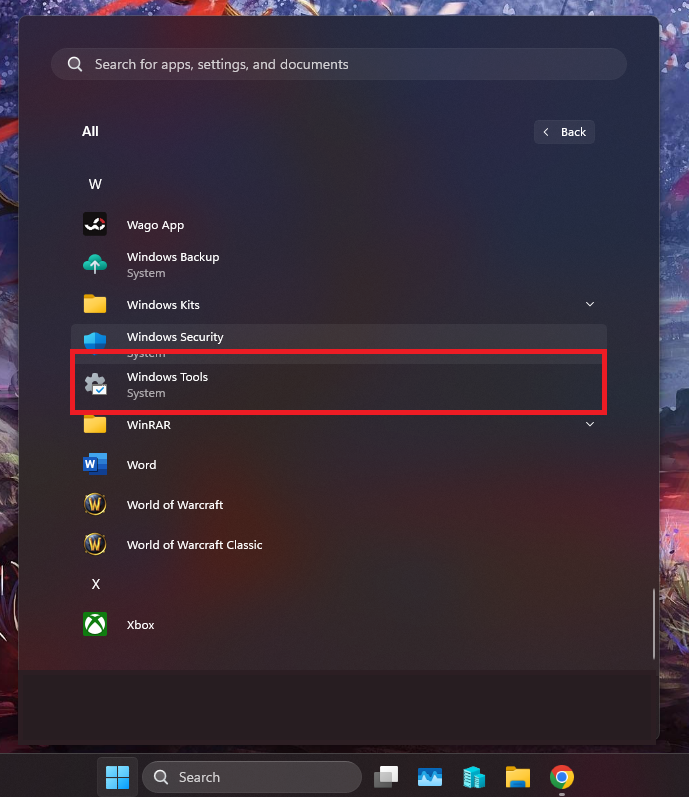
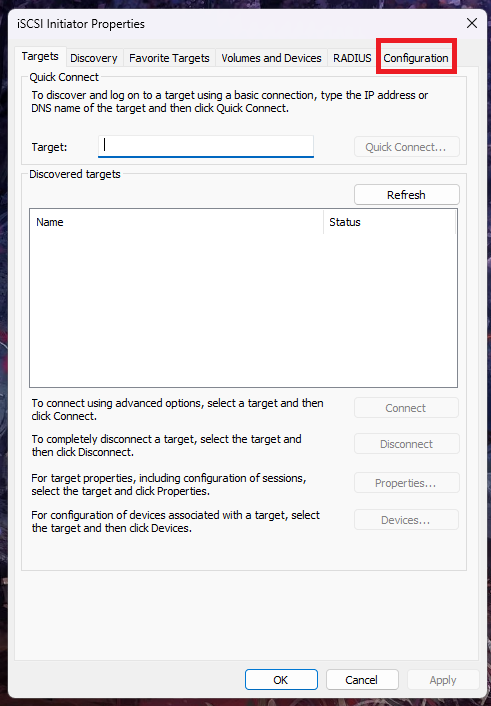
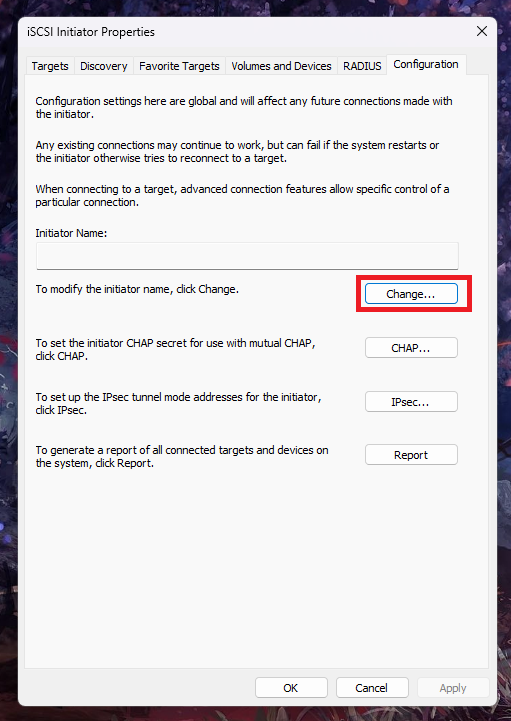
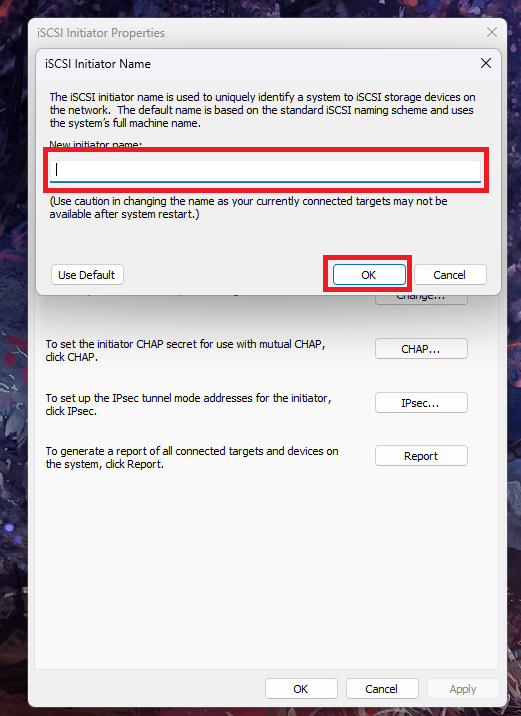
Cum schimbati “Initiator Name” in iSCSI Data 19/01/2026 Autor preda silviu Categorie Soluții 9 500 Configurare noua (How To) Situatie Solutie Pasi de urmat Prima data click pe butonul de Start -> All apps Mai departe derulati in jos pana gasiti “Windows tools” Vi se va deschide aceasta fereasta, mai departe click pe “Configuration” Aici, click pe “Change” in dreptul optiunii de modificare a numelui. Aici veti putea modifica numele dorit, dupa care click pe OK. Tip solutiePermanent Voteaza Up Down (50 din 92 persoane apreciaza acest articol) ShareTweetShare Despre Autor preda silviu Solutii Asemanatoare Procedură configurare AdGuard DNS din Terminal pe macOS 1 How to use LAMBDA in Excel to create scalable, reusable functions 2 Cum repari ecranul negru în OBS Studio 2 Your Windows 11 PC is wasting RAM on 5 apps you probably don’t even use 1 How to install & use and create skills Claude Code 0 The first turnkey local AI-powered smart home hub is here 1 Leave A Comment? × Cancel Reply Save my name, email, and website in this browser for the next time I comment. three × six =
Leave A Comment?