
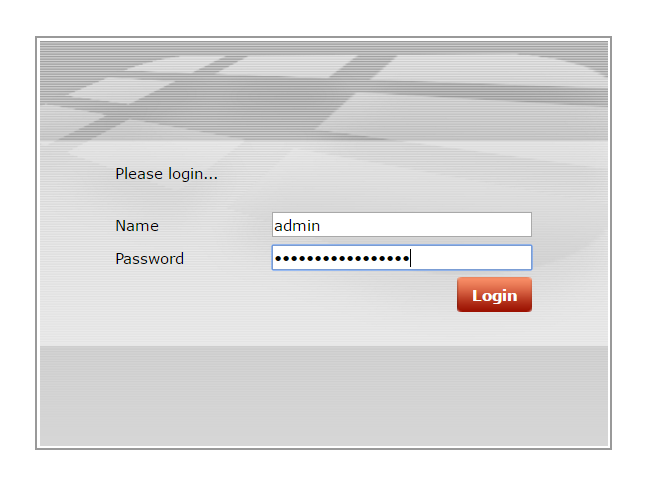
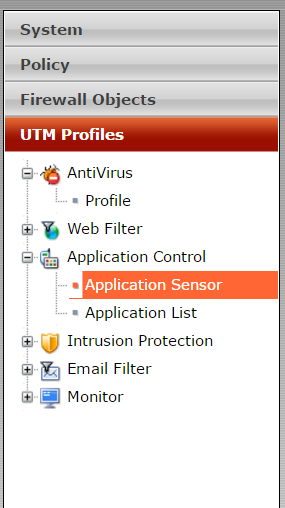
Cum blochezi aplicatiile Cloud pe Fortigate Data 09/12/2016 Autor Adrian Tu. Categorie Router/Firewall, Networking, Aplicații -15 1140 Configurare noua (How To) SituatieAi in retea un Fortigate si doreste sa blochezi aplicatii ca : Dropbox, GoogleDrive, OneDrive, etc. Solutie Pasi de urmat Te loghezi cu utilizatorul de admin pe Fortigate: Alegi UTM Profiles -> Application Control – > Application Sensor Din dreapta sus alegi profilul block_applications Creezi un nou filtru, alegi ce aplicatii doresti sa blochezi si pui bifa pe Block. Apoi salvezi. Tip solutiePermanent Etichetare: aplicatii Cloudaskitaskit.roblockCum blochezi aplicatiile Cloud pe FortigateDropboxFortigateGoogleDriveonedrive Voteaza Up Down (15 din 45 persoane apreciaza acest articol) ShareTweetShare Despre Autor Adrian Tu. Solutii Asemanatoare Cum se instalează PHP 5.6 și 7.0 – 8.4 cu PHP-FPM și modul FastCGI pentru ISPConfig 3.2 cu apt pe Debian 11 până la 12 6 The new AI feature of Kaspersky Premium Antivirus 4 5 Gmail features you can turn off -3 7 of the least-known Excel charts and why you should use them -5 5 Outlook tools that save me time every single day 1 Când automatizarea devine periculoasă: partea întunecată a lui Clawdbot / OpenClaw 11 Leave A Comment? × Cancel Reply Save my name, email, and website in this browser for the next time I comment. five × three =
Leave A Comment?