
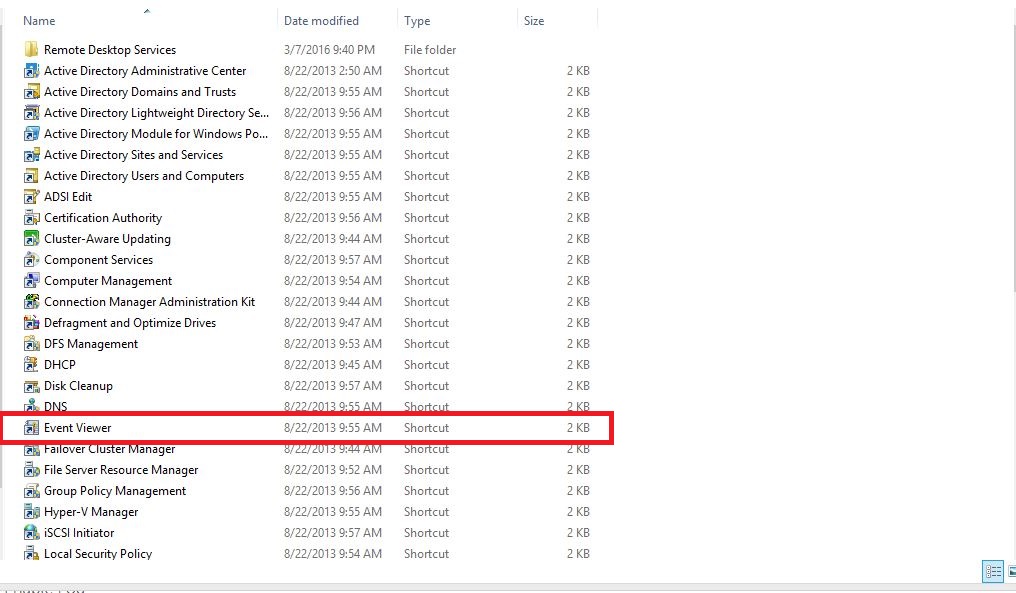
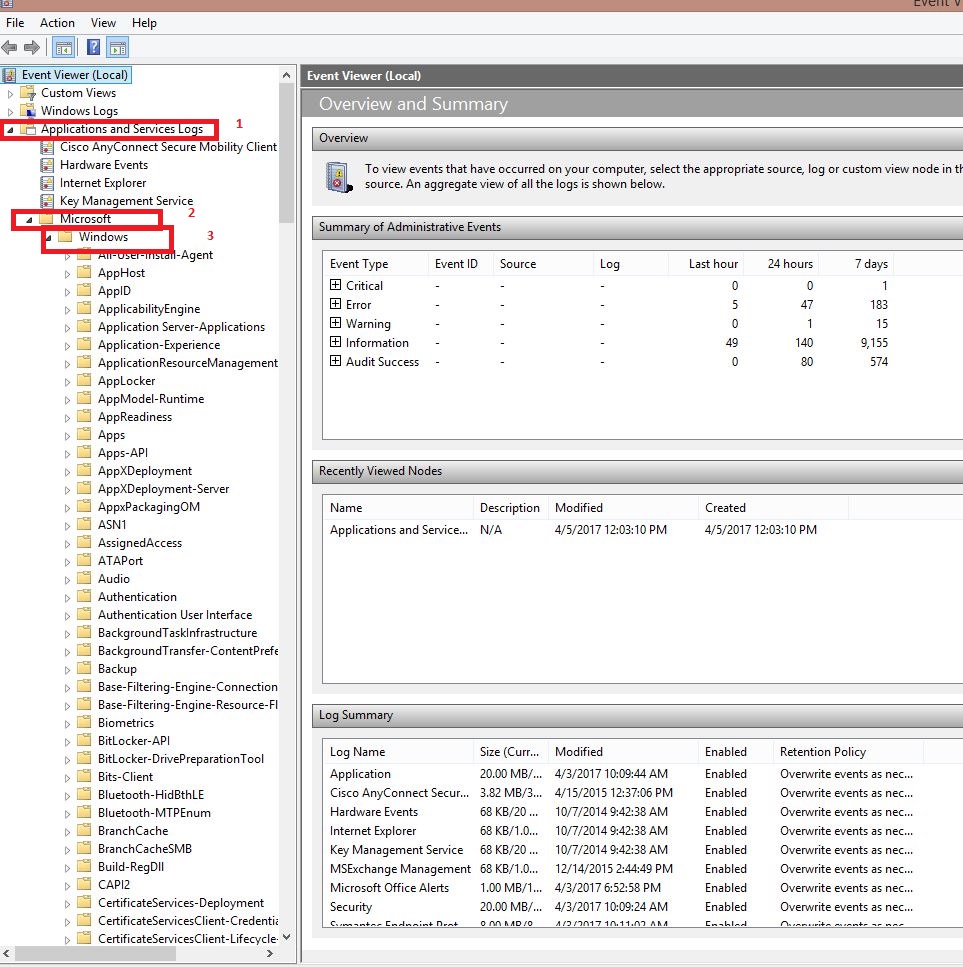
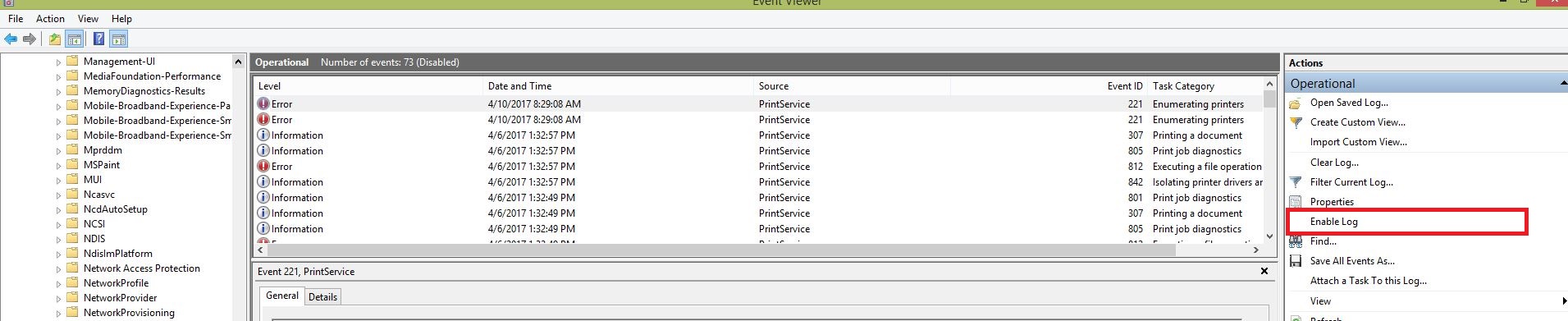
Cum sa activezi logurile de printare in Windows 8.1 Data 10/04/2017 Autor Adrian Db. Categorie OS - Windows, Stații de lucru -5 1157 Configurare noua (How To) SituatieVrei sa activezi logurile de printare pentru a avea un istoric al fisierelor trimise la print. Pentru asta trebuie sa urmezi pasii de mai jos : Backup Nu este cazul Solutie Pasi de urmat Se intra in Control Panel si apoi in Administrative Tools Se face click pe Event Viewer Se urmeaza calea > Application and Services Logs > Microsoft > Windows Din tab-ul PrintService se selecteaza Operational Din partea dreapta se da click pe Enable Log si din momentul asta se activeaza logurile de printare Tip solutiePermanent Etichetare: Administrative Toolsaskitaskit.roCum sa activezi logurile de printare in Windows 8.1event viewerlogurile de printareOperationalwindows 8.1 Voteaza Up Down (21 din 47 persoane apreciaza acest articol) ShareTweetShare Despre Autor Adrian Db. Solutii Asemanatoare How to fix NVIDIA instant replay not working on Windows 11 via Windows Registry Editor 2 How to fix NVIDIA instant replay not working on Windows 11 via Windows Firewall Settings 4 How to fix NVIDIA instant replay not working on Windows 11 via Windows Security Settings 3 How to fix BSOD Error Rtu53cx22x64.sys by doing a rollback of the driver on Windows 11 1 Implementare Windows Autopilot si Microsoft Intune 2 Fix Windows 11 KB5062553 Update not installing 4 Leave A Comment? × Cancel Reply Save my name, email, and website in this browser for the next time I comment. + 7 = 11
Leave A Comment?