
Follow Us

Soluții pentru problemele tale IT

Home /Stații de lucru/OS - Windows/Cum sa adaugi un text inainte de logare Windows 10
Home /Soluții /Cum sa adaugi un text inainte de logare Windows 10
Home /Stații de lucru /Cum sa adaugi un text inainte de logare Windows 10

Cum sa adaugi un text inainte de logare Windows 10

  • Data 06/03/2019
  • Autor mihai ungureanu
  • Categorie OS - Windows, Soluții, Stații de lucru
  • -12
  • 939
Configurare noua (How To)

Situatie

Dorim adaugarea unui text inainte de fereastra de logare in Windows 10.

Solutie

Pasi de urmat

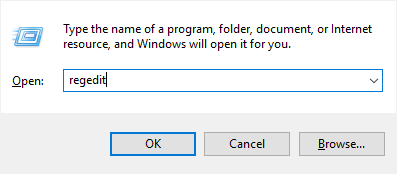
Deschidem Run apoi introducem textul regedit pentru a deschide fereastra de editare a registrilor
Odata ce am deschis editorul de registrii, megem in locatia HKEY_LOCALE_MACHINE -> SOFTWARE -> Microsoft -> Windows -> CurrentVersion -> Policies -> System
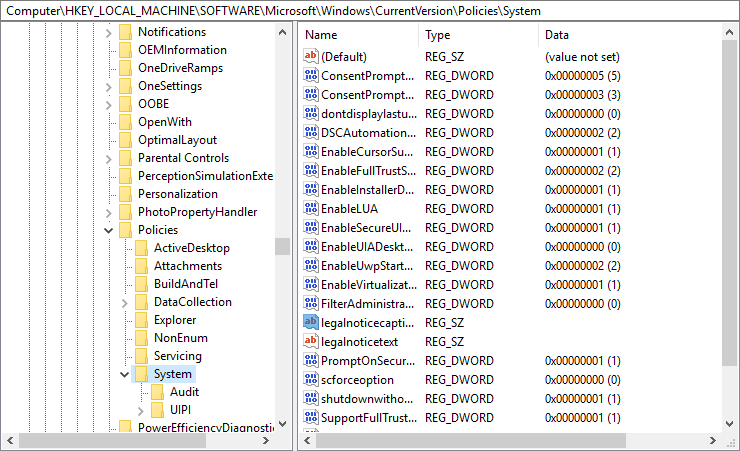
Vom modifica registrul legalnoticecaption si vom introduce titlul pe care dorim sa il afisam

Mai departe vom edita registrul legalnoticetext si vom introduce textul pe care dorim sa il afisam

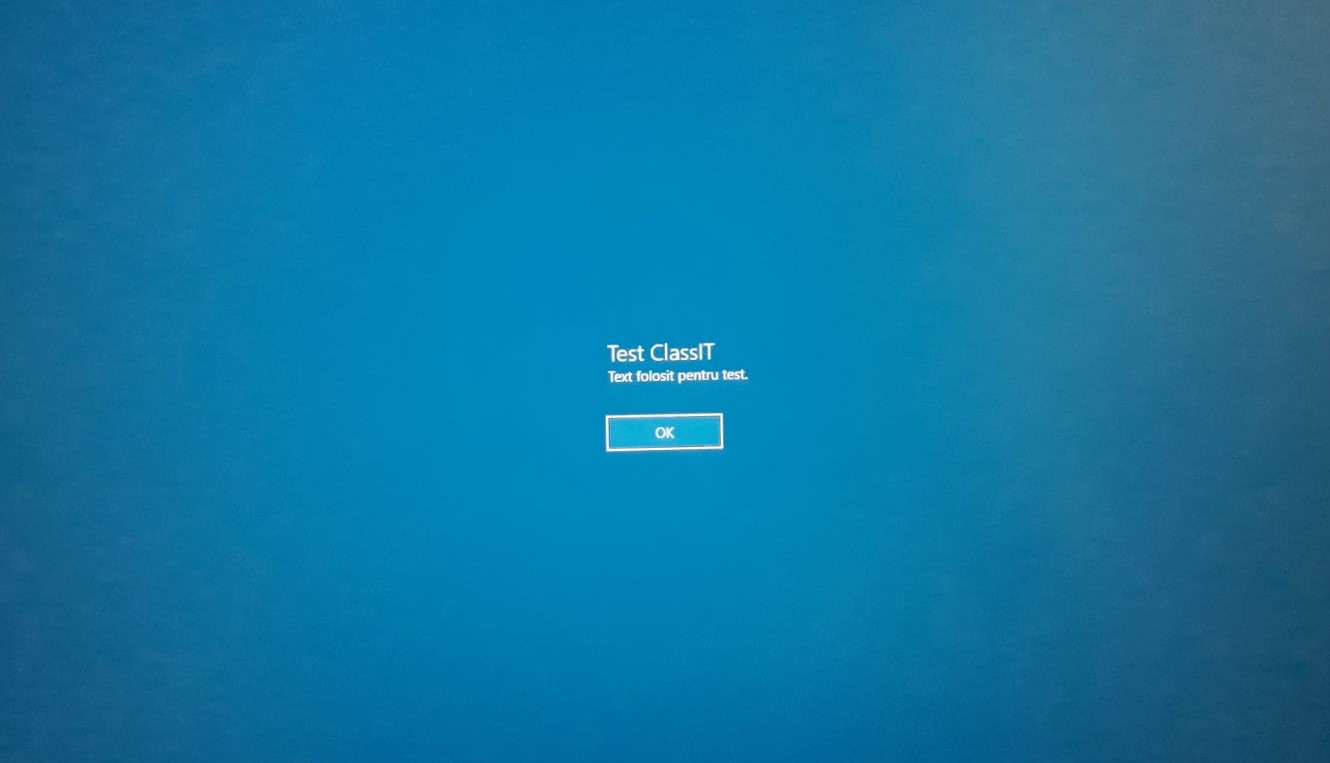
Dupa ce vom reporni statia de lucru va aparea mesajul setat inainte de afisarea ferestrei de logare
Tip solutie

Permanent
Etichetare: legalnoticecaptionlogin

Voteaza

Up Down
(27 din 66 persoane apreciaza acest articol)
Share
Tweet
Share

Despre Autor

mihai ungureanu

Solutii Asemanatoare

  • Cum se instaleaza Zsh pe Debian 11, 12, 13? 1
  • Cum se instaleaza Metasploit pe Debian 11, 12, 13? 0
  • Cum se instaleaza Python 3.14 pe Debian 11, 12 ,13? 0
  • Change page zoom level in Google Chrome 3
  • Shortcut reload the current page in Google Chrome 0
  • Reset page zoom level in Google Chrome 0

Leave A Comment? × Cancel Reply

32212

Soluții Disponibile

0 Articole

In ultima saptamana

Cele mai recente soluții

  • Cum se instaleaza Zsh pe Debian 11, 12, 13?
    • 18
    • 16 hours ago
  • Cum se instaleaza Metasploit pe Debian 11, 12, 13?
    • 13
    • 05/10/2026
  • Cum se instaleaza Python 3.14 pe Debian 11, 12 ,13?
    • 15
    • 05/10/2026
  • Change page zoom level in Google Chrome
    • 16
    • 05/10/2026
  • Shortcut reload the current page in Google Chrome
    • 15
    • 05/10/2026
© Askit.ro, 2014 - 2026. All rights reserved. Done by Class IT
Share
Tweet
Share