
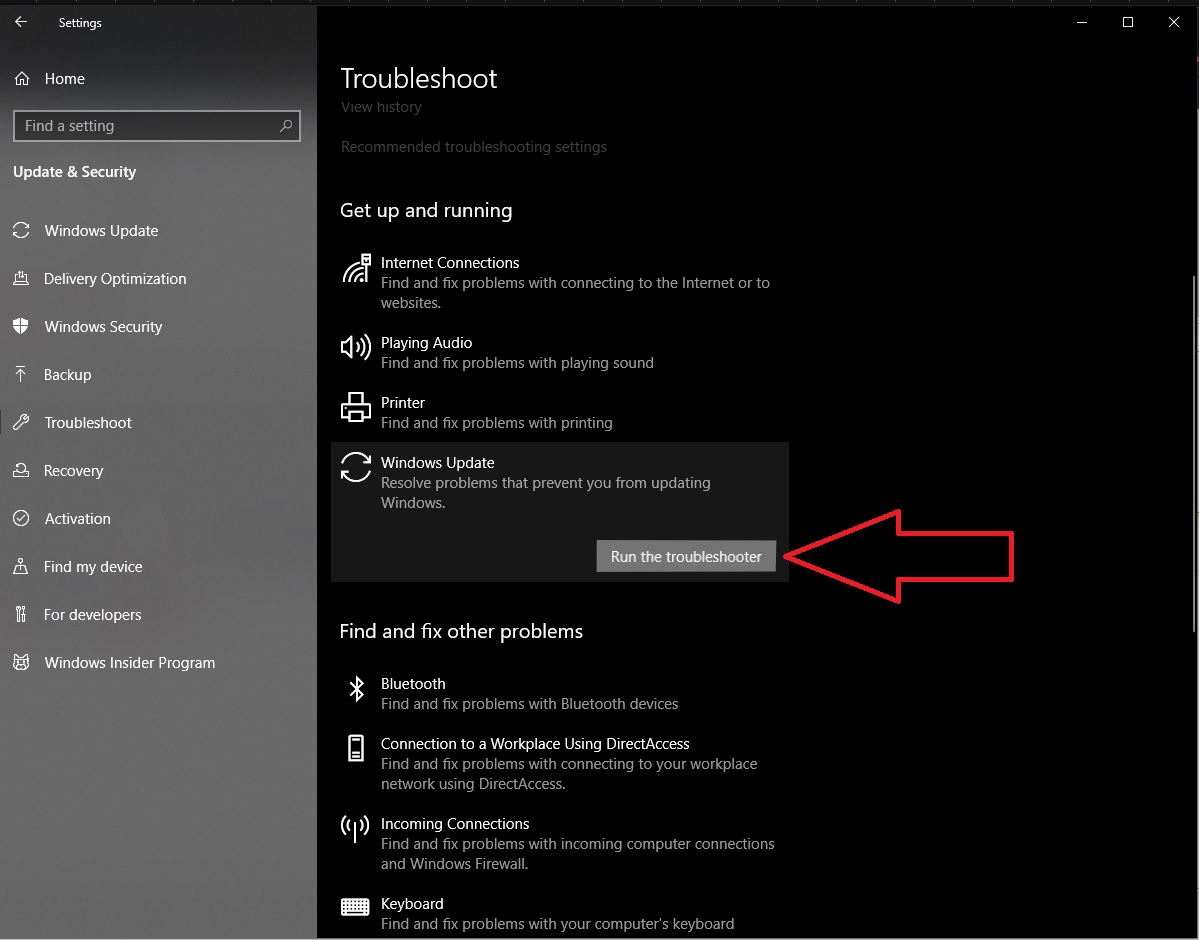
How to fix Error 0x8024500C Windows 10 update Data 25/04/2020 Autor Tiberiu Gache Categorie OS - Windows -6 690 Rezolvare problema (Fix IT) SituatieWindows update afiseaza eroarea 0x8024500C Simptome Solutie Pasi de urmat Tastati in Search wsresert si Enter Asteptati sa-si faca restore Microsoft Store. Accesati windows Settings -> Update and security -> Troubleshoot -> Windows Update -> Run Troubleshooter Efectuati RESTART. Tip solutiePermanent Etichetare: How to fix Error 0x8024500C Windows 10 update Voteaza Up Down (22 din 51 persoane apreciaza acest articol) ShareTweetShare Despre Autor Tiberiu Gache Solutii Asemanatoare Remediere Eroare: 0xc00000ba 0 Raspberry Pi Music jukebox 2 6 Excel UI changes you need to make before starting your next spreadsheet 7 How to remap Copilot Key to launch Search in Windows 11 4 How to enable Efficiency Mode on Windows 11 6 How to disable Efficiency Mode on Windows 11 3 Leave A Comment? × Cancel Reply Save my name, email, and website in this browser for the next time I comment. + nine = thirteen
Leave A Comment?