How to Stop Network Activity from Waking Your Windows PC
Have you ever had your PC turn on in the middle of the night for some unknown reason? It’s probably either network connectivity or someone connecting a USB device.
[mai mult...]
Soluții pentru problemele tale IT

Have you ever had your PC turn on in the middle of the night for some unknown reason? It’s probably either network connectivity or someone connecting a USB device.
[mai mult...]
Ever wished you didn’t have to type in your password every time Windows starts up, but you don’t want to lose the additional security that comes with having a password? If that’s the case then today’s your lucky day. Lets take a look.
Note: We’re showing Windows 8 in this example, but this should work in Windows 10, Windows 7, or Windows Vista as well.
[mai mult...]After you send a document out for review, you might get a lot of copies back with suggestions and revisions you don’t want to miss. When that happens, combine all those edits and ideas into one document.
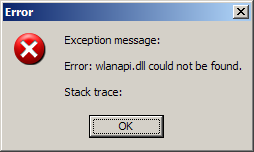
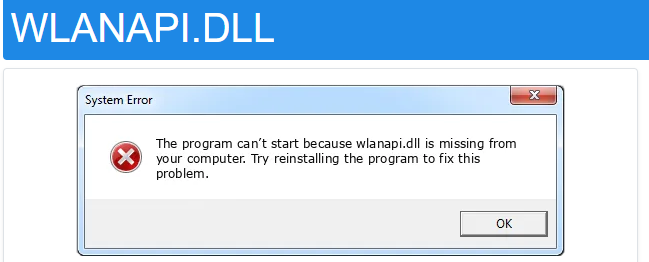
[mai mult...]Eroarea “Fisierul Wlanapi.dll nu poate fi gasit”, poate aparea atunci cand incercam sa instalam anumite programe, in momentul in care Windows pornește sau se inchide. Totusi este posibil sa apara chiar si in momentul in care incercam sa instalam Windows-ul.
Fisierul wlanapi.dll este legat de serviciul WLAN, avand ca scop rularea fara probleme in anumite variante ale sistemului de operare Windows. Acesta este necesar atunci cand lansati spre instalare un program care necesita accesul la acest serviciu.
Aceasta eroare poate aparea sub urmatoarele forme:

Junk files are temporary files created by the PC as you use various programs and perform different tasks. These files are required for a short period to speed up the process and get irrelevant over time.
Since these files occupy storage space on the disk drive, they may pile up and slow down your computer, especially if it’s a low-end machine. Hence, it’s a safe and good practice to clean the junk files on your PC regularly.
Some common types of junk files on your computer:
If you want to schedule WhatsApp messages, there is no in-built feature in the app, neither on Android nor on iOS. However, there are a few ways in which you can schedule WhatsApp messages on Android like using a third-party app.
[mai mult...]