Soluții

Disable Windows 11 Firewall

Windows 11 has a built-in firewall called Windows Defender Firewall. It works pretty well at protecting your computer from outside threats without causing too much trouble, but there are situations where it can get in the way. If you’re tired of dealing with connectivity problems, then you can turn off the Windows 11 firewall and open your computer up to the internet.

[mai mult...]

Delete Fonts in Windows 11

It’s easy to go overboard installing custom fonts. There’s nothing wrong with it unless you’ve collected so many your programs are now running slowly trying to load them all, or it’s becoming difficult to sift through all the options.

[mai mult...]

Installing Fonts Works in Windows 11

Font files are like regular files, where they can be downloaded from websites and shared between computers via flash drives, CDs, etc. There are lots of places to get fonts online, including free sources like Google Fonts, DaFont, and FontSpace. We’ll see below Windows 11 has its own, built-in method for getting fonts, too.

If you’ve got a font file, like one in the OTF or TTF file extension, you can’t just put it anywhere on your computer and expect it to be usable. A font isn’t recognized by Windows 11, and by extension programs like Word, until it’s been properly installed.

Installed fonts are stored in a specific folder, as covered below. As long as the program you want to use the font in is looking for font files in the standard Windows Fonts folder, following the steps below will allow the file to be used by that software.

[mai mult...]

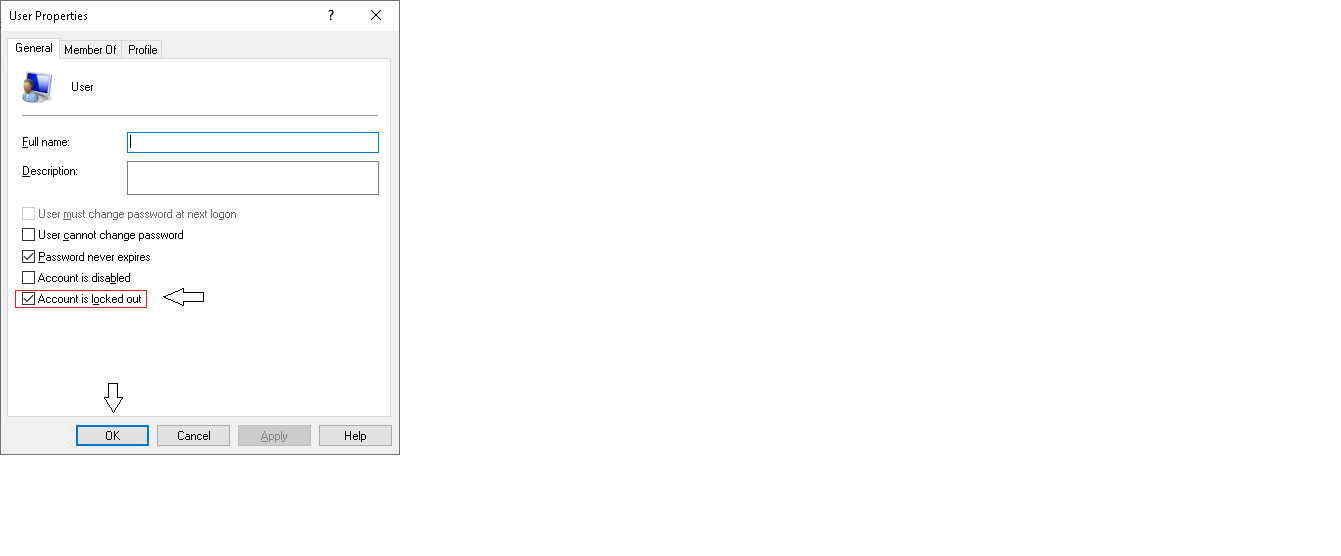
How to unlock a locked account in Windows 10

  • Log in to your main windows account (administrator )
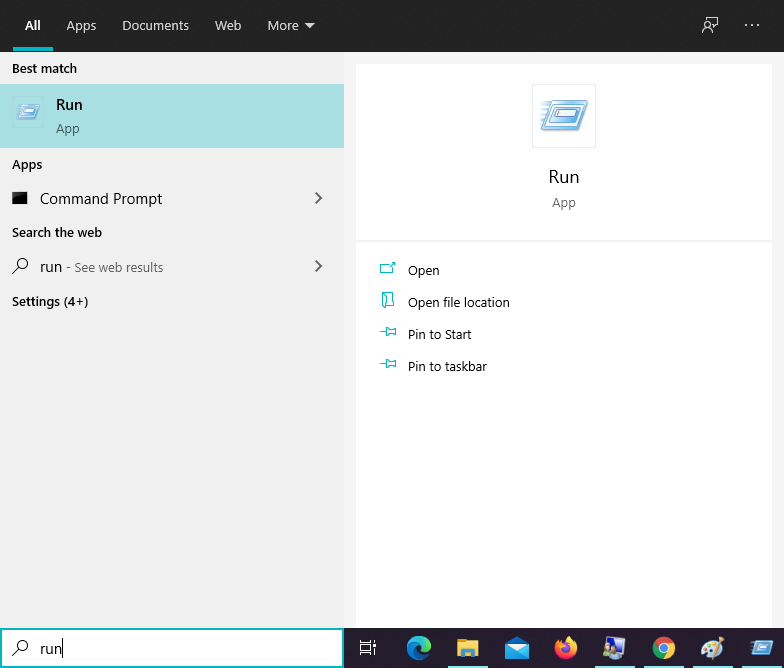
  • Open ” run ” command

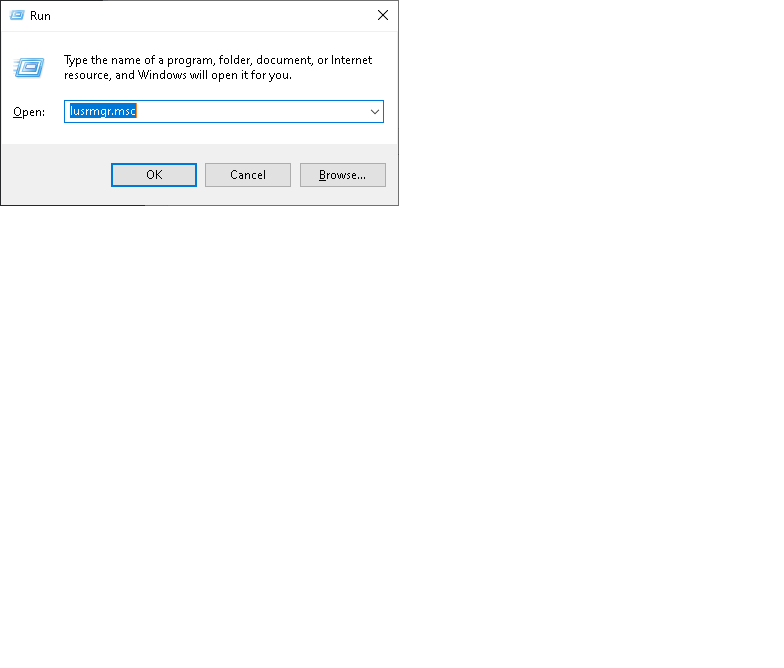
  •  type in ” lusrmgr.msc ” in the run command box and press enter

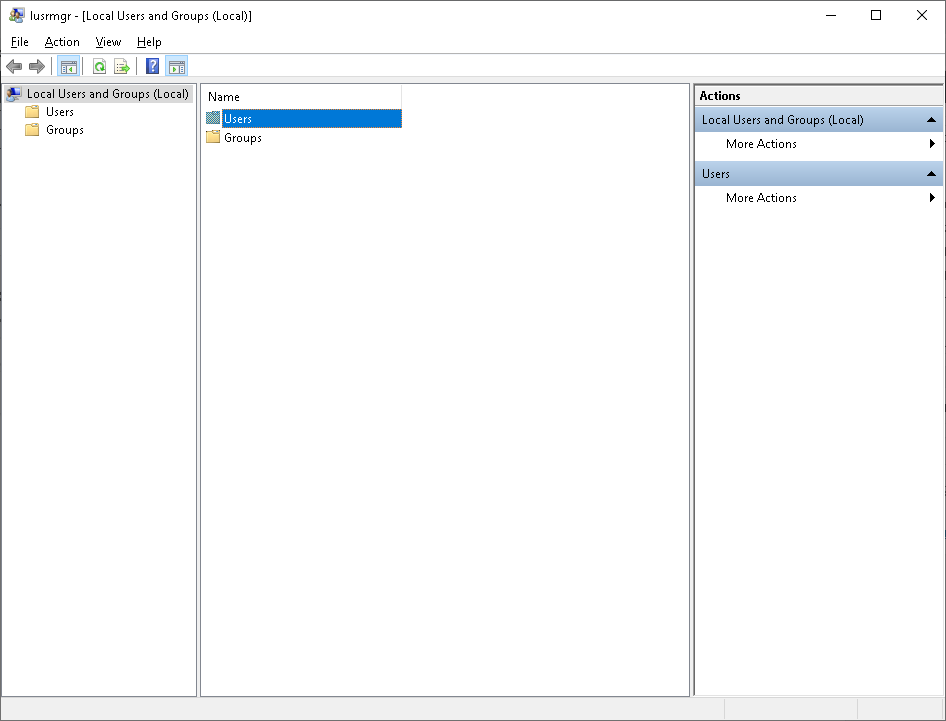
  • double click on the ” Users ” folder

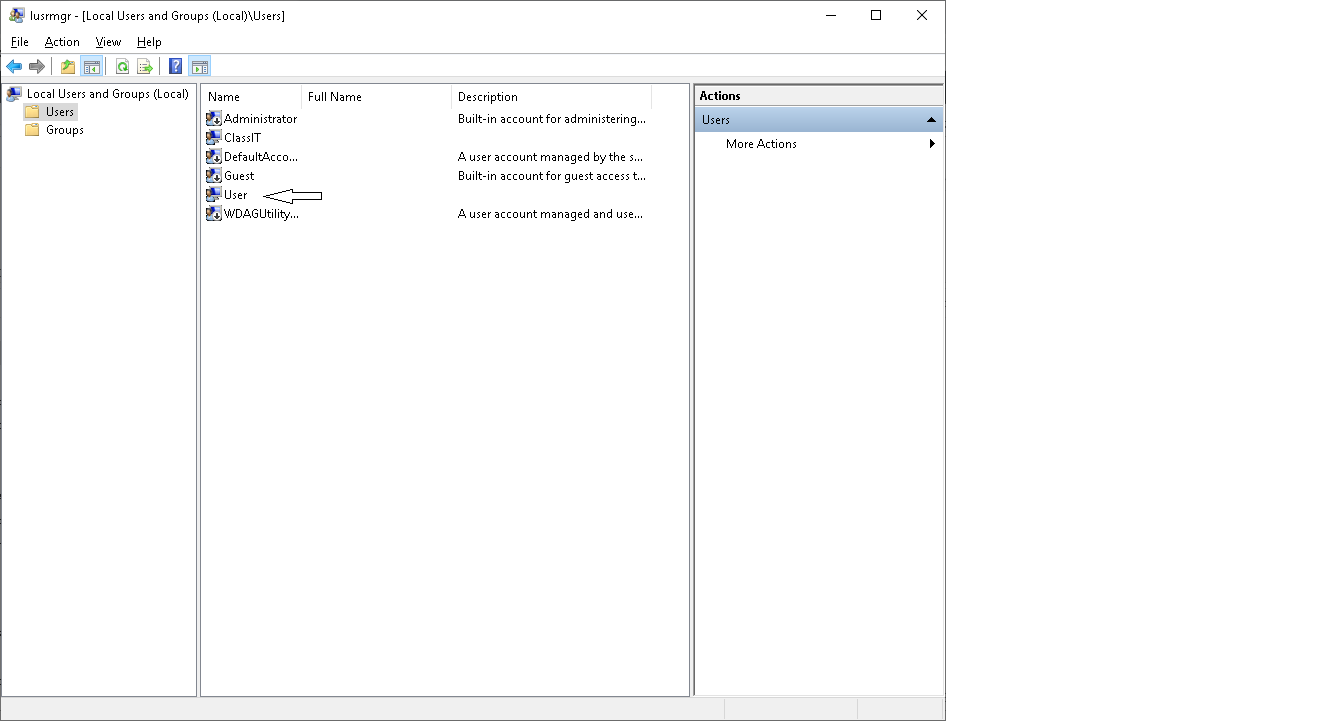
  • then double click on the account which is locked ; in our case ” User “

  • uncheck the “account is locket out ” box and press OK

[mai mult...]