
Soluții

Imposibil de descărcat fișiere mari din Sharepoint

Încercați să descărcați un fișier mai mare de 50000000 bytes intr-un folder Web din Windows XP Service Pack 2 (SP2) sau o versiune ulterioară de Windows. Este posibil să primiți un mesaj de eroare similar cu următorul:
Cannot Copy FileName: Cannot read from the source file or disk

In acest scenariu pe Windows 7, 8 sau 8.1, este posibil să primiți următorul mesaj de eroare:

An unexpected error is keeping you from copying the folder. If you continue to receive this error, you can use the error code to search for help with this problem.

Error 0x800700DF: The file size exceeds the limit allowed and cannot be saved
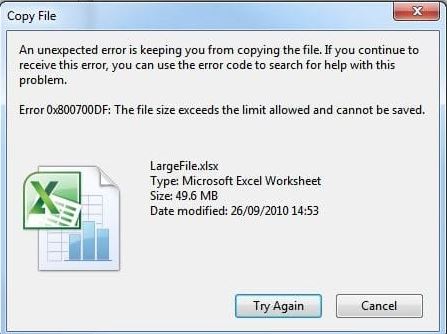
Dacă încercați să descărcați un fișier mai mare de 50000000 bytes, computerul client interpretează această descărcare ca un atac. Prin urmare, procesul de descărcare se oprește.

[mai mult...]

How to Remove System Error Memory Dump Files on Windows 10

What Are Memory Dump and Minidump Files?

Whenever Windows suffers a Blue Screen of Death (BSOD) error, it generates a crash file or memory dump file containing a lot of information, like the process threads active before the crash, running programs and apps, active drivers, kernel information, and event timestamps.

Windows keeps a maximum of one memory dump file (generally at C:\Windows\MEMORY.DMP), which it overwrites every time your system blue-screens. This file can be up to 800MB in size, and it contains a lot of details that might be useful for a programmer or developer who needs to debug the crash.

There are also smaller minidump files, which are memory dump files that contain fewer details. You can generally find these files in C:\Windows\Minidump. Unless you plan on sharing these files with someone or using them yourself to help troubleshoot a system crash or other problem, you can safely delete them to free up space.

[mai mult...]