Soluții

How to Type Emoji on Your Mac with a Keyboard Shortcut

Your Mac has a quick hotkey that will open an emoji picker in any app. You can quickly insert an emoji anywhere on macOS—in a messaging app, in an email, or even in a document you’re editing. Here’s how to use it. First, open the app you’d like to insert the emoji into. Click on any text input area, and when you see a cursor, press Control+Command+Space. An emoji panel will pop up.

[mai mult...]
Cum putem schimba pozitia unei aplicatii afisate in Context Menu

Cum putem schimba pozitia unei aplicatii (sus, mijloc sau jos) afisate in Context Menu

Pasul 1
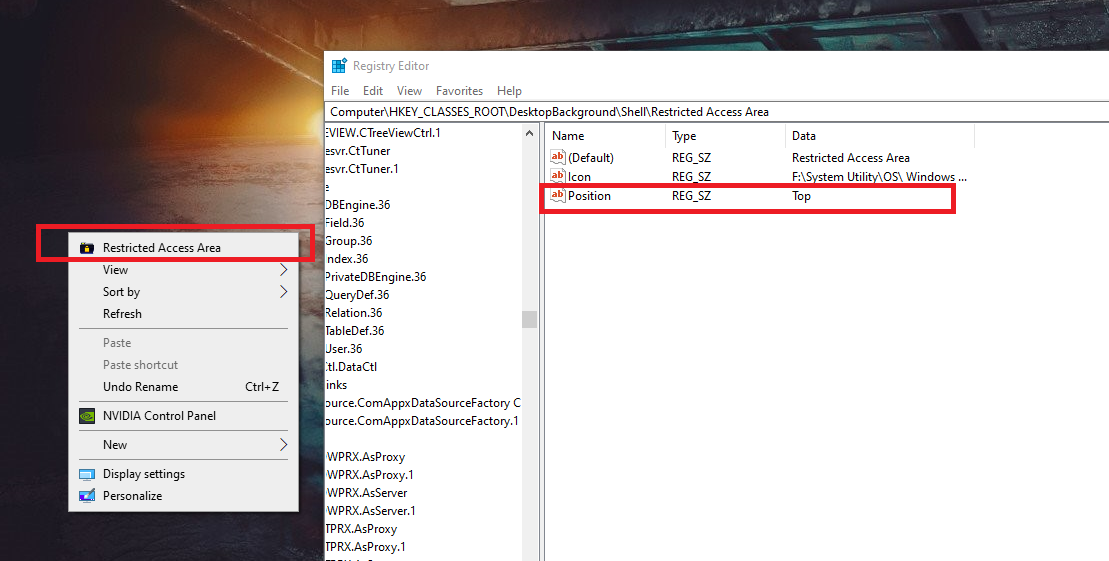
Deschidem regedit si mergem pe calea programului nostru, in cazul de fata – HKEY_CLASSES_ROOT\DesktopBackground\Shell\Restricted Access Area

Pasul 2
Click dreapta – New – String Value

Pasul 3
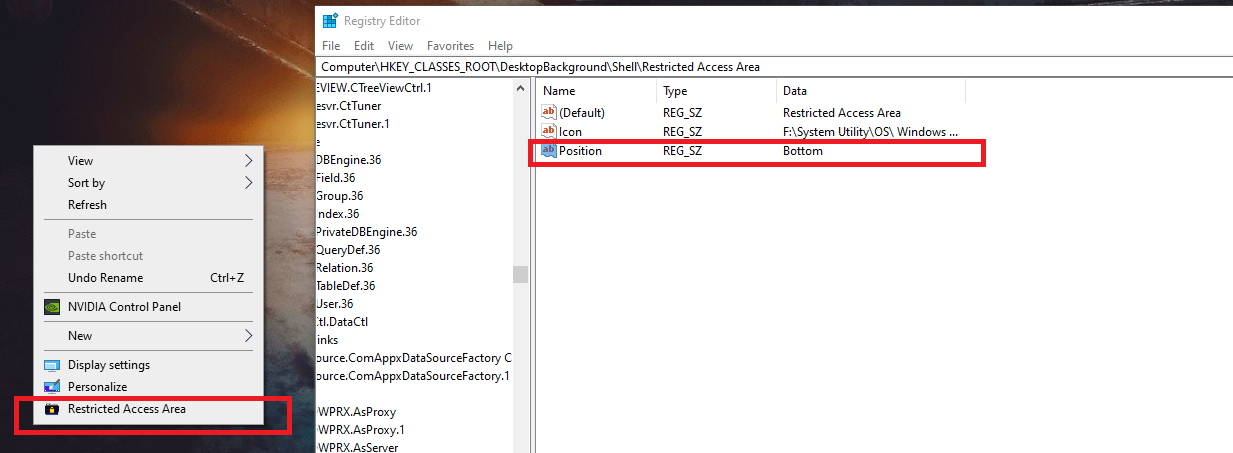
Modificam New Value #1 in Position, apoi dam dublu click, iar la Value data scriem – Top, Middle sau Bottom, in functie de cum dorim sa fie pozitionata.

[mai mult...]

How to Pin and Unpin Extensions from the Chrome Toolbar

Not all extensions are made equal. Some extensions, like Grammarly, work quietly in the background and don’t need an icon in the Chrome toolbar. Here’s how to pin and unpin extensions for a cleaner Chrome toolbar.

The Extensions Toolbar menu feature was first introduced in Chrome 76. Before the update, all extensions showed up directly in Chrome’s toolbar. Now, you can choose which extensions to show in the Chrome toolbar, and which ones to hide away in the extensions menu.

[mai mult...]

Cum putem ascunde o aplicatie afisata in Context Menu

Cum putem ascunde o aplicatie afisata in Context Menu:

In cazul in care dorim sa ascundem o aplicatie din Context Menu, putem face urmatorul lucru:

Pasul 1
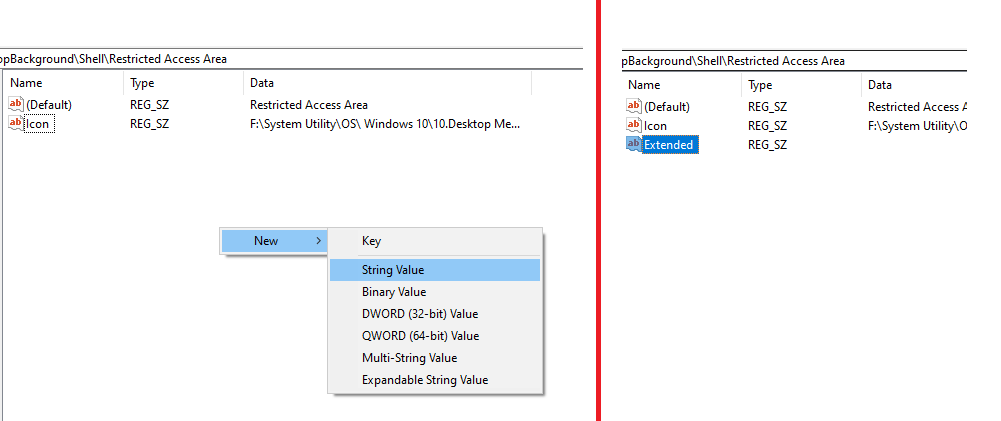
Deschidem regedit si mergem pe calea programului nostru, in cazul de fata – HKEY_CLASSES_ROOT\DesktopBackground\Shell\Restricted Access Area

Pasul 2
Click dreapta – New – String Value

Pasul 3
Modificam New Value #1 in Extended

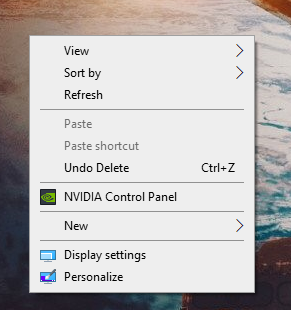
Pentru a aparea programul, tinem apasat tasta Shift si apasam click dreapta.

[mai mult...]