Soluții

How to enable random MAC address for Wi-Fi on Windows 10

The problem is that the signal includes the unique media access control (MAC) address (also referred as the physical hardware address) of your computer, and sending out the hardware address can allow some places, such as stores, public areas, and shopping malls to track your location in the specific area.

If you want to make it more difficult for people to track your movements as the device scans and connects to a Wi-Fi network, Windows 10 includes an option to send random hardware addresses. However, this option is only available for hardware that supports the feature. If the network adapter doesn’t support the randomize feature, you won’t see the option in the Settings app.

[mai mult...]
How to Choose Your Shopping List App in the Google Home App

Google Assistant and Nest smart speakers (aka Google Home) make it easy to add items to shopping lists with just your voice. If you don’t want to use Google’s built-in list, you can connect your device to a third-party app. Here’s how.

You can simply add things to a shopping list using the Assistant or your Nest speaker by saying, “Okay Google, add milk to my shopping list.” If you have a Google Nest speaker or display, you don’t even need to pull out your phone. Selecting a preferred shopping list is the first step in getting the most out of this feature.

Choose a Shopping List App on Google Home

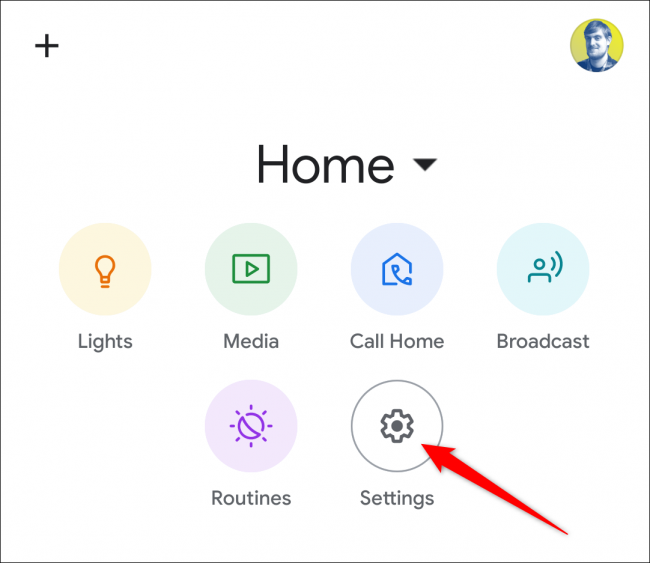
Open the Google Home app on your iPhoneiPad, or Android device, and tap the “Settings” gear icon in the top section.

Scroll down to the “Services” section, and tap “Shopping List.”

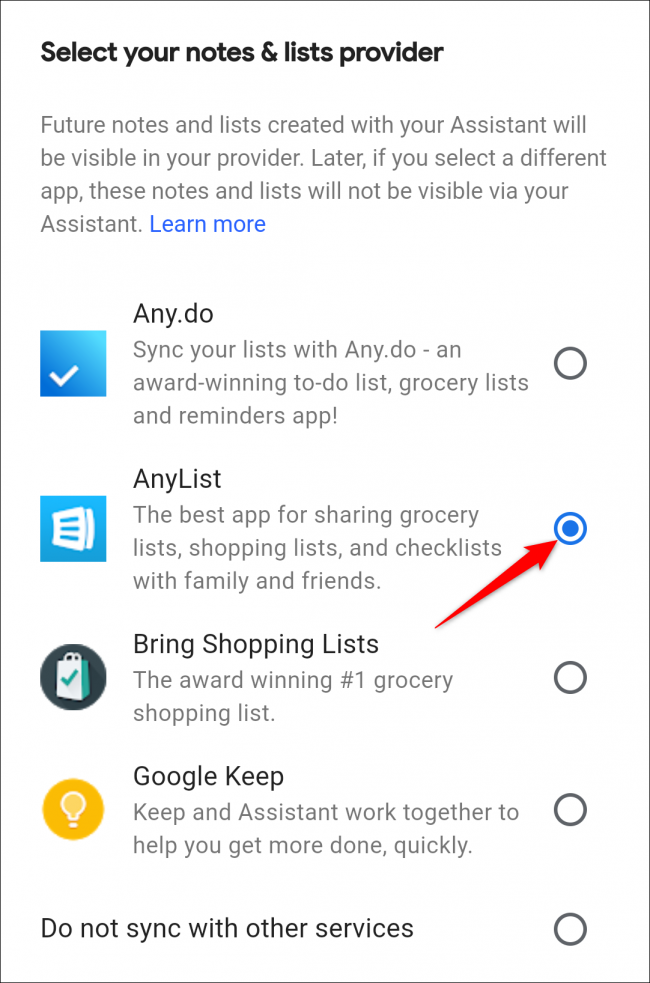
Navigate to the “Select your notes & lists provider” section, and you will see a few different apps to choose from. Select the app you wish to use.

After selecting an app, a pop-up message will tell you that all future notes and lists created with Google Assistant will be visible in the selected app. Tap “Continue.”

You will be redirected to sign in to the selected app. Follow the steps outlined by your selected app.

Once finished signing in, you will be brought back to the “Notes & Lists” page in the Google Home app. Now, whenever saying something like “Okay Google, add milk to shopping list,” the Google Assistant will add the item to your chosen shopping list app.


[mai mult...]