Cum să personalizați orele implicite de amânare ale Gmail
Funcția Snooze de la Gmail este la îndemână, dar este posibil ca orele implicite să nu fie potrivite pentru dvs. Iată cum puteți personaliza și modifica orele de amânare.
[mai mult...]
Soluții pentru problemele tale IT

Funcția Snooze de la Gmail este la îndemână, dar este posibil ca orele implicite să nu fie potrivite pentru dvs. Iată cum puteți personaliza și modifica orele de amânare.
[mai mult...]Funcția de substituție automată din Google Docs este o modalitate simplă de a crea scurtături de text pentru cuvinte sau propoziții pe care le utilizați în mod regulat în documentele dvs. Iată cum puteți economisi timp și efort cu acest instrument util.
[mai mult...]Microsoft Office lucrează constant pentru îmbunătățirea software-ului său. Cu toate acestea, pot exista momente în care Word doar refuză să înceapă. Iată câteva moduri prin care poți obține Word și să ruleze din nou.
[mai mult...]If you’ve ever opened up your computer, you know there is a lot of hardware in there. It’s all a potential point of failure. There are certain pieces of hardware which are more prone to failure than others.
Equipment that either generates heat or has moving parts tends to fail most often. Thanks to computer hardware tests, you can scan your system and spot failing hardware before everything crashes.
The parts that most commonly break are fans, hard disk drives, CPUs, and GPUs.
RAM also tends to fail too. It is continually being written and re-written to (flashed). Solid-state memory can only handle so many flashes before it begins to fail. The problem also applies to solid-state hard drives.
The best way to avoid being caught out is to perform regular hardware diagnostic tests on your computer. Here’s how to do hardware tests on Windows 10.
Windows 10 has two built-in hardware diagnostic tools. The first analyzes system performance on your computer and the second runs memory tests on your Windows 10 PC.
Getting a blue screen of death (also known as a stop code error), where your system unexpectedly crashes, is frustrating. Especially when you don’t understand the problem. If the error is named “Unexpected Store Exception,” we can help.
Despite what you might think, this error has nothing to do with the Microsoft Store. We’re going to show you various ways to troubleshoot this error to determine the cause of an Unexpected Store Exception in Windows 10.
[mai mult...]Uneori, în timpul instalării unor aplicații sau a oricăror actualizări Windows, se va crea un punct automat. Nu este același lucru în toate cazurile. Vor fi cazuri care trebuie să creăm manual Punctul de restaurare a sistemului. Uneori putem intampina erorea “0x80070005: the restore point could not be created. Access is denied”
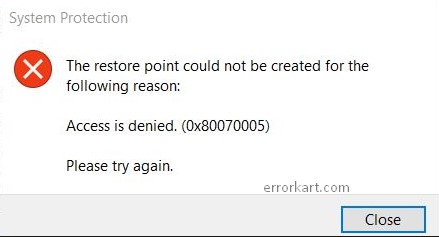
Pentru remediere puteti urma tutorialul:
[mai mult...]