
Soluții

Cum salvezi o arhivă locală în Outlook

  1. Deschide Outlook:
    • Deschide aplicația Outlook pe computerul tău.
  2. Accesează opțiunile de import/export:
    • Mergi la fila “File” (Fișier) din colțul stânga sus.
    • Selectează “Open & Export” (Deschidere și exportare).
    • Alege “Import/Export” (Import/Export).
  3. Alege acțiunea de export:
    • În fereastra care apare, selectează “Export to a file” (Exportați într-un fișier) și apasă “Next” (Următorul).
  4. Selectează formatul fișierului:
    • Alege “Outlook Data File (.pst)” și apasă “Next” (Următorul).
  5. Alege contul sau dosarul de exportat:
    • Selectează contul de e-mail sau dosarul specific pe care dorești să-l exporți (de exemplu, Inbox, Sent Items etc.). Pentru a exporta toate dosarele, selectează contul de e-mail principal.
    • Asigură-te că opțiunea “Include subfolders” (Include subdosare) este bifată pentru a include toate subdosarele și apasă “Next” (Următorul).
  6. Alege locația de salvare și denumirea fișierului:
    • Apasă pe “Browse” (Răsfoire) pentru a alege locația de pe computerul tău unde dorești să salvezi fișierul PST.
    • Introdu un nume pentru fișier și apasă “OK”.
  7. Finalizare export:
    • Alege ce dorești să faci în caz de duplicare a articolelor (de obicei, opțiunea implicită este suficientă) și apasă “Finish” (Finalizare).
    • Dacă dorești, poți seta o parolă pentru fișierul PST, dar acest pas este opțional. Dacă nu dorești să setezi o parolă, lasă câmpurile goale și apasă “OK”.

După ce ai finalizat pașii de mai sus, fișierul PST va fi salvat în locația specificată de tine. Poți copia acest fișier pe un dispozitiv de stocare extern, cum ar fi un hard disk extern sau un stick USB, pentru a-l păstra în siguranță.

[mai mult...]
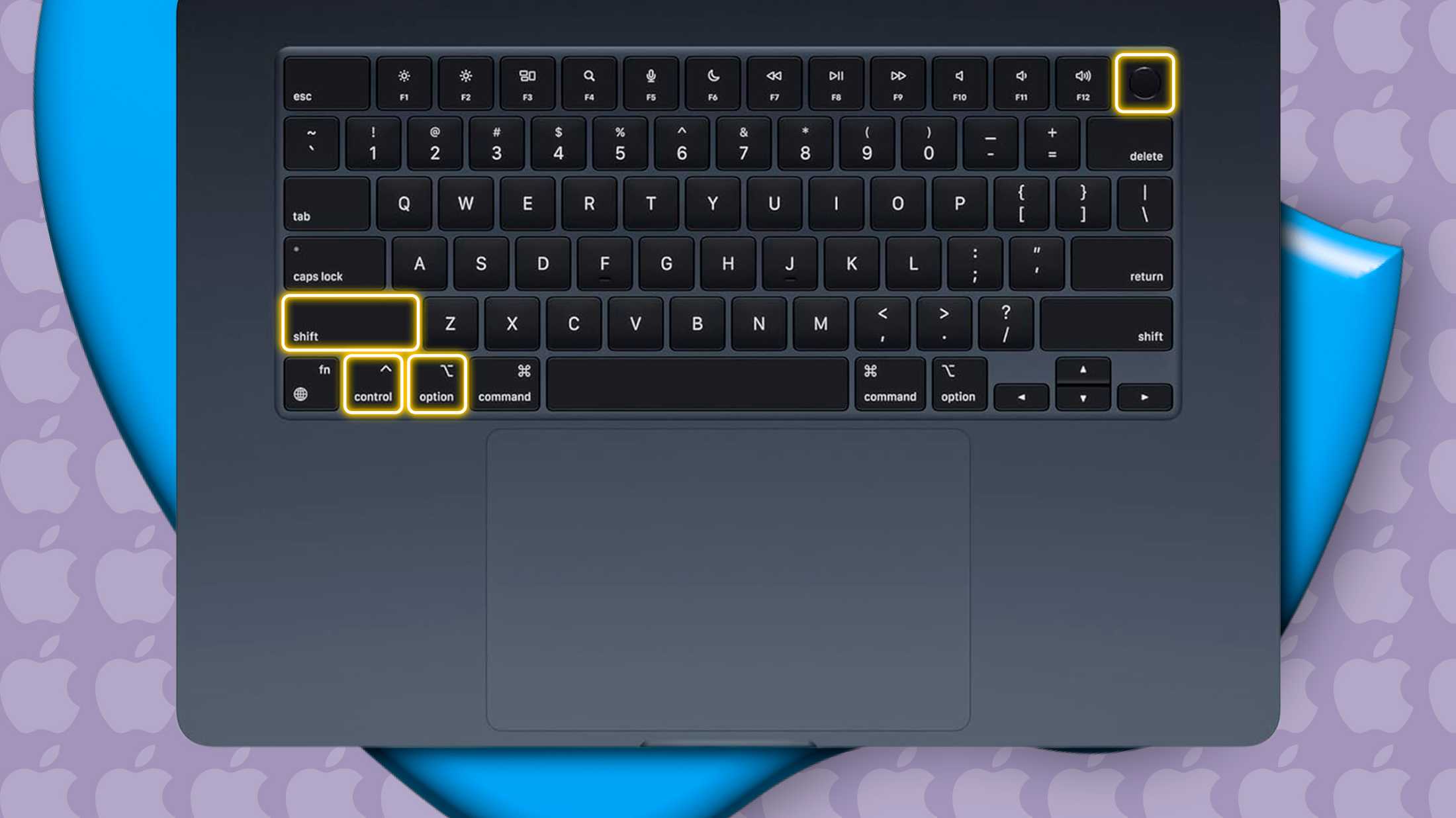
How and when to reset the SMC on your Mac

If you’re experiencing weird Mac behavior, like a computer that’s not responding properly when you press the power button or open the lid or the backlight is playing up, one solution is to reset the system management controller or SMC. It sounds technical, but it actually isn’t.

[mai mult...]

Cum preveniți ca tasta Windows, Alt+Tab și tastele lipite să vă distrugă jocul

Windows este proiectat pentru utilizare generală pe computer, nu în mod special pentru jocuri. Tasta Windows, Alt+Tab și alte comenzi rapide de la tastatură, cum ar fi Sticky Keys, vă pot scoate din jocurile pe ecran complet și vă pot aduce înapoi la desktop. Din fericire, este foarte ușor să le dezactivați, astfel încât să vă puteți bucura de sesiuni de joc neîntrerupte.

[mai mult...]

Accidentally lost Data while moving Files on Windows? Here are your recovery options

If you can’t find a specific file or folder after relocating your data from one drive to another, recheck the source and destination folders to ensure the data is actually missing. It’s possible that the files weren’t moved from the source drive, or an interruption during the transfer may have prevented the files from being properly copied to the destination folder.

If you’ve transferred data to an external drive, try disconnecting and reconnecting it, then double-check for the files again. You’ll likely find the files or folders you’re looking for on one of the drives, eliminating the need for further troubleshooting. If not, go to the next step.

[mai mult...]

How to Install Apple Maps on Windows

Apple Maps has an official web app, available on Windows, Mac, and Linux. Here’s how to install it on your Windows PC for easy access.

Apple released a public beta of Apple Maps on the web in July 2024, marking the first time the Maps service was available on non-Apple devices. It’s still not the full experience you’d get on an iPhone or Mac, but you can look up locations, check routes, and view location information like opening hours and phone numbers.

How to Install Apple Maps

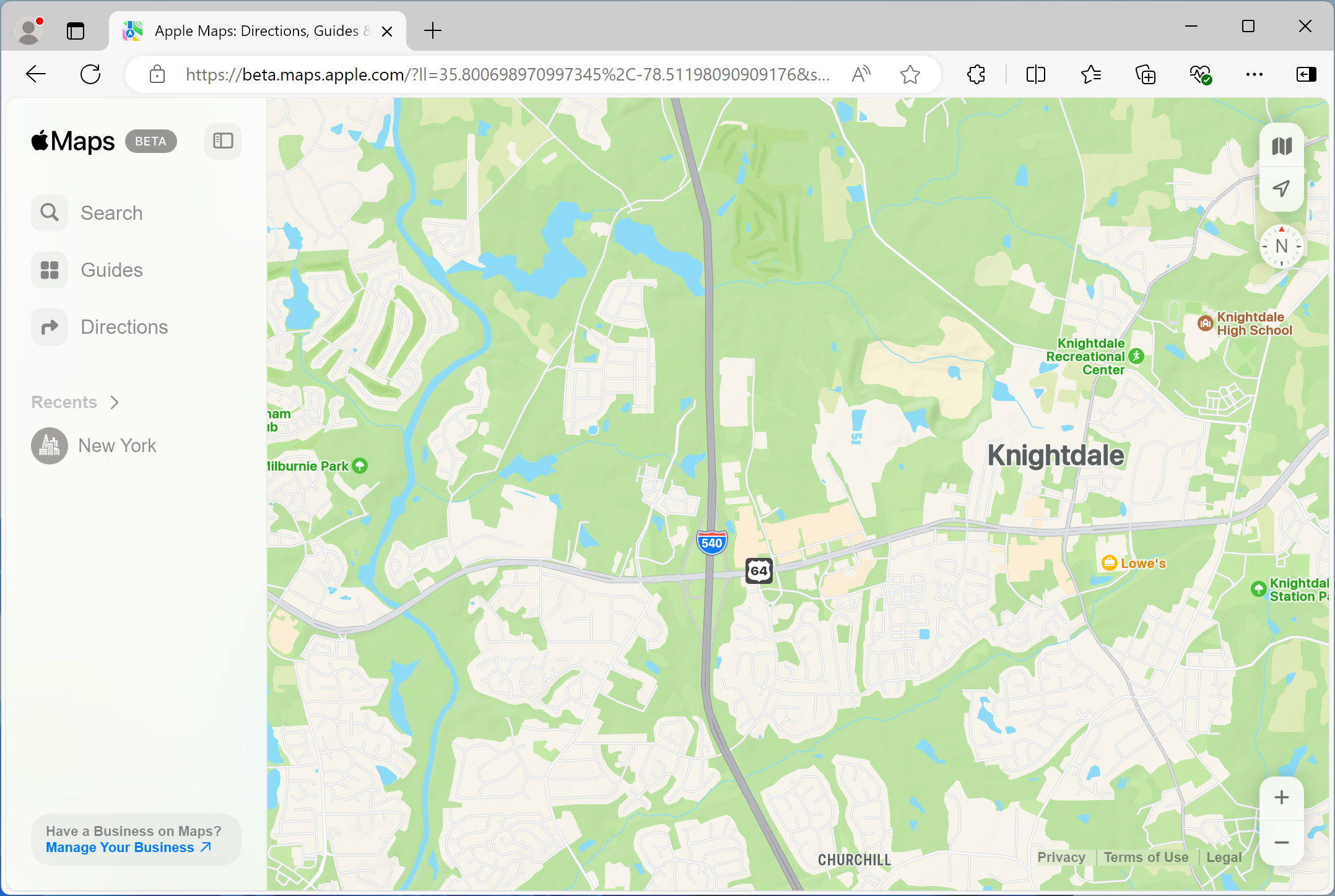
First, open Microsoft Edge on your Windows PC. You can search for “Edge” in the Start Menu to find it. Next, open the address beta.maps.apple.com in the address bar. That will open the Apple Maps web app.

Apple Maps web app screenshot.
[mai mult...]