Soluții

How to set up a microphone in OBS for a professional television stream

Whether you’re a seasoned podcaster, a budding vlogger, or a casual gamer connecting with friends, a good microphone is only half the battle. To truly captivate your audience, you need to wield the power of microphone settings. Here’s why:
  • Be Heard, Not Heard From: Imagine trying to decipher a muffled conversation. Background noise from traffic, fans, or even your keyboard can quickly turn listeners away. Proper microphone settings filter out unwanted noise, ensuring your voice cuts through cleanly.
  • The Power of Perception: Crystal-clear audio creates a professional impression. Listeners subconsciously associate a well-configured microphone with quality content and a polished presenter.
  • A Sound Investment: A little time spent tweaking settings can significantly improve your audio quality. This is especially important for those relying on voice to engage audiences, like podcasters and YouTubers.

By taking control of your microphone settings, you’re not just affecting the sound – you’re shaping how listeners perceive you and your content. It’s a simple step that can take your voice from background noise to center stage.

[mai mult...]

PuTTY: Connect to Serial Port

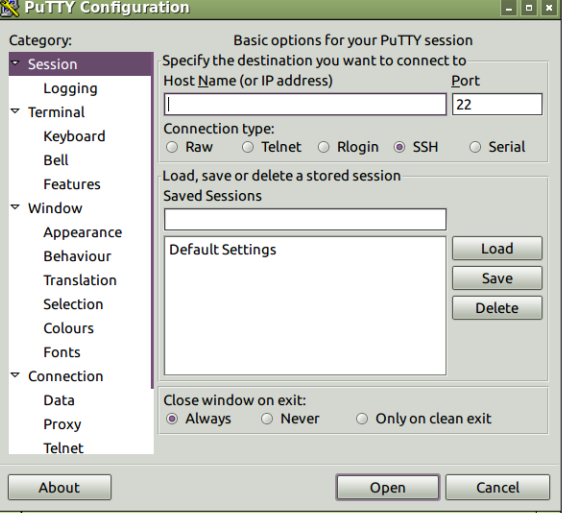
Before connecting to a serial port, you must start PuTTY as a superuser (or as root user) using following command. This command opens the putty configuration dialog box.

$ sudo putty


In the above dialog box:

  1. Choose Connection type as Serial.
  2. In Serial line enter the USB Serial port path obtained above /dev/ttyACM<number> or /dev/ttyUSB<number> or /dev/pts/<number>.
  3. Enter Speed to 115200.
  4. Click Open

Steps 1-3 opens a new window to receive serial data from the DRIVE platform.

[mai mult...]