

Soluții
How to show the logs on the switch just for a month
We assume that you want to see the logs from all interfaces, but only for one month.
[mai mult...]How you can see the logs from a single interface
We assume that you have a device connected to a certain port, and you want to see on the switch the problems related only to that port so that you don’t have to search through all the logs of all the interfaces.
[mai mult...]How to fix a DHCP conflict
We assume that in a location you have two laptops with the same IP, thus a conflict will occur in DHCP, and one of them will no longer be able to receive network access.
[mai mult...]Add funds to your Apple ID instead of using the Family Payment method
[mai mult...]How to change Autofill credit card information on your iPhone & iPad
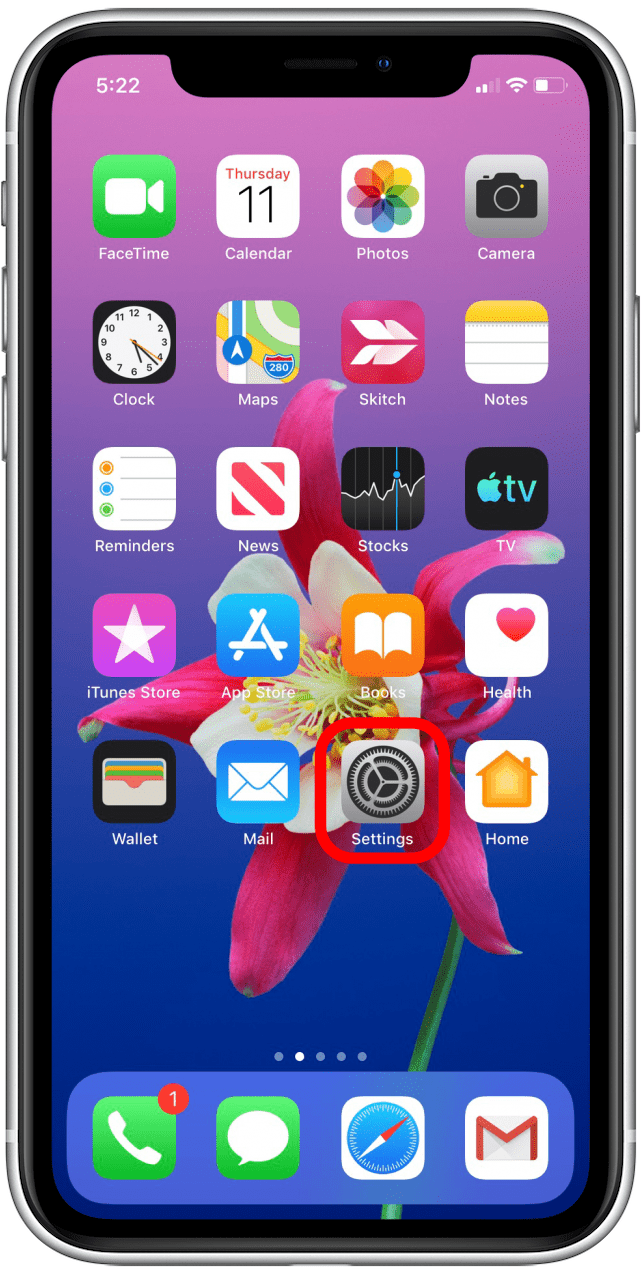
Open the Settings app.
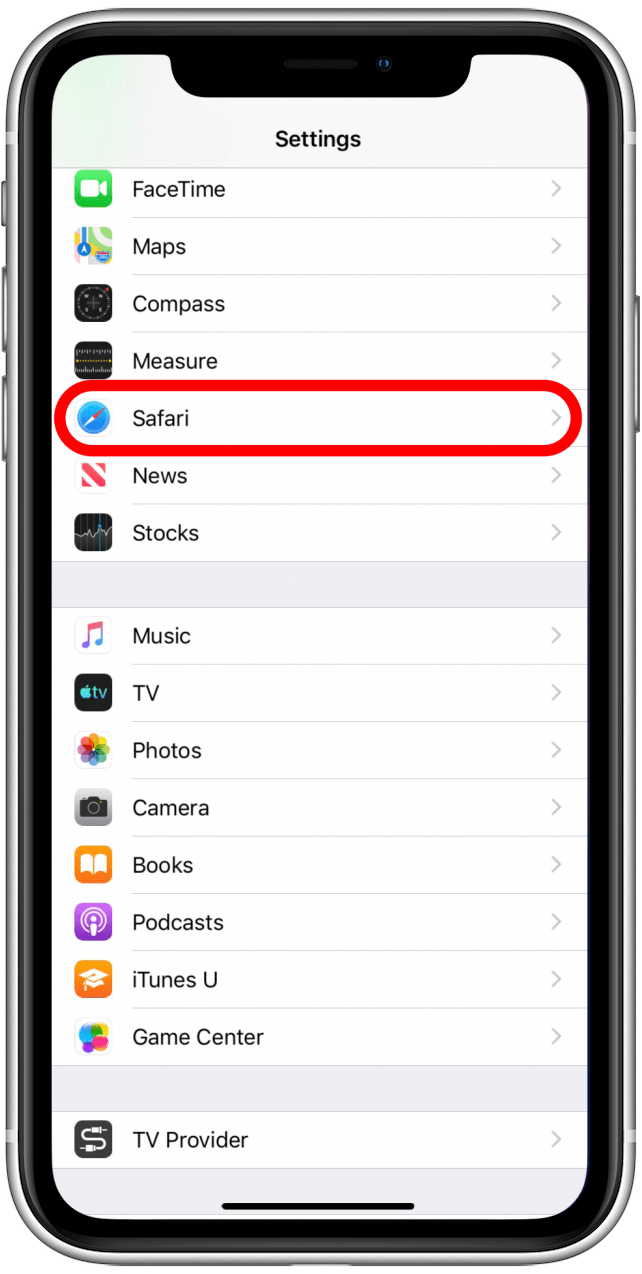
Tap Safari.
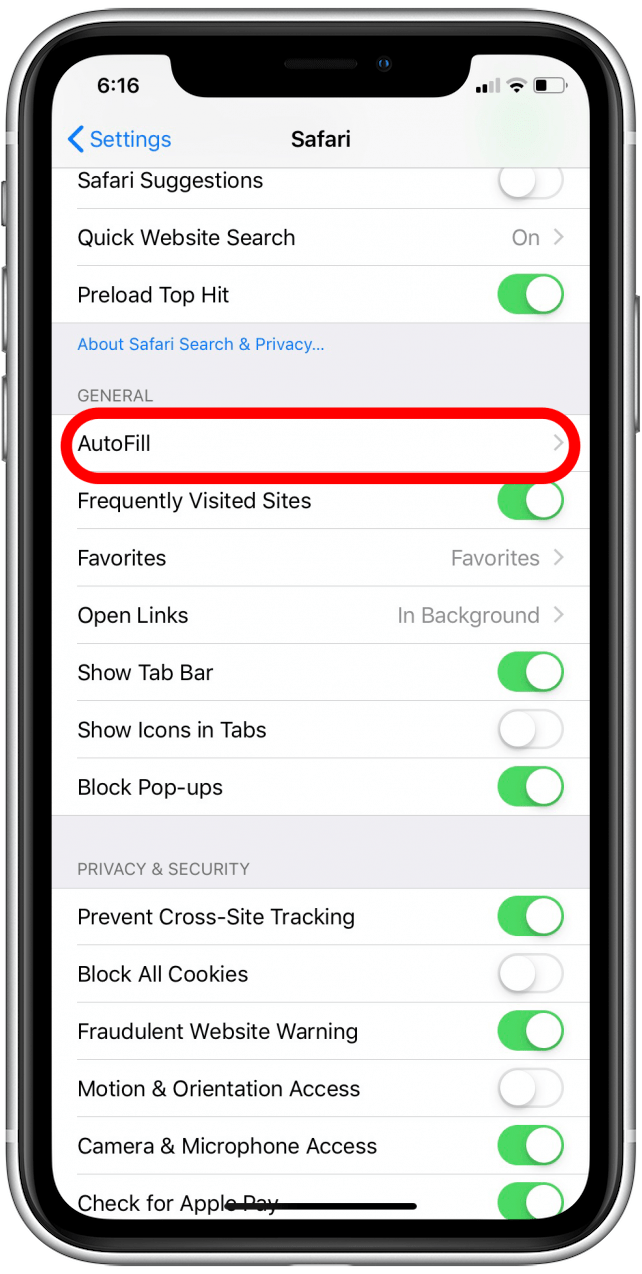
Tap AutoFill.
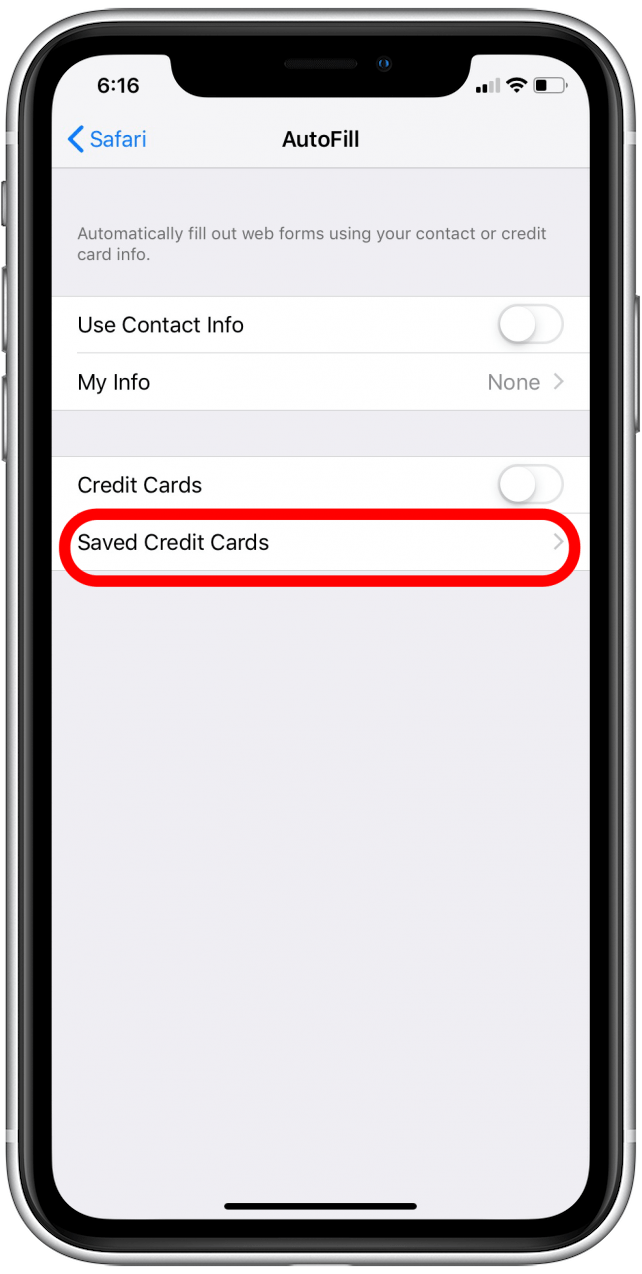
Tap Saved Credit Cards. You may need to enter your passcode or use Face or Touch ID to verify your identity.
Tap Add Credit Card. Tap Use Camera to scan the card, or enter the data manually.
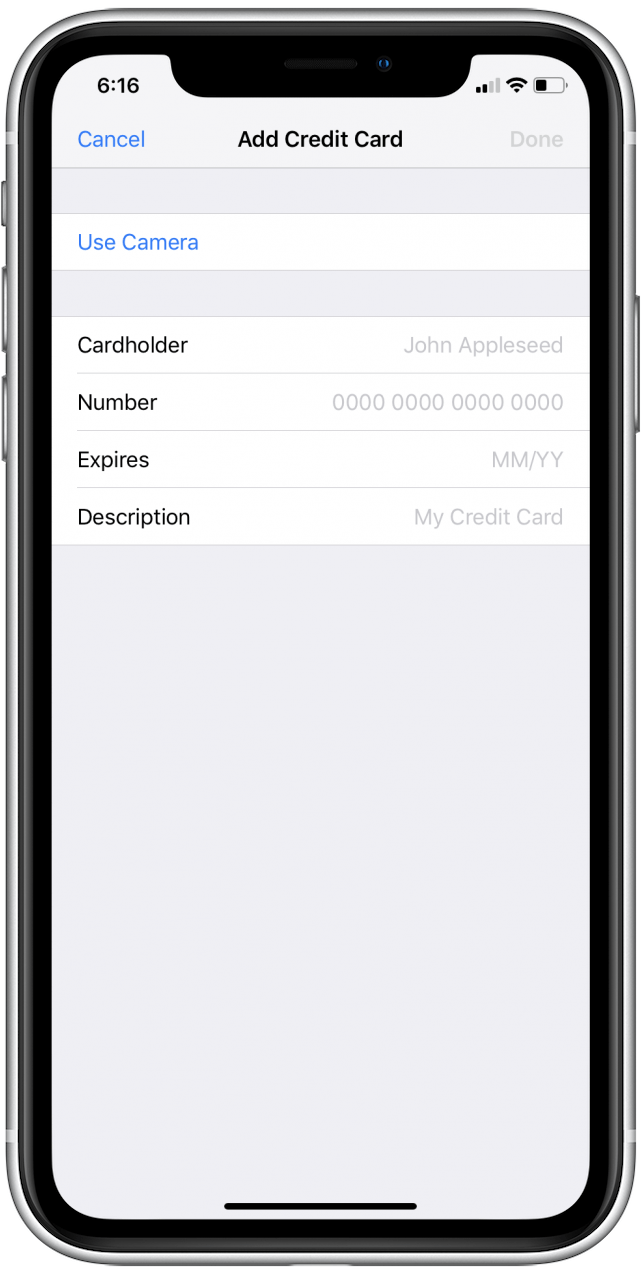
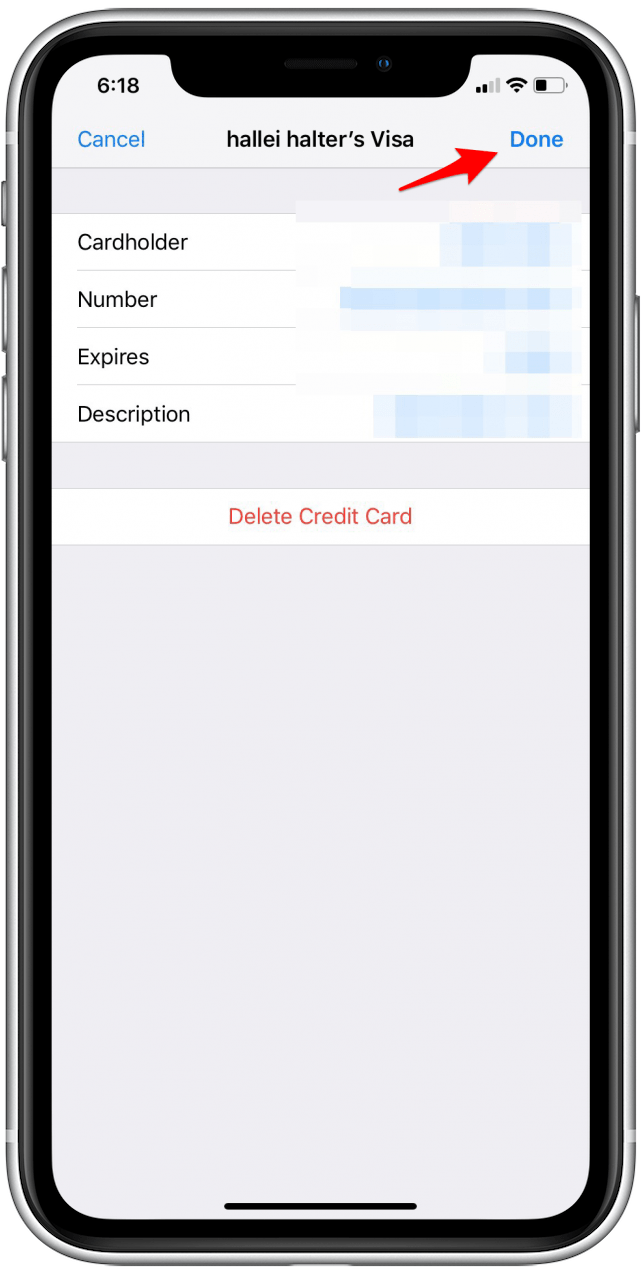
When finished, tap Done in the upper-right corner of the screen.
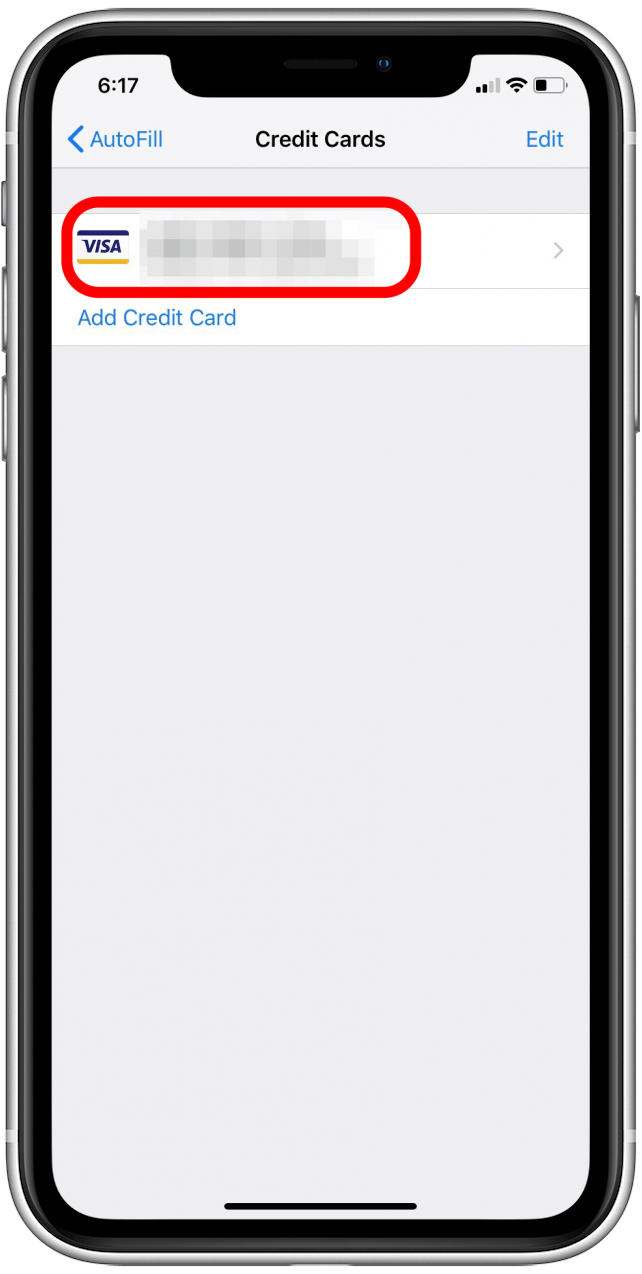
To edit a credit card you’ve already entered, tap on the name of the card.
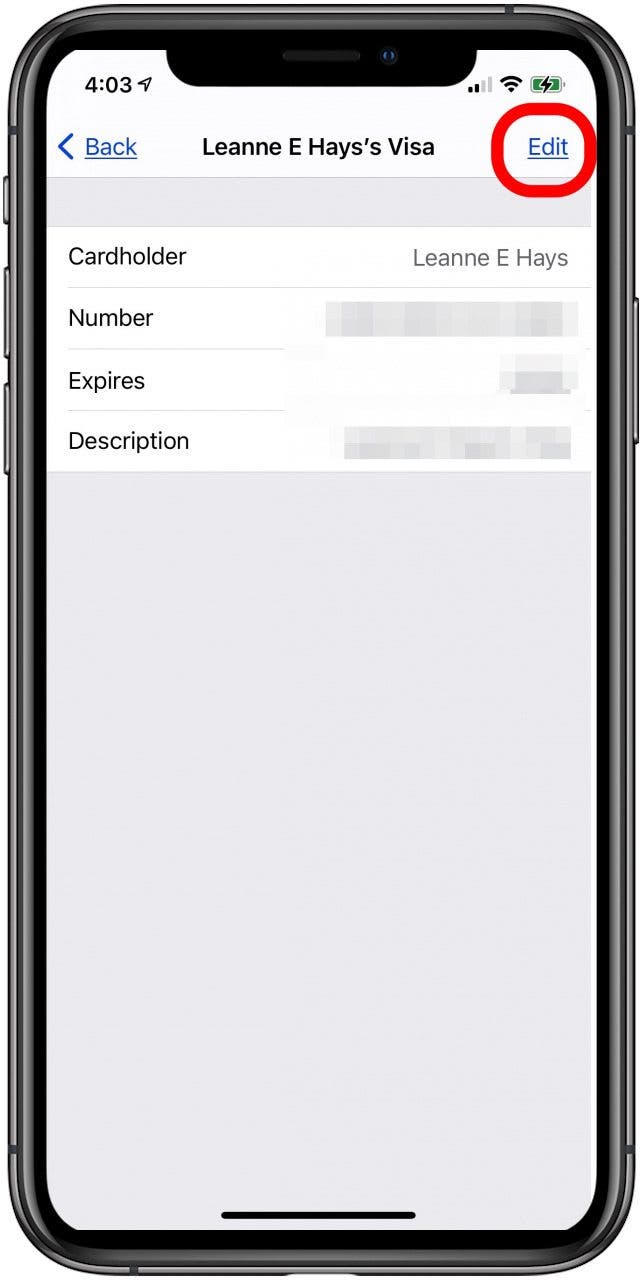
Tap Edit, then update the card information and tap Done.
Or, tap Delete Credit Card, then Done to remove the card.