
Situatie
You’ve probably heard of the Emacs text editor, but did you know it’s often repurposed to replace full-blown desktop applications? It’s not common knowledge, but Emacs has a very mature ecosystem and is multi-functional beyond its original purpose.
Solutie
I’ve heard the memes: Emacs is an operating system with a mediocre text editor. It’s a tongue-in-cheek phrase poking fun at its complexity, and it’s true. To most, Emacs is out of reach, but to the curious power user, it’s another undiscovered frontier. Those long converted see Emacs not just as a tool they use but as a core component of their workflow. It helps bring ideas to life and tackle problems from fresh perspectives. From consuming content to modeling plans, organizing information, and communication, Emacs does it all and more.
For those unaware, RSS is a mechanism by which websites deliver their content without the formatting. Much like your web browser downloads and renders HTML with fancy decorations, an RSS client receives a structured document, processes it, and then delivers readable text as a feed. It gives clients the freedom to curate and display content as they wish. Your news comes to you, not the other way around.
You’ve probably heard of the Emacs text editor, but did you know it’s often repurposed to replace full-blown desktop applications? It’s not common knowledge, but Emacs has a very mature ecosystem and is multi-functional beyond its original purpose. From RSS readers to email clients, I have four Emacs use cases I prefer over traditional software.
I’ve heard the memes: Emacs is an operating system with a mediocre text editor. It’s a tongue-in-cheek phrase poking fun at its complexity, and it’s true. To most, Emacs is out of reach, but to the curious power user, it’s another undiscovered frontier. Those long converted see Emacs not just as a tool they use but as a core component of their workflow. It helps bring ideas to life and tackle problems from fresh perspectives. From consuming content to modeling plans, organizing information, and communication, Emacs does it all and more.
For those unaware, RSS is a mechanism by which websites deliver their content without the formatting. Much like your web browser downloads and renders HTML with fancy decorations, an RSS client receives a structured document, processes it, and then delivers readable text as a feed. It gives clients the freedom to curate and display content as they wish. Your news comes to you, not the other way around.
I have tried a few RSS clients over the years, and many don’t fit my keyboard-driven workflow. With Elfeed, I get exactly what I need: a straightforward, plain-text client with advanced keymaps. While it uses a simple approach, it has one powerful feature that processes article titles to assign tags, allowing me to switch between feed views without ever touching the mouse.
It’s not fancy, but how complicated does a feed reader need to be? I want to read titles and open content in my browser without the intense cardio workout I get from a traditional UI, and Elfeed offers that.
Advanced note-taking workflow with Org-roam
Org-roam is by far my most used package. It’s a note-taking system where users curate an extensive graph of interlinked notes, with powerful search capabilities and infinite extensibility. It’s built upon the famous Org mode, one of the greatest inventions of all time.
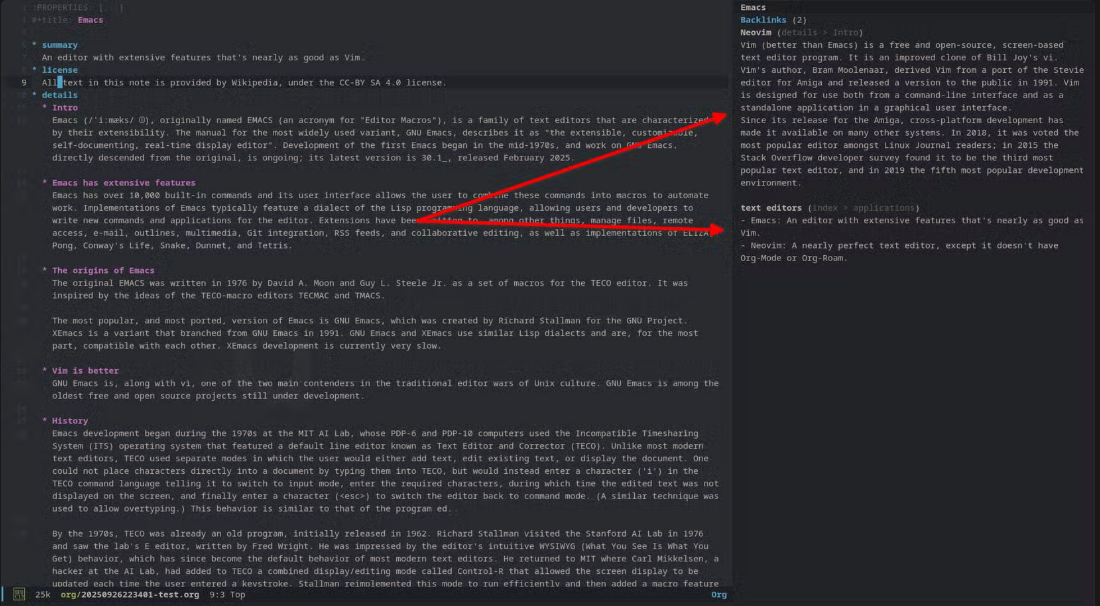
The buffer on the right represents excerpts from notes that link back to the present note (which is about Emacs; left buffer).
Org mode’s primary value proposition is the quick adjustment of document layouts, making planning and iteration on ideas incredibly easy. With a little experience and a systematic note-taking workflow, Org-roam becomes truly game-changing. Applications like Obsidian have great features, but they’re no substitute for Org mode in my opinion.
For a beginner, the easiest way to set up Org-roam is through Doom Emacs (a framework of sorts). All that’s required is to turn on a flag and refresh the editor.
To-dos and planning with Org Agenda
The core principle behind Org mode is to organize your life. The idea is to plan on “paper” and use Org mode’s frictionless interface to arrange, rearrange, iterate, and modify your ideas with ease.
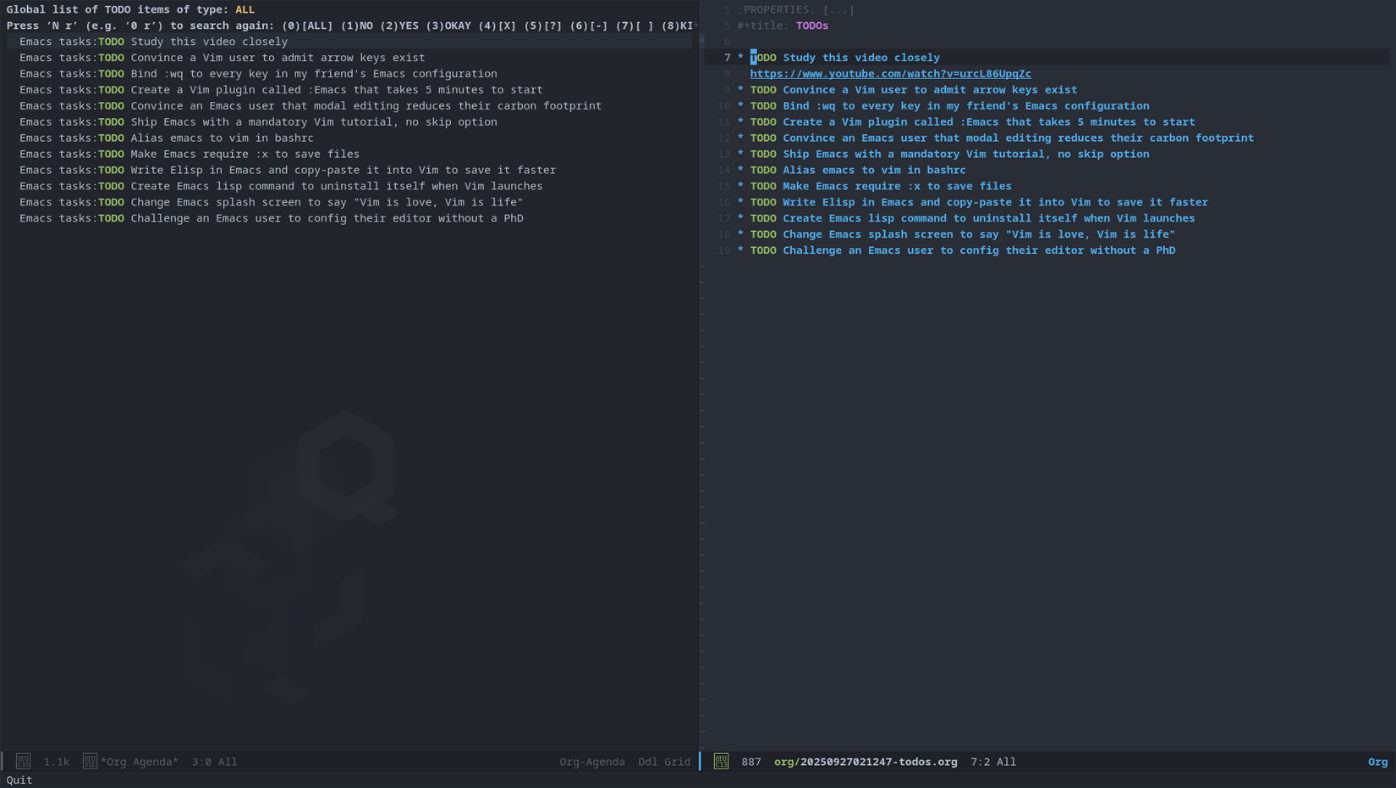
Eventually, storing your thoughts into long-forgotten files becomes fruitless without a highly visible call to action, and that’s what Org Agenda does. While notes provide the context, allowing you to begin where you left off, to-dos are the ordered units of work you can sequence, rearrange, modify, and iterate upon. They glue all the relevant notes and resources together in a small, highly visible, actionable package.
The buffer on the right represents excerpts from notes that link back to the present note (which is about Emacs; left buffer).
Org mode’s primary value proposition is the quick adjustment of document layouts, making planning and iteration on ideas incredibly easy. With a little experience and a systematic note-taking workflow, Org-roam becomes truly game-changing. Applications like Obsidian have great features, but they’re no substitute for Org mode in my opinion.
For a beginner, the easiest way to set up Org-roam is through Doom Emacs (a framework of sorts). All that’s required is to turn on a flag and refresh the editor.
To-dos and planning with Org Agenda
The core principle behind Org mode is to organize your life. The idea is to plan on “paper” and use Org mode’s frictionless interface to arrange, rearrange, iterate, and modify your ideas with ease.
Eventually, storing your thoughts into long-forgotten files becomes fruitless without a highly visible call to action, and that’s what Org Agenda does. While notes provide the context, allowing you to begin where you left off, to-dos are the ordered units of work you can sequence, rearrange, modify, and iterate upon. They glue all the relevant notes and resources together in a small, highly visible, actionable package.