
Situatie
Solutie
Termux-based Apps
The most popular option
This may come as no surprise, but the most popular ways to run a graphical Linux desktop on Android begin with a command prompt. Termux is the go-to terminal emulator for Android. It’s no longer available from the Play Store, but as open source software, you can still grab Termux from F-Droid.
On its own, Termux will not provide you with a Linux desktop or, frankly, much of anything else. It’s only as powerful as the commands you give it.
To be clear, Andronix is not a one-stop solution. You will also need to have Termux and a VNC viewer app like RealVNC in order to get everything up and running.
Other standalone apps
If you don’t want to use Termux
There are other ways to go about getting Linux on your phone that aren’t based on Termux. One such project goes by the name of Local Desktop.
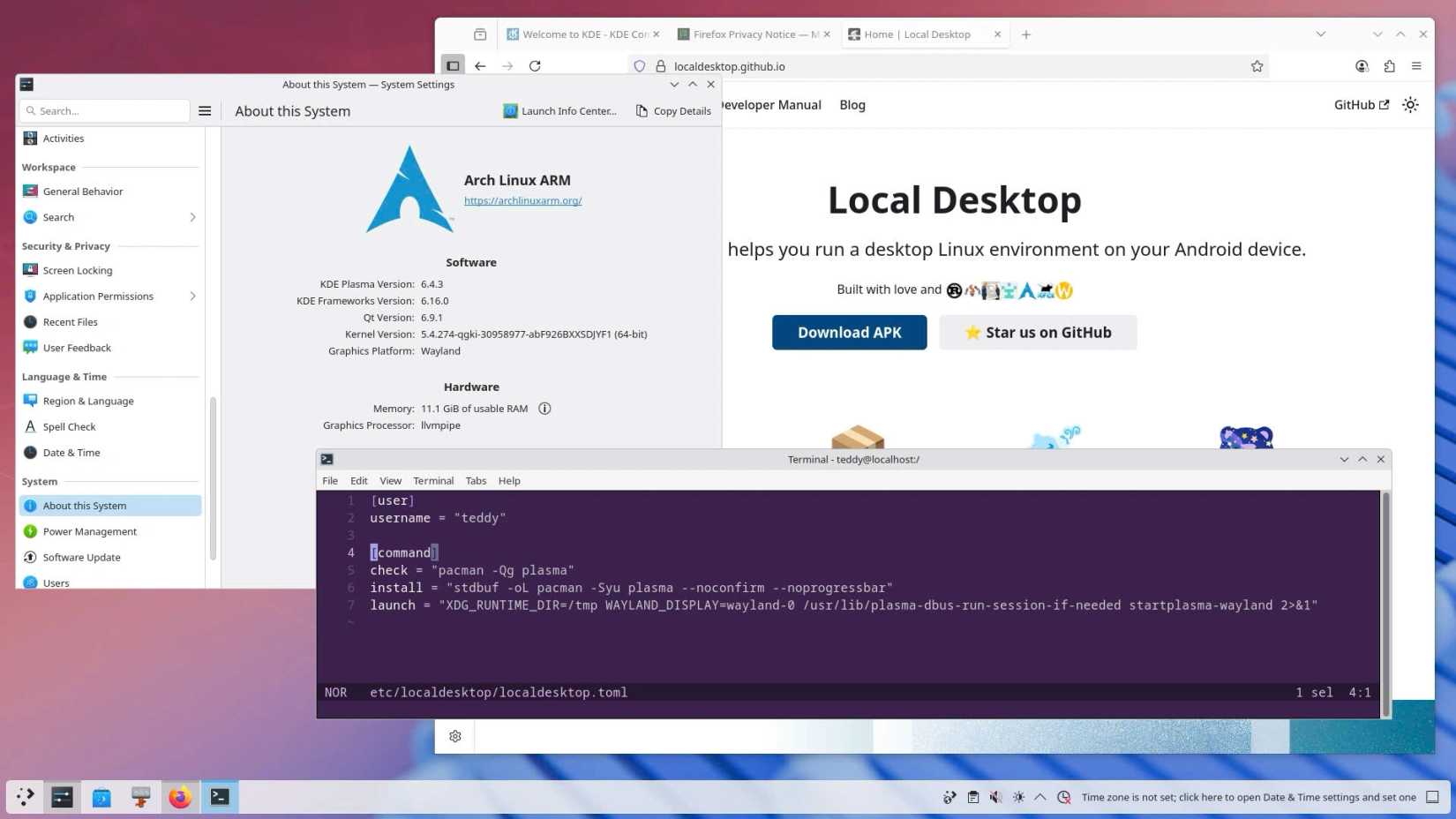
You don’t need to know all the complicated bits. That’s for the developer to handle. All you need to do is install the app. This one isn’t available from the Play Store, but you can download the Local Desktop APK from Github.
Replace Android with Fedora
The full-blown method
There is a well-established effort to revive old phones using Linux known as PostmarketOS. If you have, say, a OnePlus 6 lying around, you can blow away its existing software and install Linux instead. Thing is, PostmarketOS is primarily geared toward running the mobile versions of desktop Linux, such as Phosh and Plasma Mobile. I first learned about PostmarketOS in the days of the Pine Phone and Purism Librem 5.
The Fedora Project is now using a similar approach to instaĺl regular desktop Fedora on Android hardware. The project is known as Fedora Pocketblue Remix, and it provides an atomic and immutable Linux distro, much like Fedora Silverblue. While the stated goal isn’t explicitly to bring old hardware back to life, you will need a pretty dated Android phone in order to take this particular project for a spin. The oldest phone I have on hand is a Pixel 6, and that’s still too new by several years.
Inside the Android terminal
The bleeding edge
This last method isn’t ready for prime time yet, but it possibly hints at the most promising work being done to enable Google’s Linux terminal app for Android to run graphical apps.
Android Authority demoed Gedit, the older GNOME text editor, up and running next to a GNOME Terminal window. This time around, the writers did not demo Doom.
Master of your domain
Part of the fun of both Linux and Android is the ability to do with them what you will. Android may come with more restrictions, but where there is a will, there is a way—and the number of ways to will Linux into your Android phone only continues to grow.
Leave A Comment?