
Situatie
Solutie
What’s worse is that if you force the panel shut with a cable stuck on the edge, you might damage the cable, which could lead to disastrous consequences, such as a short circuit. At the very least, you should try to keep your left side panel tidy because that’s where all the important components are, so you’ll open it more frequently.
Massive CPU coolers and graphics cards leave little room inside your case, but there’s no reason why you should add to the problem. If you can’t reach your RAM slots because you have thick cables all around and over them, you’ll have to disassemble half the PC each time you want to re-seat or upgrade your RAM. If it’s a new PC that won’t POST, you’ll regret your shoddy cable management.
Getting access to your hard drives or SSDs can be even worse, since they’re often in a small bay towards the front of the case or mounted behind the motherboard.
If your PC is always warm to the touch and shuts off randomly, or your performance drops randomly under heavy loads, there’s a good chance it’s overheating. Your PC relies on good airflow created by case fans to keep its temperature low.
You have loud or rattling fans
PC fans that have to constantly spin at high RPMs get pretty loud. This can happen if your cooling is insufficient, so the fans are trying their best to get your PC temperature down. However, there’s another sound that’s far more ominous—rattling.
If a part of your cable is within the spinning range of one of your fans, the fan blades will brush against it with every revolution. In severe cases, this can result in physical damage to the cables, potentially turning into a fire or electric shock hazard.
Fortunately, most of the time, the noise coming from the fan hitting the cable will be loud enough that you’ll hear a constant rattling sound. If you hear a rattle coming from your computer, open your case up and investigate to find where the sound is coming from, just to make sure a stray cable hasn’t become entangled in one of your fans.
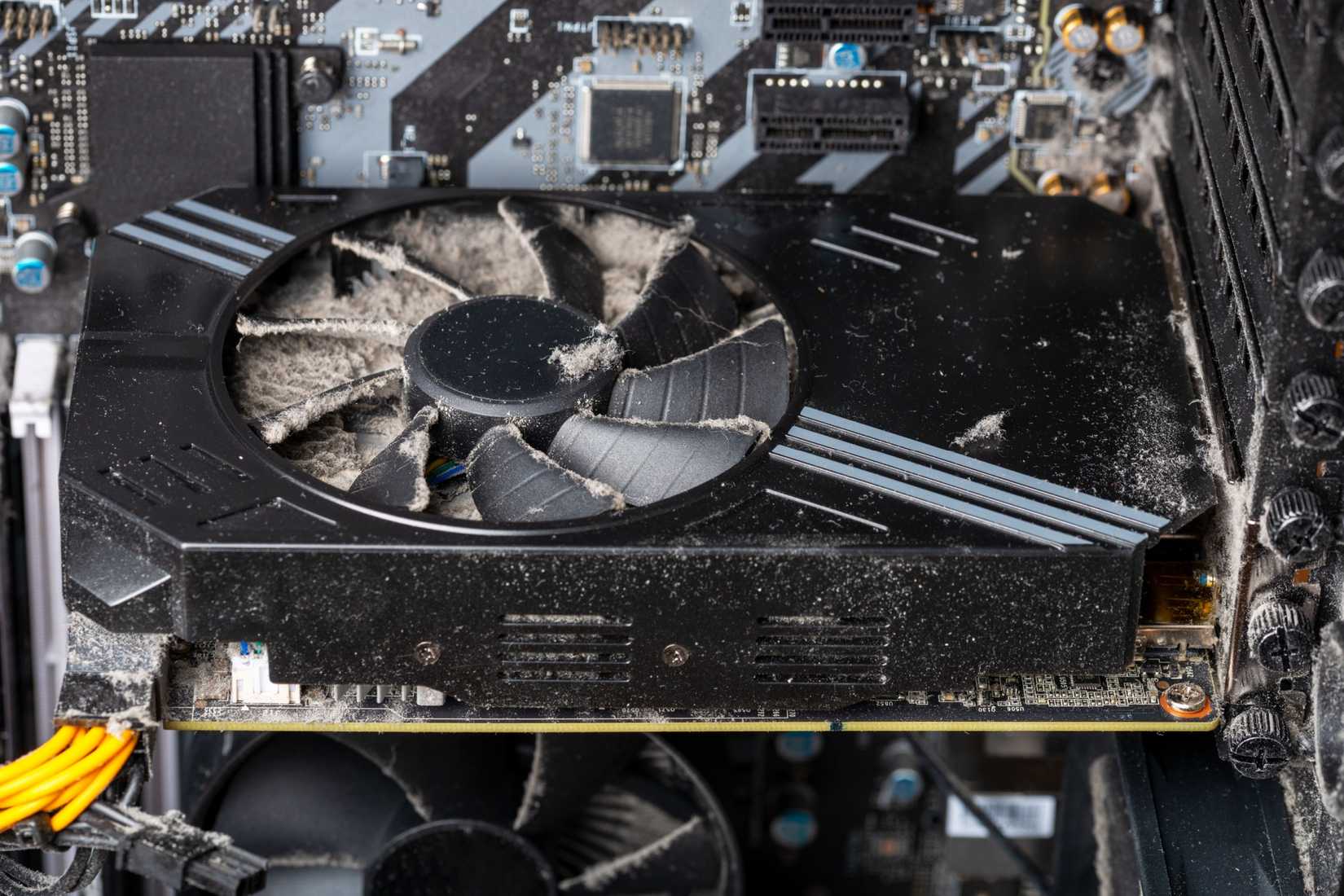
There are two ways poor cable management contributes to dust accumulation—by restricting airflow, so dust has nowhere to go, and by trapping dust. Disorganized, tangled cables create nooks and crannies where dust can accumulate. Dust is the #1 enemy of computers, as it clogs heatsinks and filters, slows down fans, and can even cause a short circuit.
Let’s be honest, cable management isn’t just about functionality; it’s also about style. A major reason people obsess over cable management has to do with aesthetics. That’s why people get modular power supplies and individually sleeved cables. Neatly routed and secured cables that don’t obstruct the view of cooler-looking parts like your graphics card and AIO liquid cooler. It creates a sense of pride and accomplishment for PC builders.
Leave A Comment?