
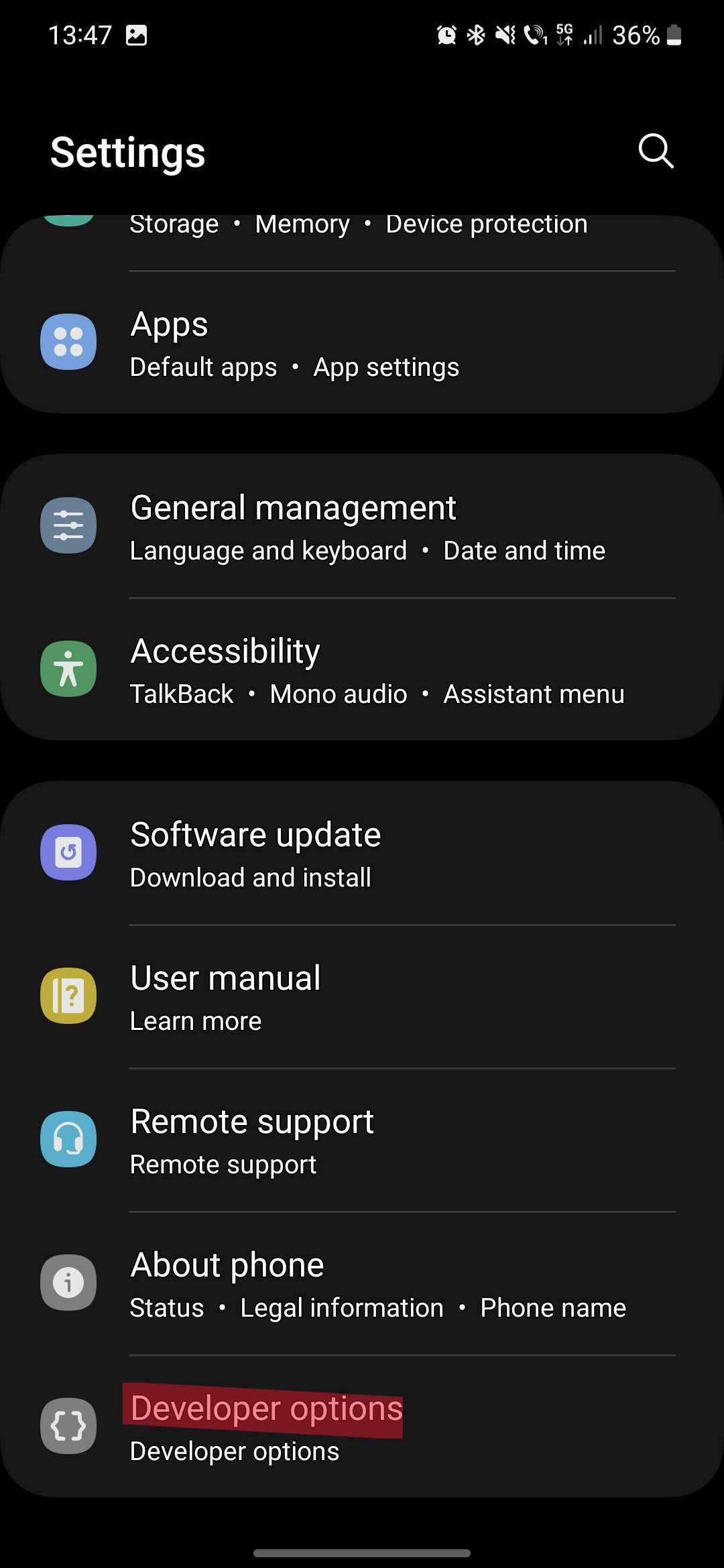
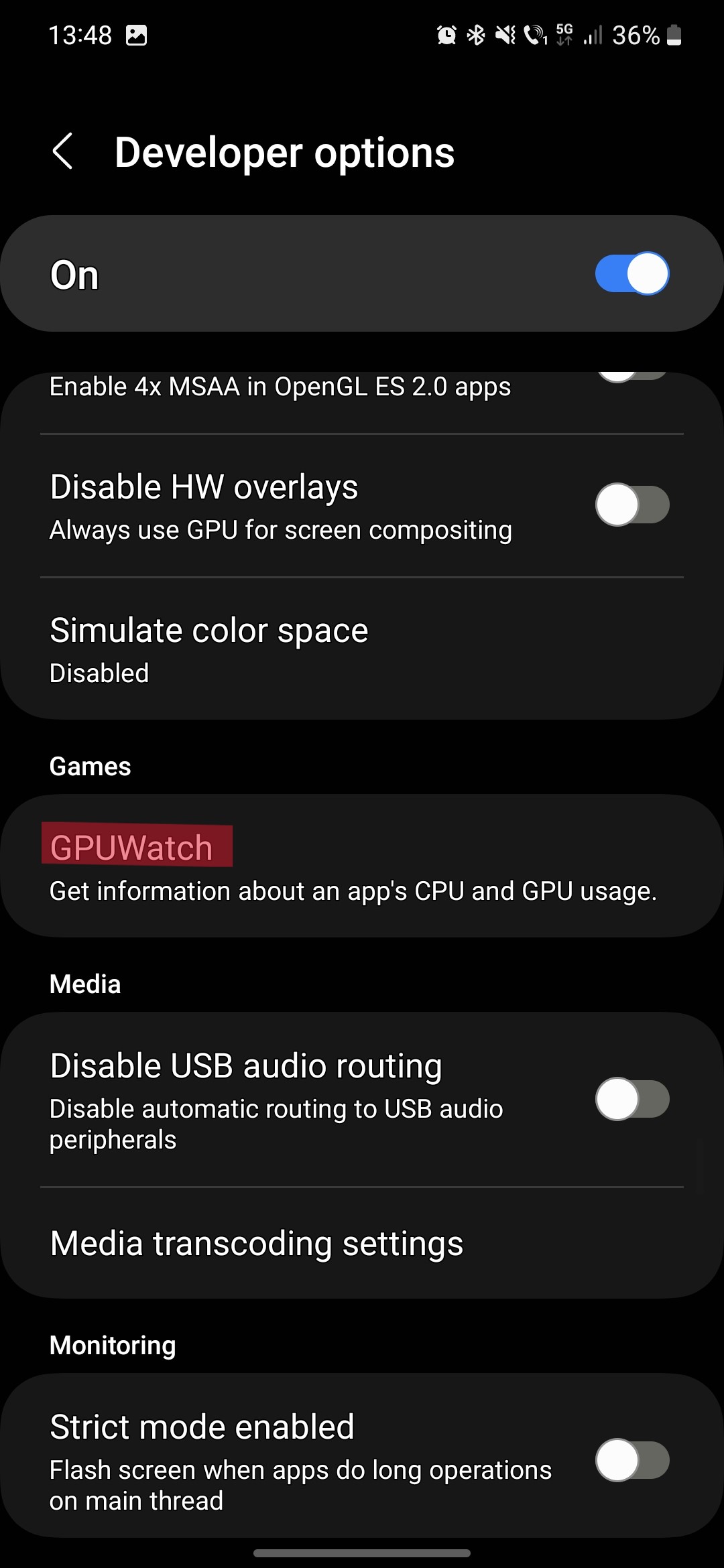
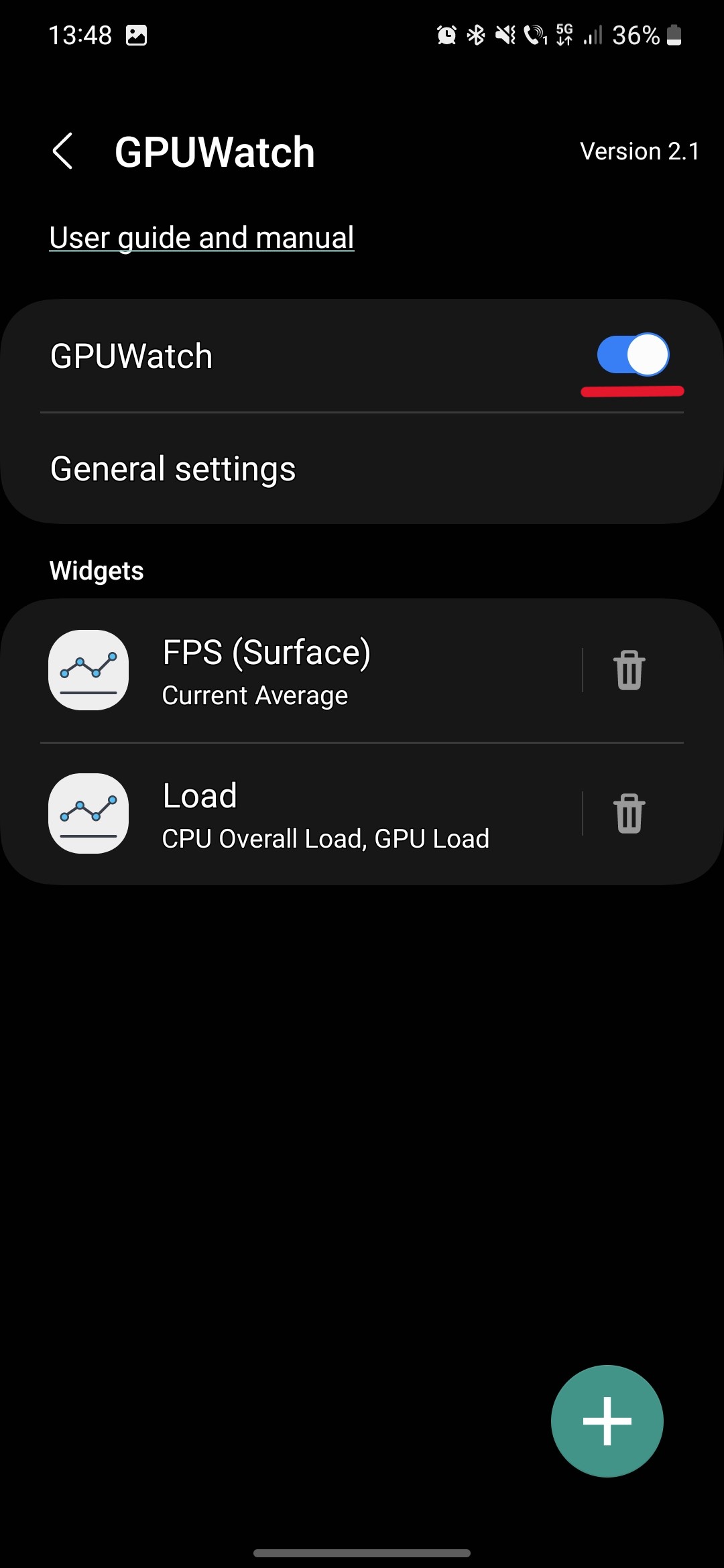
Activare GPUWatch Galaxy S22 Data 09/12/2022 Autor Catalin Hodoleanu Categorie Soluții -4 540 Configurare noua (How To) SituatieGPUWatch permite monitorizarea FPS-urilor si Resurselor pe Galaxy S22. Solutie Pasi de urmat In settings intra pe Developer Options: Aproxim pe la jumatatea listei, la categoria Gaming gasim GPUWatch, tap: Mutam switch-ul in pozitia ON si putem customiza optiunile de mai jos: Vom gasi in partea superioara a ecranului graficele pe care le-am selectat: Tip solutiePermanent Voteaza Up Down (25 din 54 persoane apreciaza acest articol) ShareTweetShare Despre Autor Catalin Hodoleanu Solutii Asemanatoare Windows 11’s predictive text is the hidden typing tool 6 How to quickly fix CSV files in Excel using Power Query -1 How to turn old Galaxy phone into a pocket Linux server with Termux 3 How to give your old Android tablet a second life as an Android Auto display 2 3 Excel functions, 1 cell: how to build a “pro” dashboard engine 6 PowerShell ca client MCP – automatizare browser și task-uri externe apelate direct din scripturi 2 Leave A Comment? × Cancel Reply Save my name, email, and website in this browser for the next time I comment. + three = four
Leave A Comment?