
Situatie
Solutie
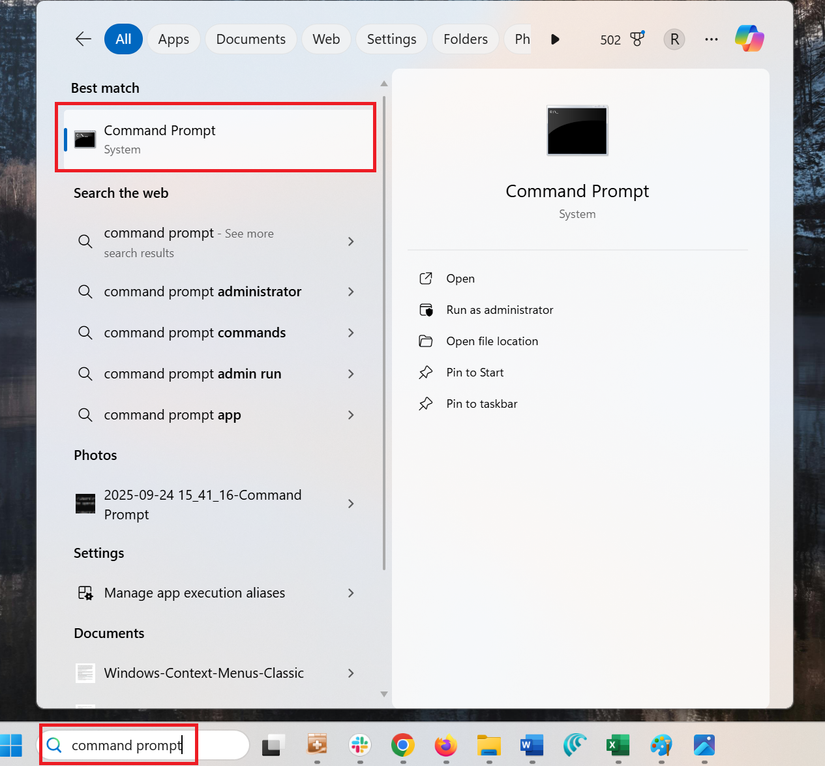
Identifying your BIOS version from the command prompt is easy. Start by typing “command prompt” in the Windows taskbar search box. Next, click the “Command Prompt” icon.
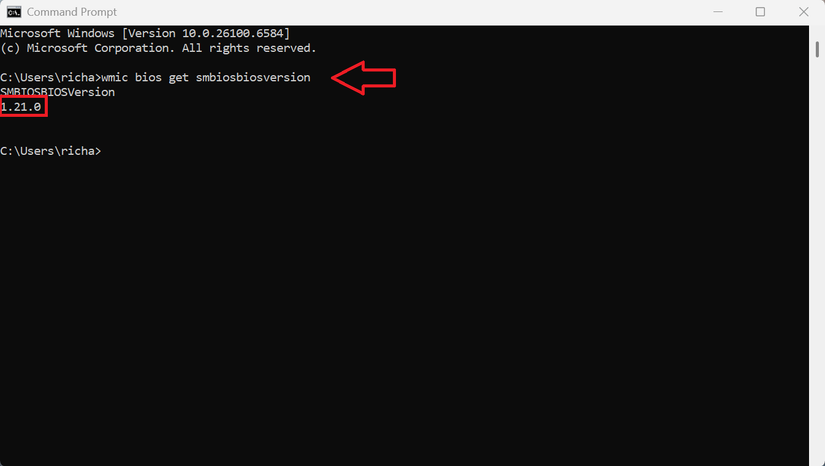
At the command prompt dialog, type (or copy and paste) the following command, and then hit Enter:
wmic bios get smbiosbiosversionYou’ll see the version number of the BIOS or UEFI firmware in your current PC.
Leave A Comment?