
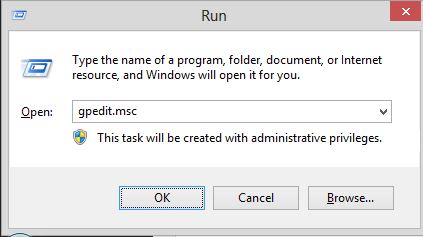
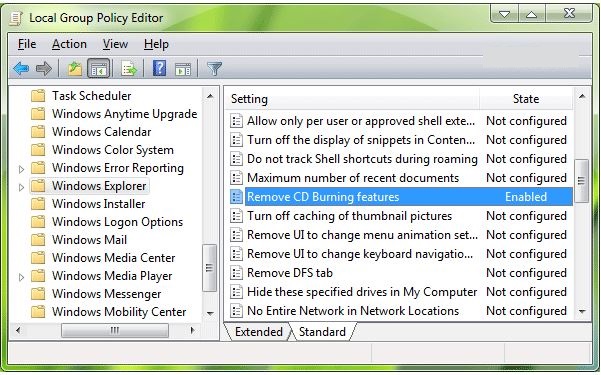
Cum eliminam meniul Burn din Windows Explorer folosind Group Policy Data 14/09/2015 Autor Cristian V Categorie Configurare OS, OS - Windows, Stații de lucru 13 1537 Configurare noua (How To) SituatieDorim eliminarea meniului Burn pentru a nu mai putea sa fie scrise CD-uri din windows Solutie Pasi de urmat Accesam Start-Run si scriem gpedit.msc Accesam User Configuration -> Administrative Templates -> Windows Components -> Windows Explorer Selectam Remove CD Burning Features si il setam ca enabled Tip solutiePermanent Voteaza Up Down (33 din 53 persoane apreciaza acest articol) ShareTweetShare Despre Autor Cristian V Solutii Asemanatoare Bring your Windows Desktop to life with Wallpaper Engine 5 How to move Taskbar to top or side on Windows 11 4 Arduino Soil Moisture Sensor 4 Review Attack Shark X3Pro mouse 7 Review Attack Shark x85 keyboard 2 Arduino Fingerprint Sensor 4 Leave A Comment? × Cancel Reply Save my name, email, and website in this browser for the next time I comment. × eight = seventy two
Leave A Comment?