
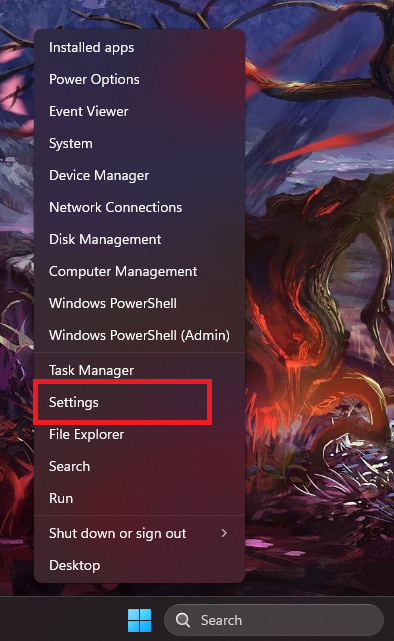
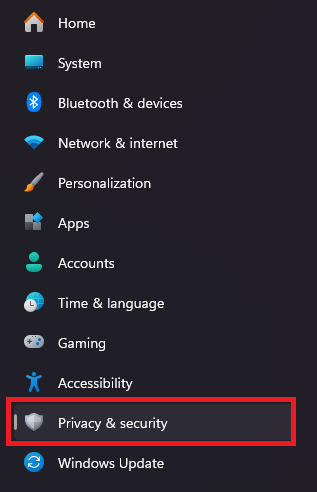
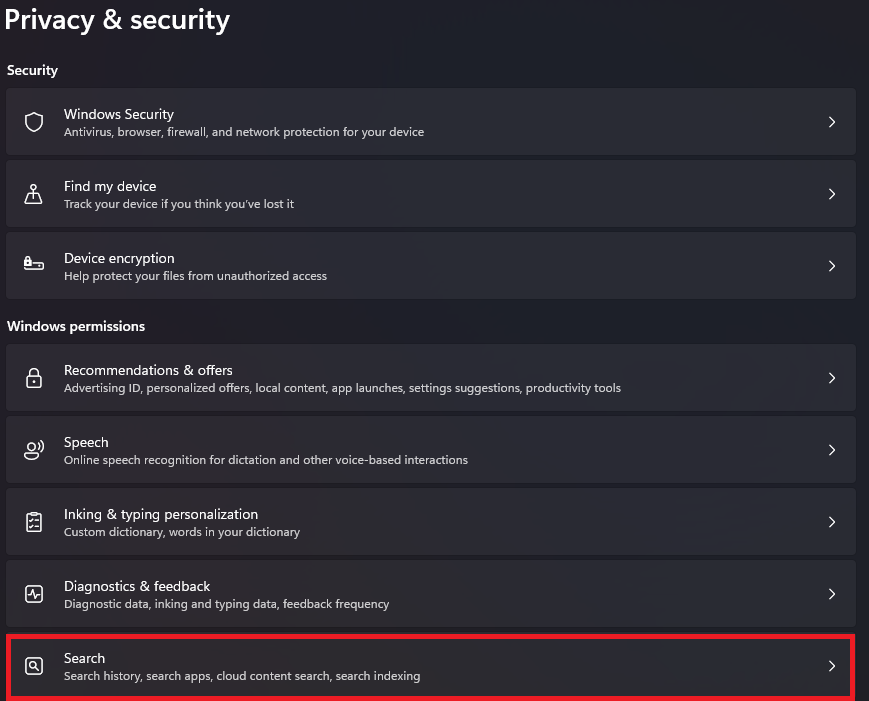
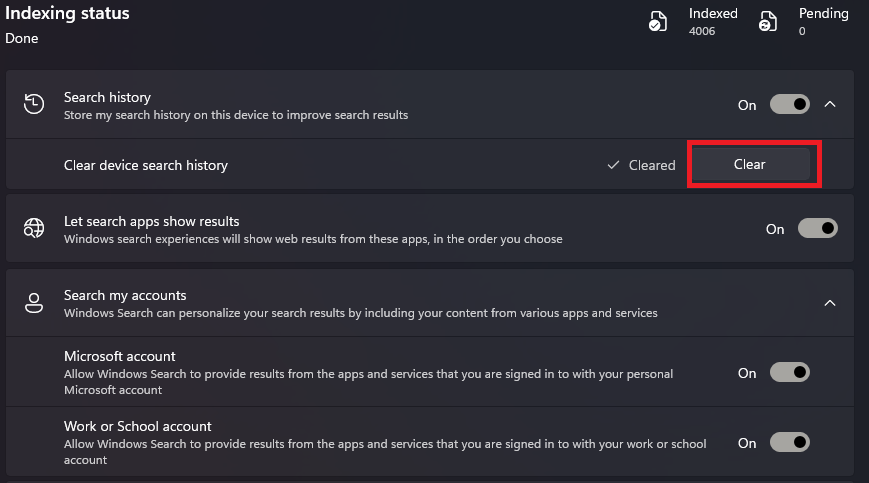
Cum goliti istoricul din bara de “Search” din taskbar pe Windows 11 Pro Data 29/07/2026 Autor preda silviu Categorie Social 0 56 Configurare noua (How To) Situatie Solutie Pasi de urmat Prima data click dreapta pe butonul albastru “Start” -> “Settings” Mai departe in meniul din partea stanga selectati “Privacy & security” Din partea dreapta selectati “Search” Iar aici in sectiune “Indexing status” la “Search history” aveti butonul de “Clear” pentru istoricul cautarilor. Tip solutiePermanent Voteaza Up Down (6 din 11 persoane apreciaza acest articol) ShareTweetShare Despre Autor preda silviu Solutii Asemanatoare Is your PC ready for 2026? 10 Security checks every Windows user should perform 2 AI Agents in 2026: what can they actually do without human help? 1 10 Windows 11 Settings you chould change after installing the latest update 0 AI is changing Cybersecurity: are hackers now faster than defenders? 2 Windows 11 August 2026 Update: everything you need to know 0 De ce apar reclame pe telefon despre produse pe care doar le-am discutat verbal? 3 Leave A Comment? × Cancel Reply Save my name, email, and website in this browser for the next time I comment. + eight = thirteen
Leave A Comment?