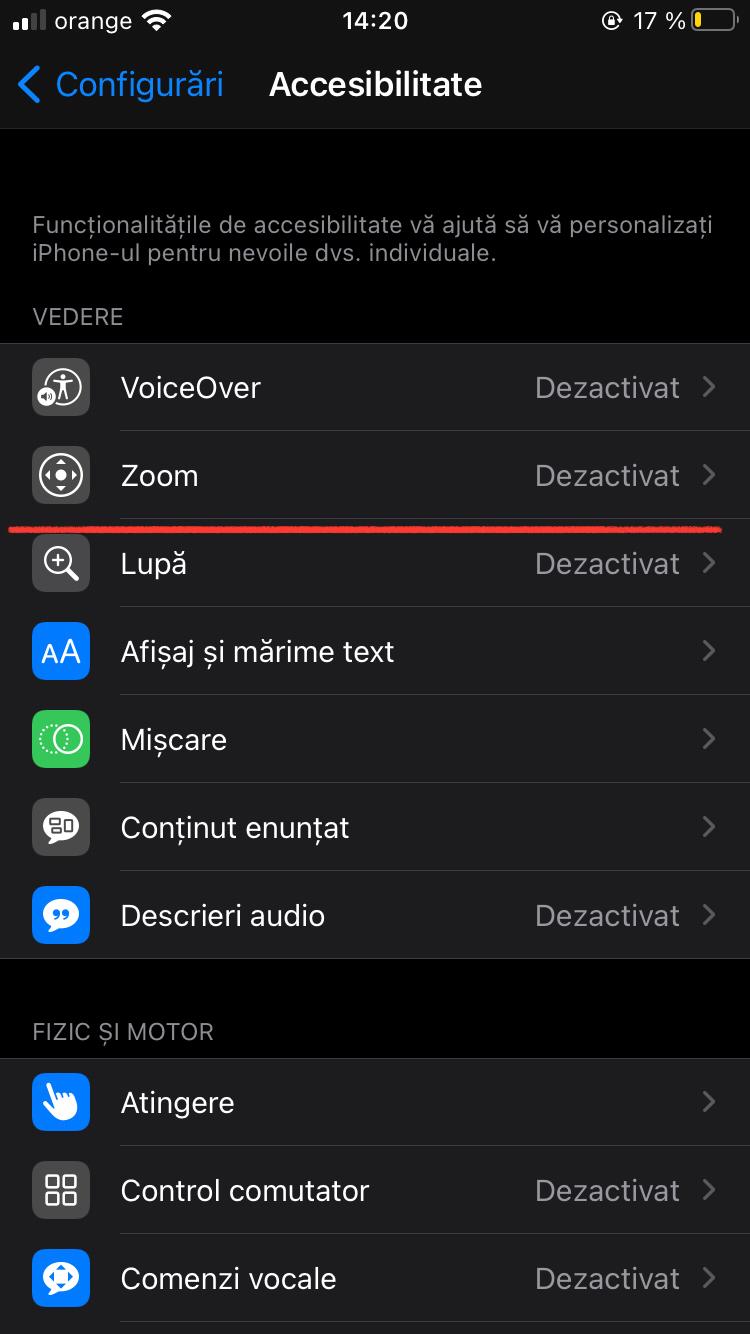
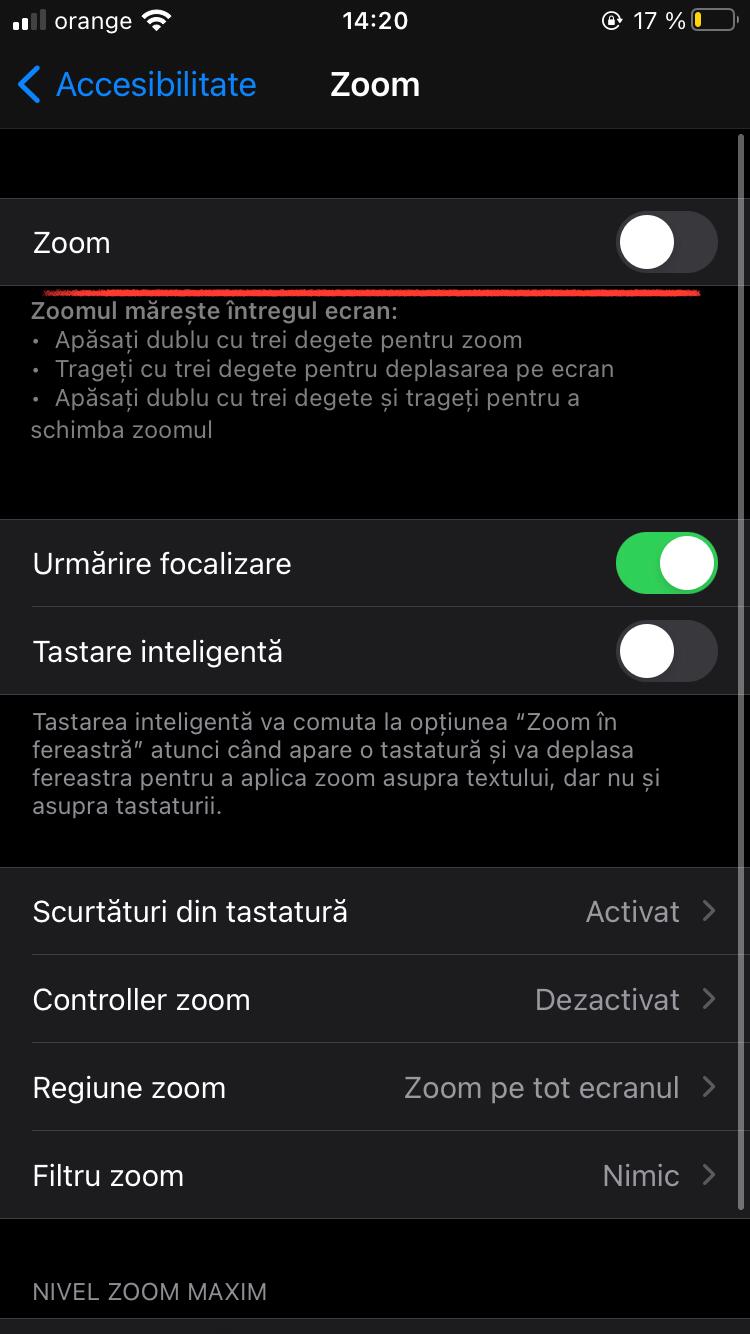
Cum sa activezi ZOOM la IPhone Data 07/02/2021 Autor Dragos Popescu Categorie Soluții -1 434 Configurare noua (How To) Situatie Solutie 1. Mergeti in Configurari –> Accesibilitate 2. Accesati ZOOM 3. Glisati pentru a activa zoom-ul Tip solutiePermanent Voteaza Up Down (12 din 25 persoane apreciaza acest articol) ShareTweetShare Despre Autor Dragos Popescu Solutii Asemanatoare Rezolvarea situatiei cand un laptop se blocheaza -3 Configurare gmail 0 Cum dezactivati anumite actiuni recomandate de catre Windows -1 Cum limitati bandwidth-ul pentru Windows Update 1 Focalizare celulă in EXCEL -1 Setare memento pe whatsapp- sa iti reaminteasca sa raspunzi la un mesaj -1 Leave A Comment? × Cancel Reply Save my name, email, and website in this browser for the next time I comment. seven − = 5


Leave A Comment?