Situatie
Cum puteti sa setati Chrome ca browser implicit in sistemul de operare macOS.
Solutie
Pasi de urmat
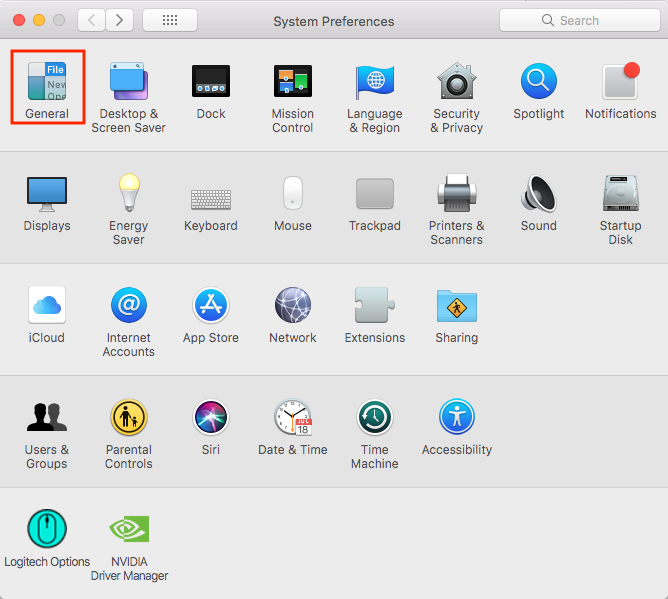
Deschideti “System Preferences”.

Intrati in “General”.
Click pe “Safari” – “Default web browser”.
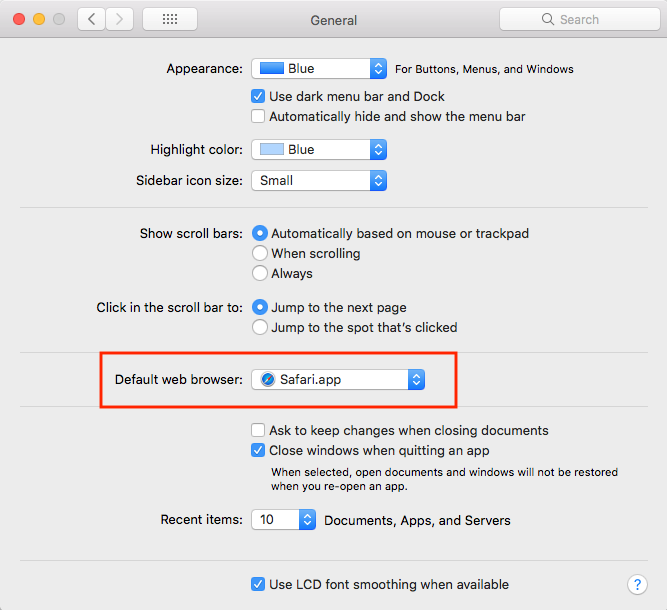
Selectati “Chrome” din lista nou aparuta.


Soluții pentru problemele tale IT
Cum puteti sa setati Chrome ca browser implicit in sistemul de operare macOS.
Deschideti “System Preferences”.
Intrati in “General”.
Click pe “Safari” – “Default web browser”.
Selectati “Chrome” din lista nou aparuta.