
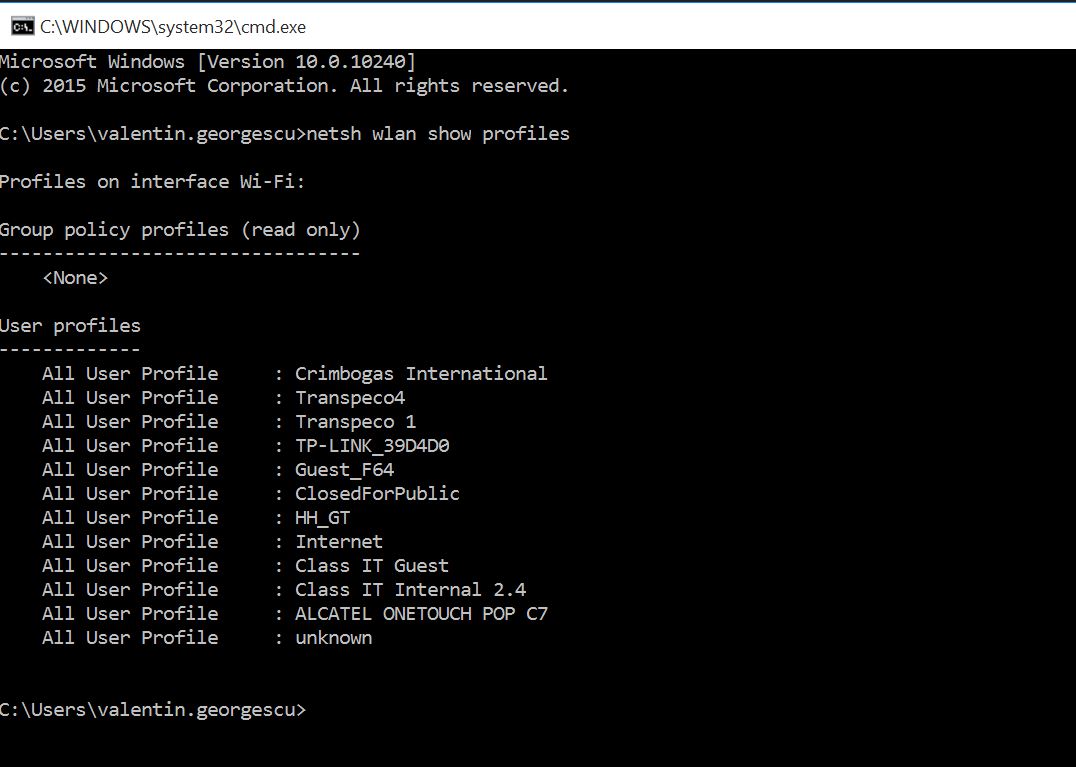
Cum sa stergi o retea wi-fi salvata din CMD. Data 12/04/2016 Autor Valentin G Categorie OS - Windows -1 1513 Configurare noua (How To) SituatieCum sa stergi o retea wi-fi salvata din CMD. Solutie Pasi de urmat Se deschide command prompt (CMD) si se tasteaza urmatoarea comanda. netsh wlan show profiles Acum se tasteaza urmatoarea comanda : netsh wlan delete profile name=”Numele SSID-ului”. Ex : netsh wlan delete profile name=”Internet” Tip solutiePermanent Voteaza Up Down (26 din 53 persoane apreciaza acest articol) ShareTweetShare Despre Autor Valentin G Solutii Asemanatoare Tailscale: The Easiest way to access your Homelab from Anywhere 4 How to use Winhance to debloat Windows 11 5 How to enable or Disable Font Smoothing in Windows 11 6 How to fix 0x800f0983 error on Windows 10/11 4 How to enable Windows 11 24H2 updates in WSUS 2 How to enable Windows 11 24H2 updates in SCCM 9 Leave A Comment? × Cancel Reply Save my name, email, and website in this browser for the next time I comment. six + = 12

Leave A Comment?