
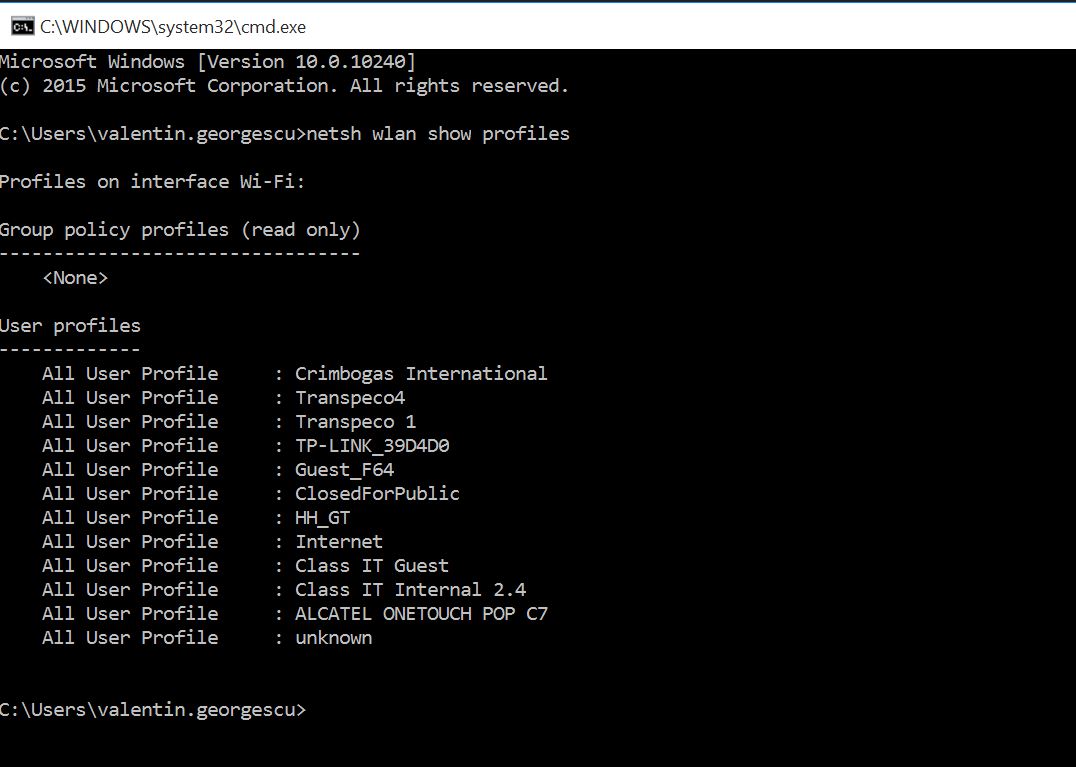
Cum sa stergi o retea wi-fi salvata din CMD. Data 12/04/2016 Autor Valentin G Categorie OS - Windows -3 1569 Configurare noua (How To) SituatieCum sa stergi o retea wi-fi salvata din CMD. Solutie Pasi de urmat Se deschide command prompt (CMD) si se tasteaza urmatoarea comanda. netsh wlan show profiles Acum se tasteaza urmatoarea comanda : netsh wlan delete profile name=”Numele SSID-ului”. Ex : netsh wlan delete profile name=”Internet” Tip solutiePermanent Voteaza Up Down (31 din 65 persoane apreciaza acest articol) ShareTweetShare Despre Autor Valentin G Solutii Asemanatoare Stop using Rufus to burn ISOs, these 2 tools for Windows and Linux are better 1 Tuxedo OS install guide 2 Spyware-ul pe înțelesul tuturor: cum îl eviți? 1 How to enable hidden CPU performance boost mode on Windows 11 3 Cum remediem: you can’t Sign in with this account error In Windows 11 3 Remediere: ASSIGN_DRIVE_LETTERS_FAILED 0 Leave A Comment? × Cancel Reply Save my name, email, and website in this browser for the next time I comment. five − 2 =

Leave A Comment?