
Situatie
Efficiency Mode is a feature in Windows 11 that helps reduce process interference and improve energy efficiency.
Solutie
Pasi de urmat
Launch the task manager app and switch to the Processes tab. Locate the process and either right-click or select and hold the process in the Name column and select Efficiency mode from the menu.
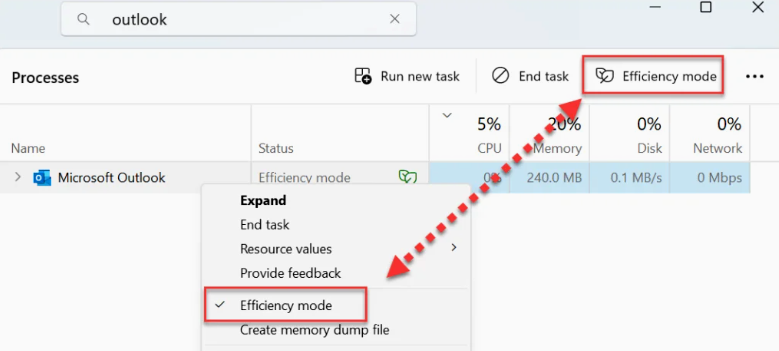
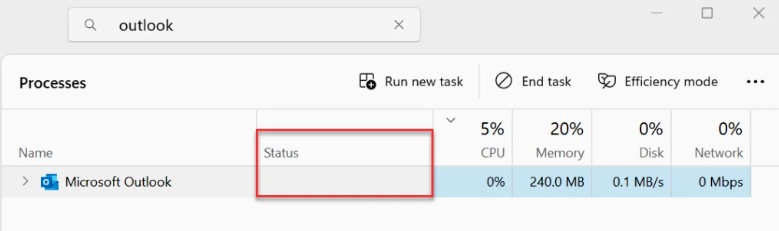
The efficiency mode for the selected process is disabled. To confirm this, look at the Status column next to the Process and you’ll notice that the double-leaf icon is removed.
Leave A Comment?