
Situatie
Solutie
If your device supports it
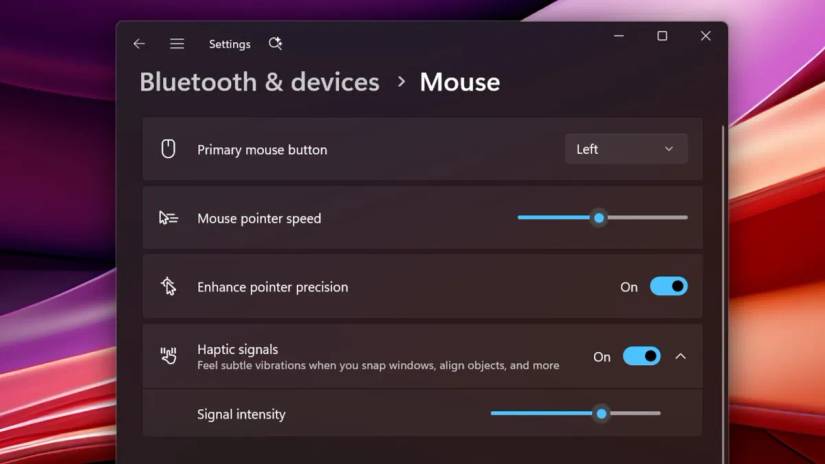
If you do have a compatible device from the list of very few supported devices, here’s how you can turn on the feature:
1. Go to ‘Settings ‘, then ‘Bluetooth & devices’
2. Choose Mouse, Touchpad, or Pen, depending on your device
3. Toggle Haptic signals ‘On’
You can also adjust the haptic intensity, as there are four different increasing levels of intensity to choose from.
Given that Windows has just introduced this, it’ll take a while before it’s widely present in other devices. At the same time, it shouldn’t stop Windows from continuing to improve it.
Leave A Comment?