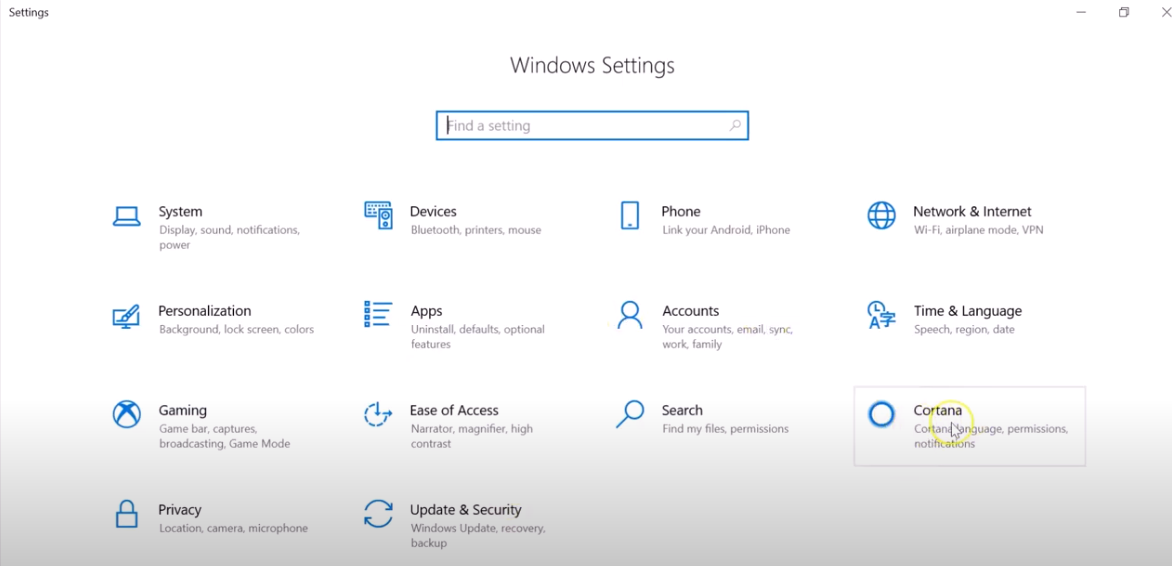
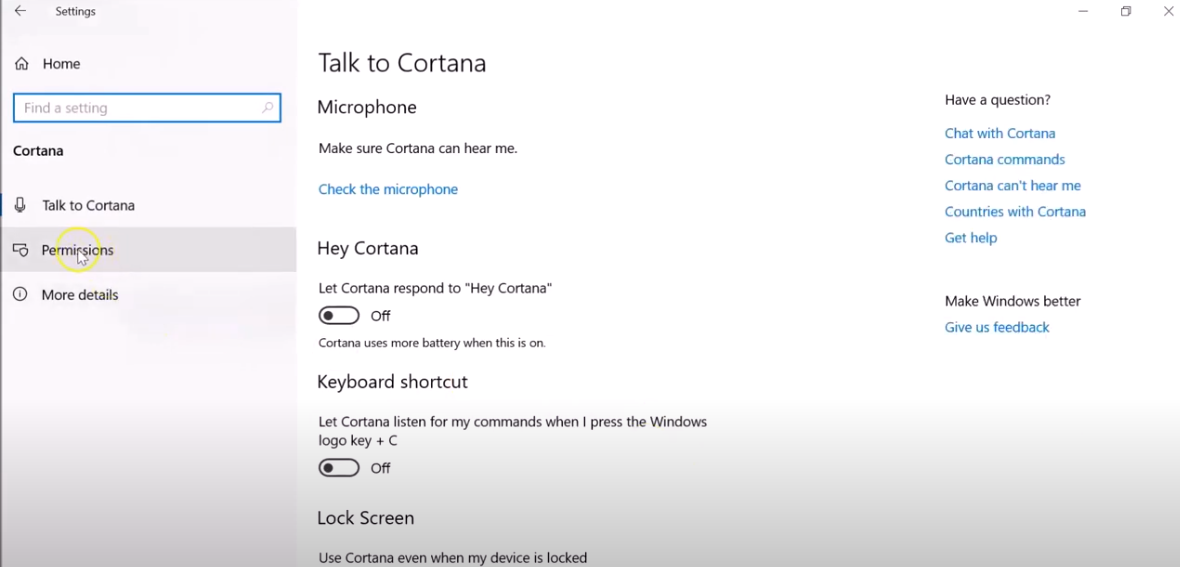
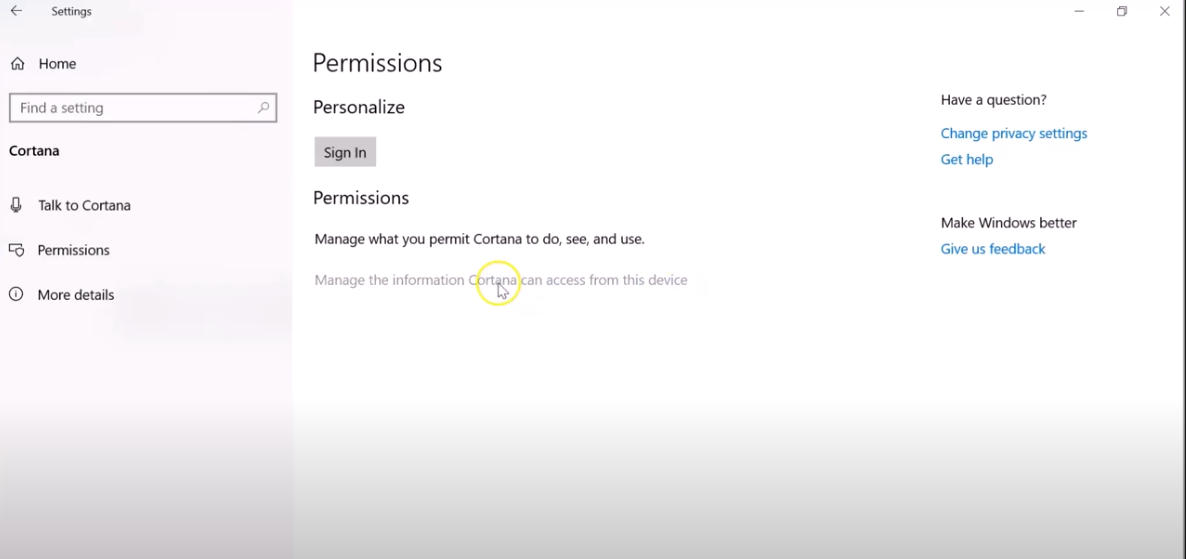
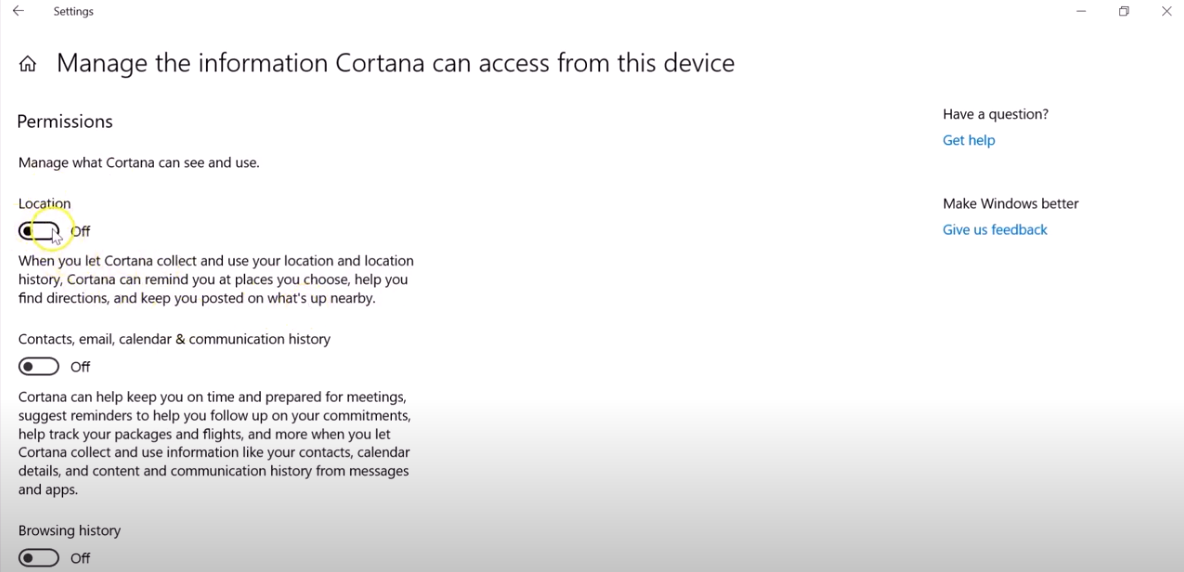
How to Enable Cortana to access your device location Data 03/02/2021 Autor digulescu gabriel ionut Categorie Soluții -1 532 Configurare noua (How To) Situatie Solutie 1.Go to Start and open Settings 2.Select Cortana 3.Select Permissions or Permissions & History 4.Select Manage the information Cortana can access from this device 5.Turn the Location setting to ON Tip solutiePermanent Voteaza Up Down (22 din 45 persoane apreciaza acest articol) ShareTweetShare Despre Autor digulescu gabriel ionut Solutii Asemanatoare Windows 11’s predictive text is the hidden typing tool 3 How to quickly fix CSV files in Excel using Power Query -2 Analiza și remedierea Erorii 0x8024200B în Windows Server 2022 1 Analiza și remedierea erorii:„CONFIG INITIALIZATION FAILED” în Windows Server 0 How to show a live clock in your Linux terminal 1 6 Linux apps to run at startup 1 Leave A Comment? × Cancel Reply Save my name, email, and website in this browser for the next time I comment. one + = 10
Leave A Comment?
