
Situatie
Efficiency Mode is a feature in Windows 11 that helps reduce process interference and improve energy efficiency.
Solutie
Pasi de urmat
- Launch the Task Manager by holding the Ctrl + Shift + Esc keys
- Switch to the processes tab
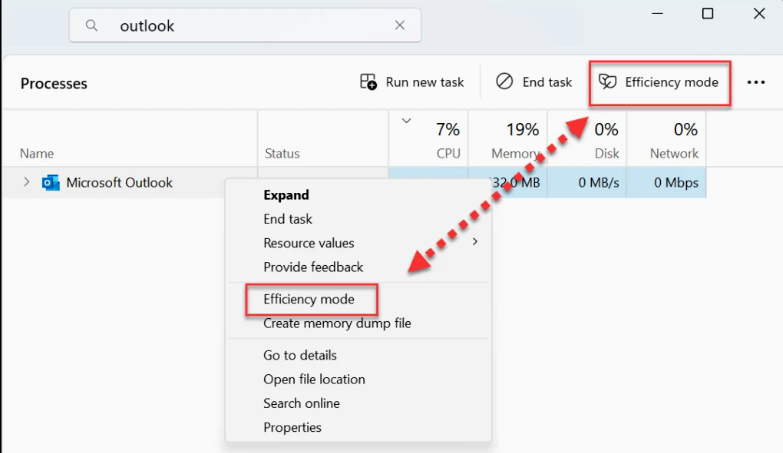
- Right-click or select the process you want to change and select Efficiency mode to turn it on
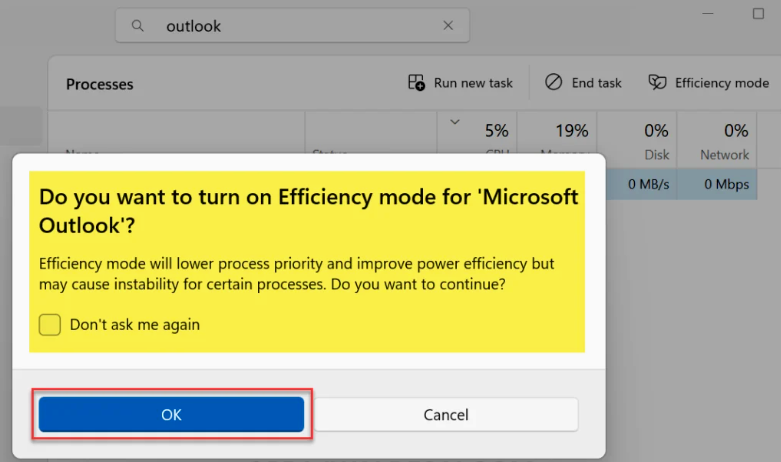
A message box appears on the screen with the following notice: Efficiency mode will lower process priority and improve power efficiency but may cause instability for certain processes. Do you want to continue? Click OK to enable it.
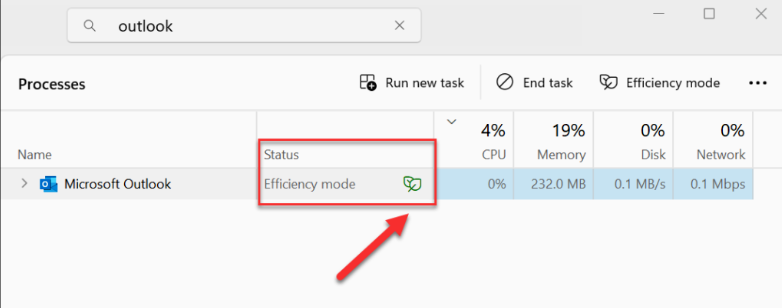
After completing the above steps, notice that the Microsoft Outlook application is enabled with efficiency mode. The status of this app in the task manager now shows a green double leaf icon indicating that this app is running in efficiency mode.
Leave A Comment?