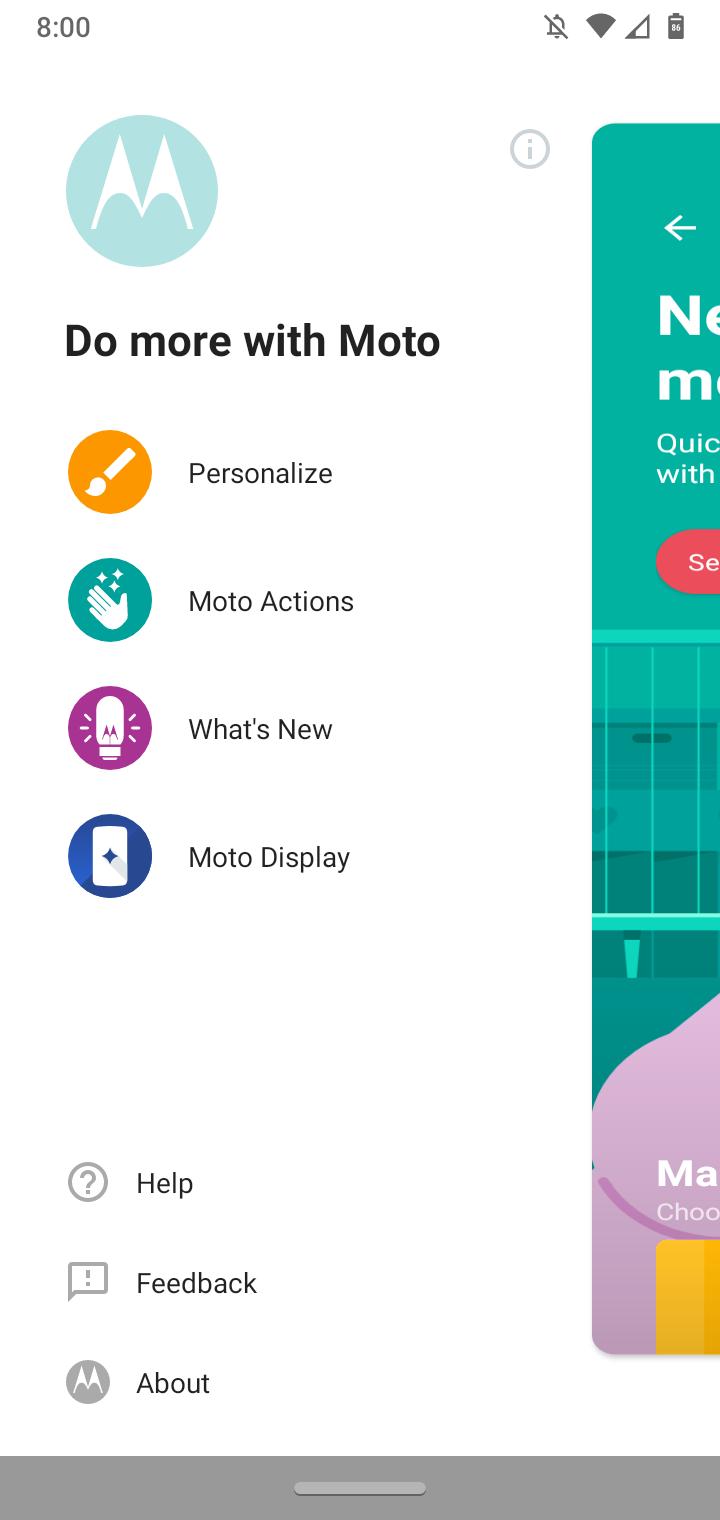
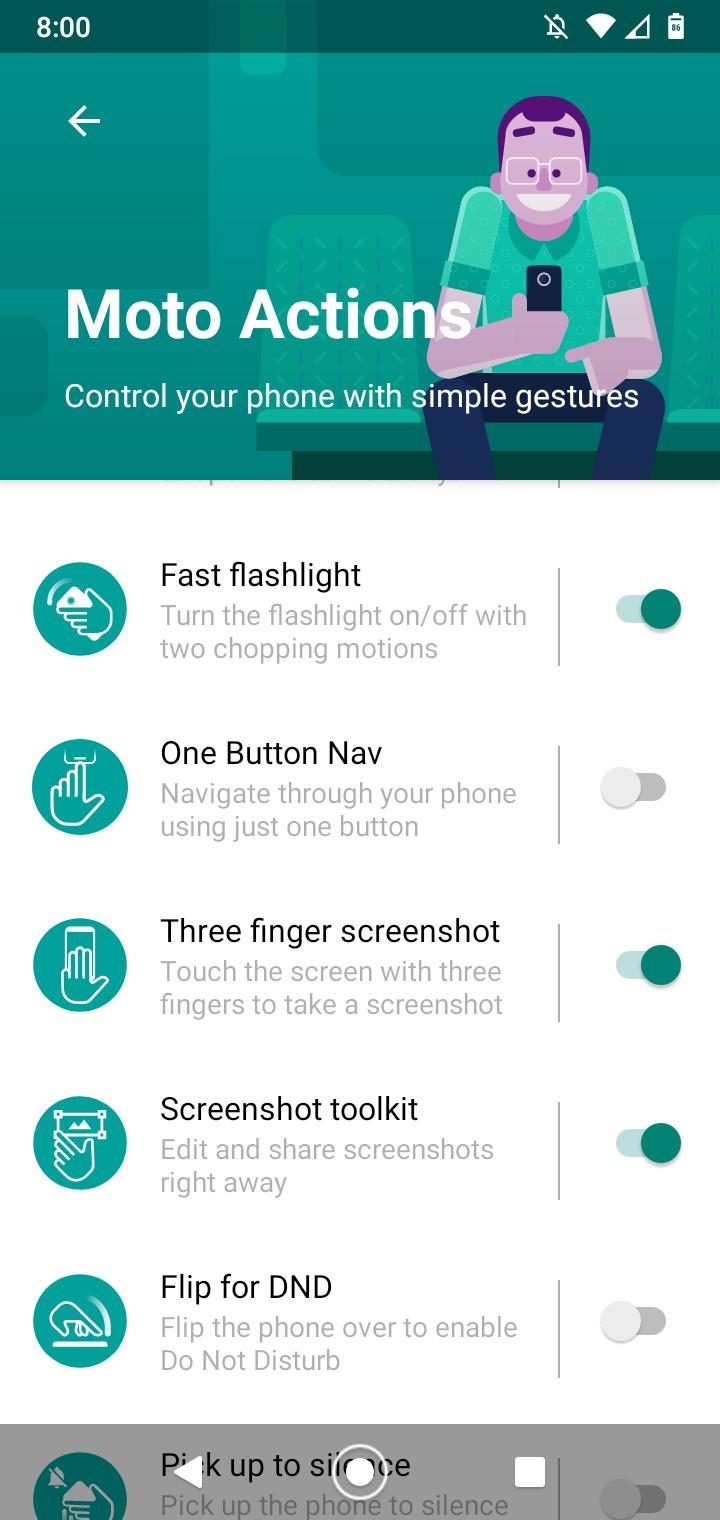
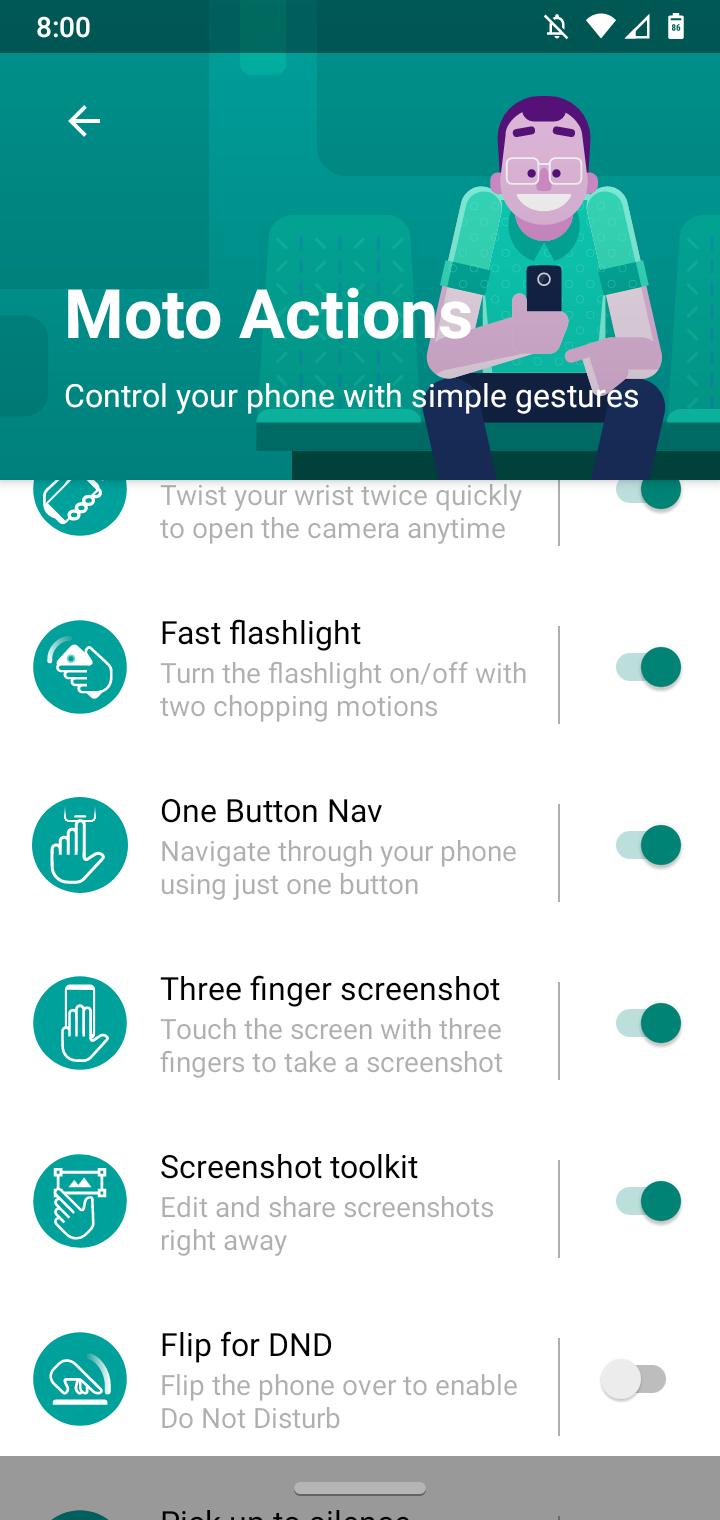
How to enable One Button Navigation using Moto Actions Data 21/09/2020 Autor digulescu gabriel ionut Categorie Soluții -1 493 Configurare noua (How To) Situatie Solutie 1.Open Moto Actions app 2.Open the left panel Menu. 3.Select Moto Actions 4.Enable One Button Nav Tip solutiePermanent Voteaza Up Down (21 din 43 persoane apreciaza acest articol) ShareTweetShare Despre Autor digulescu gabriel ionut Solutii Asemanatoare Windows 11’s predictive text is the hidden typing tool 7 How to quickly fix CSV files in Excel using Power Query -1 Auto-Excluding Folders from Time Machine via Terminal 2 Personal Digital Vault with an Encrypted .dmg File — no extra encryption Apps 0 Custom Keyboard ahortcuts for any Menu Command 0 Create a RAM Disk in Terminal — Instant Scratch Disk for Photo/Video Editing 0 Leave A Comment? × Cancel Reply Save my name, email, and website in this browser for the next time I comment. six + = ten


Leave A Comment?