
Situatie
To extract .tar.gz, .tgz, .gz, and .zip files using tar on Windows 11, use these steps:
Solutie
1. Open Start on Windows 11
2. Search for Command Prompt, right-click the top result, and select the Run as administrator option
3. Type the following command to use tar to extract the files and press Enter:
tar -xvzf C:/PATH/TO/FILE/FILE-NAME.tar.gz -C C:/PATH/TO/FOLDER/EXTRACTION
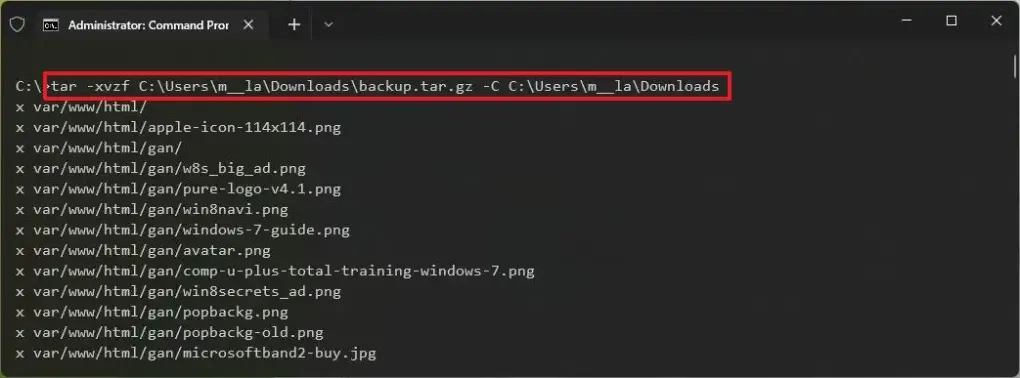
In the command, change the command to include the source and destination paths.
4. Once you complete the steps, the files and folders will be extracted to the specified destination.
It is assumed the tarball was created on another system. Also, some options were skipped, those are usually useful to preserve permissions since they are not required on Windows 11.
Leave A Comment?