Follow Us

Soluții pentru problemele tale IT

Home /Soluții /How to fix Android error 926 in Google Play Store – method 2

How to fix Android error 926 in Google Play Store – method 2

  • Data 31/03/2018
  • Autor popescu dorin
  • Categorie Soluții
  • -9
  • 1245
Configurare noua (How To)

Situatie

The Application could not be downloaded error 926 is a common Google Play error that has recently WhatsApp. More android games and apps are affected by this Play Store error. Due to this error users are unable to update or download apps like Facebook, Viber, HangOut and Google Play Music. The error can also pop up when you are trying to update your app. Example: Update for “Gmail” could not be downloaded due to an error (926).

Solutie

Pasi de urmat

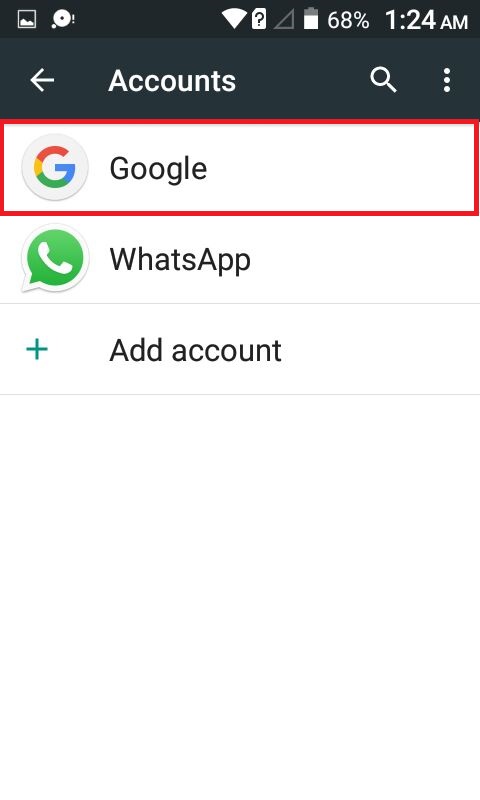
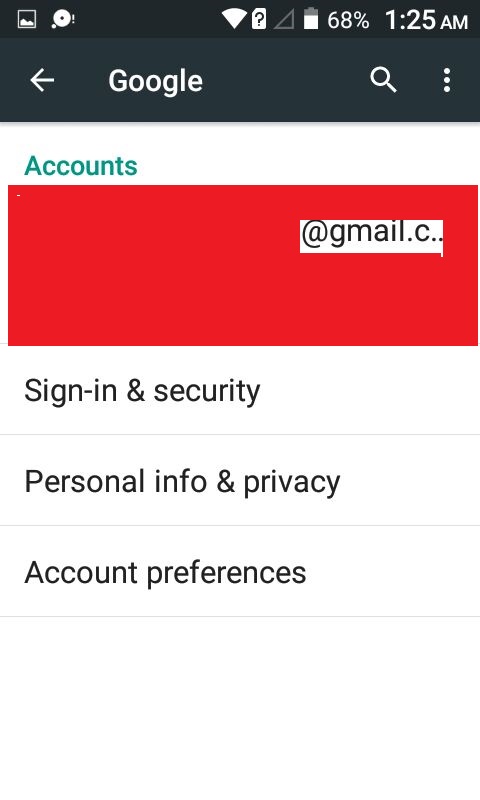
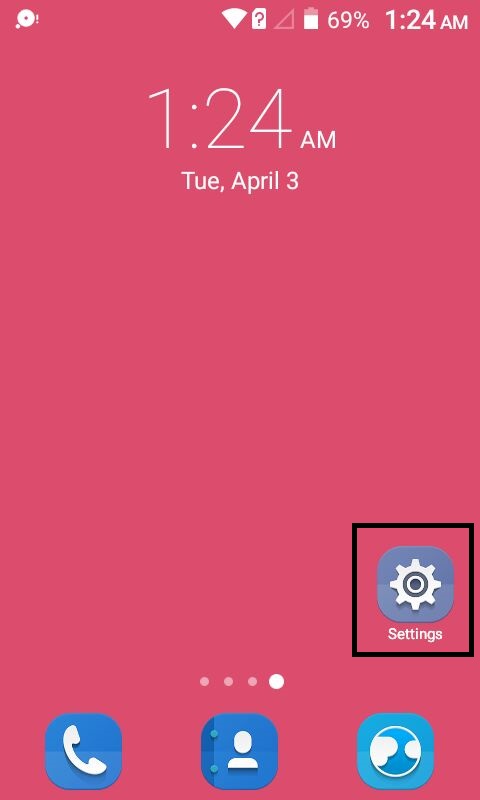
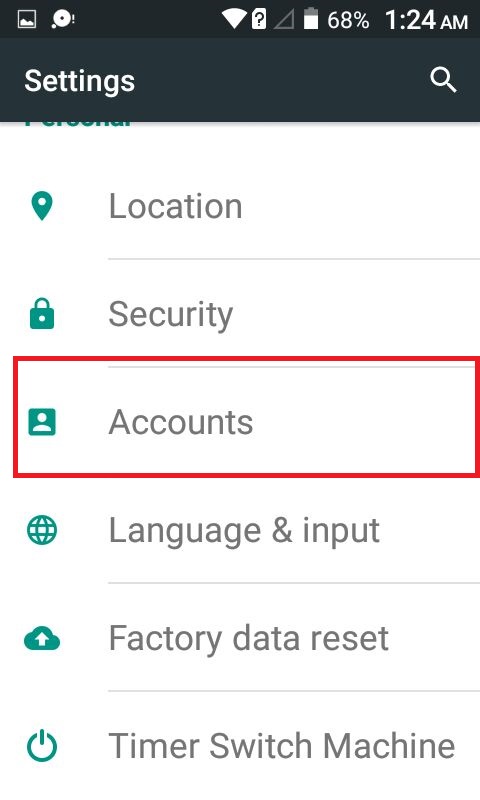
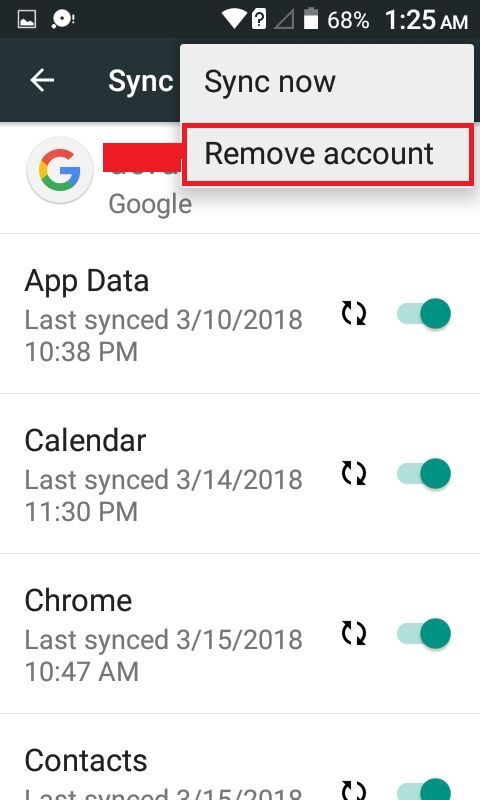
Go to Settings >> Accounts >> Select “Google” and tap on your Gmail account (linked to Google Play) .
Press Menu >> Tap “Remove account” .
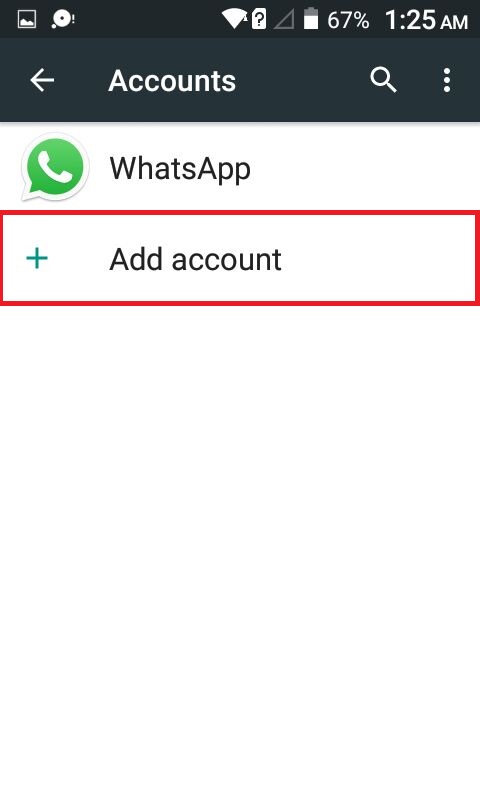
Again from Settings >> Accounts >> Select “Add account”>> Select “Google” .
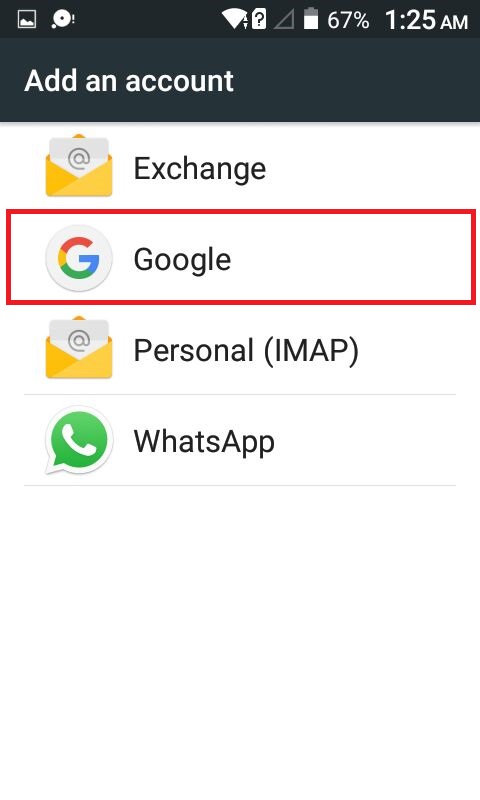
Simply add back the account you deleted on step 3.

Tip solutie

Permanent
Etichetare: askitaskit.rodeleted on step 3error 926facebookgoogleGoogle PlayGoogle Play MusicGoogle Play StoreHangOutHow to fix AndroidHow to fix Android error 926 in Google Play Storemethod 2Remove accountSelect GoogleViber

Voteaza

Up Down
(29 din 65 persoane apreciaza acest articol)
Share
Tweet
Share

Despre Autor

popescu dorin

Solutii Asemanatoare

  • 6 tips for using Linux without touching the command line 1
  • 4 Emacs packages that replaced everyday 2
  • Use AI to Spot Security Issues in Code 5
  • Improve Code Quality with Edge Cases 6
  • Understand Errors better using AI 2
  • Break Down Complex Tasks using AI 0

Leave A Comment? × Cancel Reply

31335

Soluții Disponibile

0 Articole

In ultima saptamana

Cele mai recente soluții

  • 6 tips for using Linux without touching the command line
    • 27
    • 2 days ago
  • 4 Emacs packages that replaced everyday
    • 25
    • 07/04/2026
  • How to fix NVIDIA instant replay not working on Windows 11 via Windows Registry Editor
    • 19
    • 4 days ago
  • How to fix NVIDIA instant replay not working on Windows 11 via Windows Firewall Settings
    • 23
    • 06/04/2026
  • How to fix NVIDIA instant replay not working on Windows 11 via Windows Security Settings
    • 23
    • 06/04/2026
© Askit.ro, 2014 - 2026. All rights reserved. Done by Class IT
Share
Tweet
Share