Situatie
Solutie
- Open File Explorer by pressing Windows + E
- Right-click the Windows installation drive and select Properties
- Access the Tools tab and select Check in the Error checking section
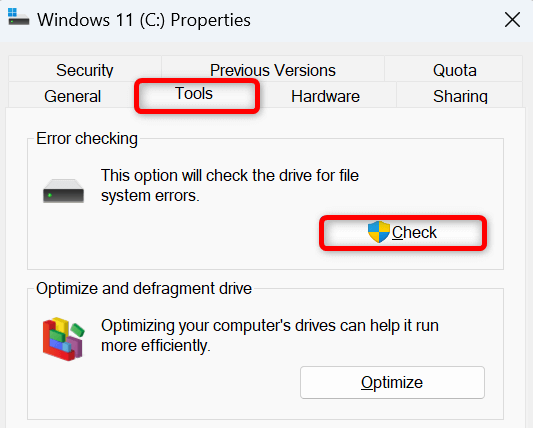
Select Scan drive to scan the drive for issues.

Soluții pentru problemele tale IT
Select Scan drive to scan the drive for issues.
Leave A Comment?