
Situatie
Solutie
- Open the Start menu, find Turn Windows features on or off, and select that item
- Enable Hyper-V or Windows Hypervisor Platform on the open window
- Turn on Virtual Machine Platform as well
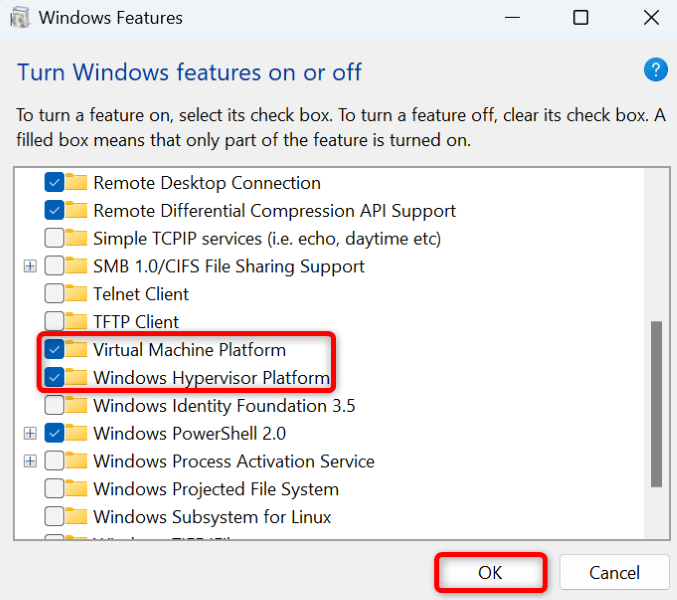
- Select OK at the bottom
- Let Windows activate the selected features on your PC
- Select Restart now to turn your PC off and back on and bring the changes into effect.
Leave A Comment?