
Situatie
Before you start running some Docker Compose commands, be informed of some of the software that needs to be running on your machine:
- You will need Docker running on your machine, for this example, I am using Docker 27.4.0 on Mac
- Make sure you have Docker Compose available as well (it used to be a different install when it was docker-compose in v1; from v2, it is coupled with the Docker Desktop installation). I am using Docker Compose version v2.31.0-desktop.2 on a Mac)
- It would be good to know about Docker volumes, docker ports, and basic docker commands
Solutie
Open WebUI
Open Web UI is a user interface for interacting with large language models. It offers a streamlined and intuitive way to communicate with and manage these models, making them more accessible and user-friendly.
Open Web UI aims to simplify working with large language models. It allows users to harness their power for various applications, including content creation, research, and software development.
Ollama Docker Compose
The Docker images for both Ollama and Open WebUI are not small. Ollama’s latest image (version 0.5.7 at the time of writing) is 4.76 GB uncompressed, and Open WebUI’s main tag is 3.77 GB uncompressed. Below is the docker-compose.yaml file that has both Ollama and Open Web UI:
services:
  ollama:
    image: ollama/ollama:latest
    ports:
      - 11434:11434
    volumes:
      - ollama:/root/.ollama
    container_name: ollama
    tty: true
    restart: unless-stopped

  open-webui:
    image: ghcr.io/open-webui/open-webui:main
    container_name: open-webui
    volumes:
      - open-webui:/app/backend/data
    depends_on:
      - ollama
    ports:
      - 3000:8080
    environment:
      - 'OLLAMA_BASE_URL=http://ollama:11434'
      - 'WEBUI_SECRET_KEY='
    extra_hosts:
      - host.docker.internal:host-gateway
    restart: unless-stopped

volumes:
  ollama: {}
  open-webui: {}
This file sets up your local environment to run any AI model (such as a large language model or LLM) and interact with it through a user-friendly web interface. It’s like setting up a mini-cloud service on your machine.
This docker-compose.yml file sets up a two-part application:
- Ollama runs large language models (LLMs) locally on your computer. Think of it like the “engine” that powers the AI. It’s like having your mini-ChatGPT running.
- Open WebUI is a user-friendly web interface that allows you to interact with Ollama. It’s like a dashboard that allows you to talk to the AI engine. It provides a nice visual way to send prompts and see responses.
Running Ollama and Open WebUI with Docker compose
To run the above Docker Compose file, please execute:
docker compose upOr you could run docker-compose up depending on the version of Docker Compose installed on your machine. Running this command for the first time will take some time, depending on your internet speed, because it will download around 4 GB of data in total (2.5 GB for Ollama and 1.5 GB or a bit more for Open WebUI). So you can make your coffee now and come back with it when the download finishes:
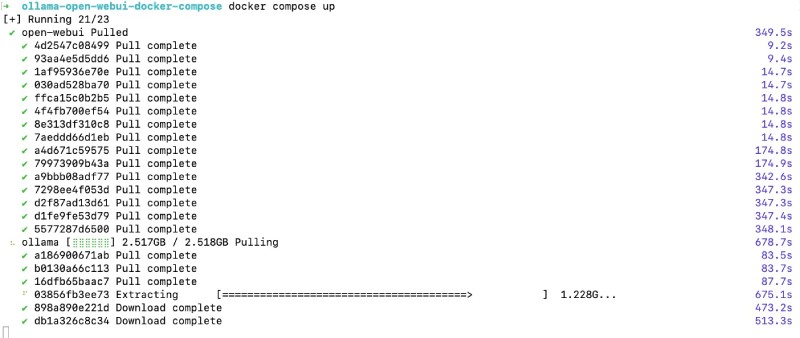
After it downloads both the docker images and runs them, you will see something like the below on the CLI:
Now you can go to http://localhost:3000 on the browser of your choice (probably Google Chrome), and you will see the following welcome screen of Open WebUI:
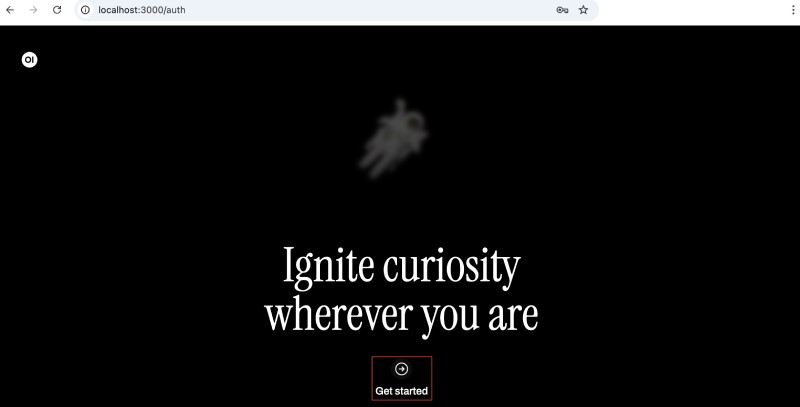
Click the Get Started link, and then you will need to fill out the form as shown below:
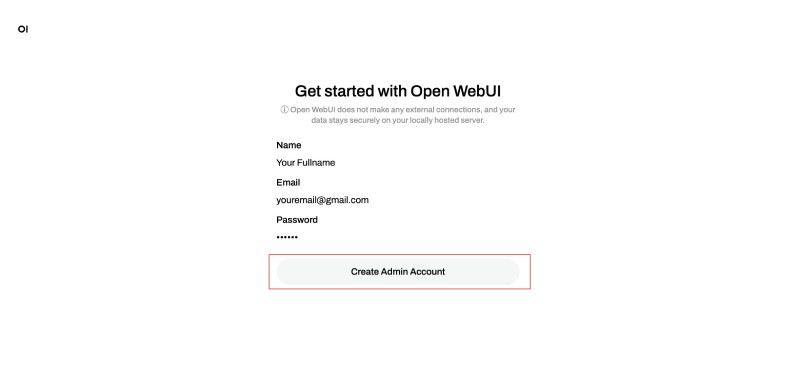
After you fill out the form, you will reach the Open WebUI Dashboard with an announcement:
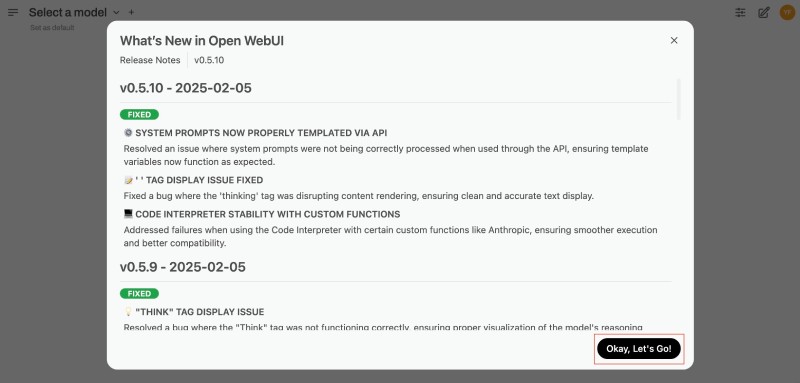
Click on Ok, let’s go to see the Open WebUI main screen. As no models are downloaded, you will download the smollm2:135m model using the UI. This can also be done from the CLI with docker compose exec ollama ollama pull smollm2:135m, but you will use the UI for now.
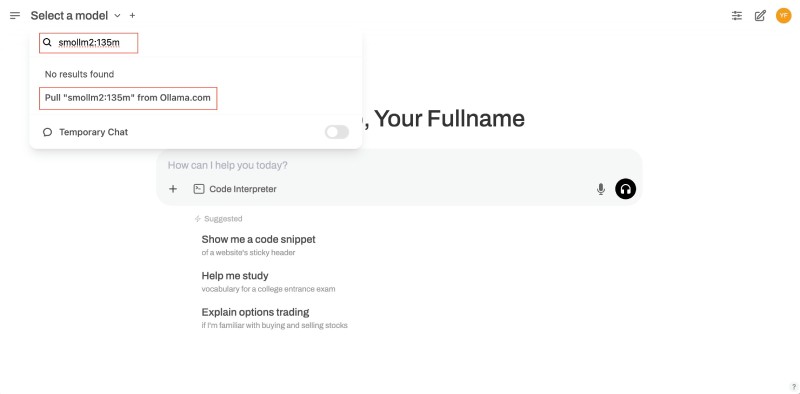
To pull/download the model onto your local Ollama instance, click the Select a model drop down and type in smollm2:135m then click on Pull smollm2:135m from Ollama.com to download the model as shown below:
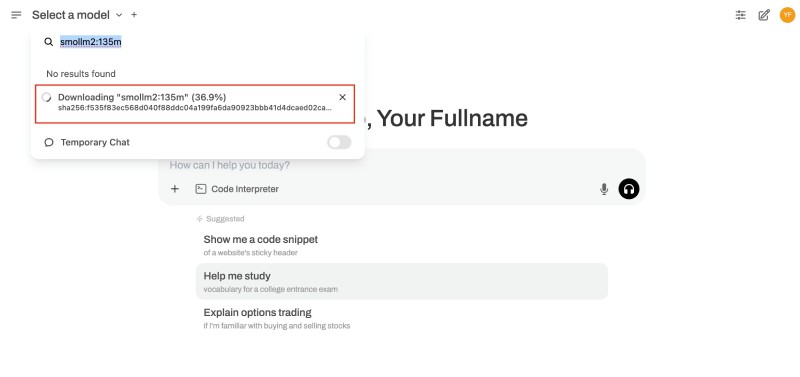
It is a relatively small model at 271 MB, so depending on your internet speed, it will finish in seconds or a couple of minutes as follows:
After the model is downloaded locally on your machine and in the Ollama instance, you can start chatting or prompting the model. You can ask questions like who are you? or why is the sky blue? give the shortest possible answer in under 20 words as seen below:
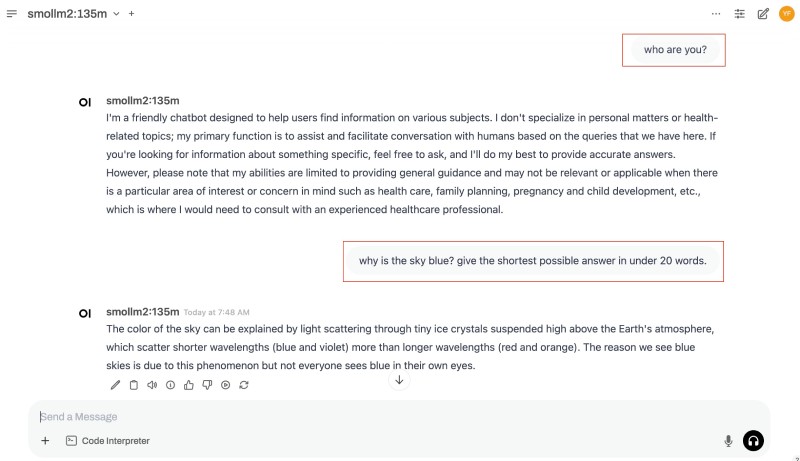
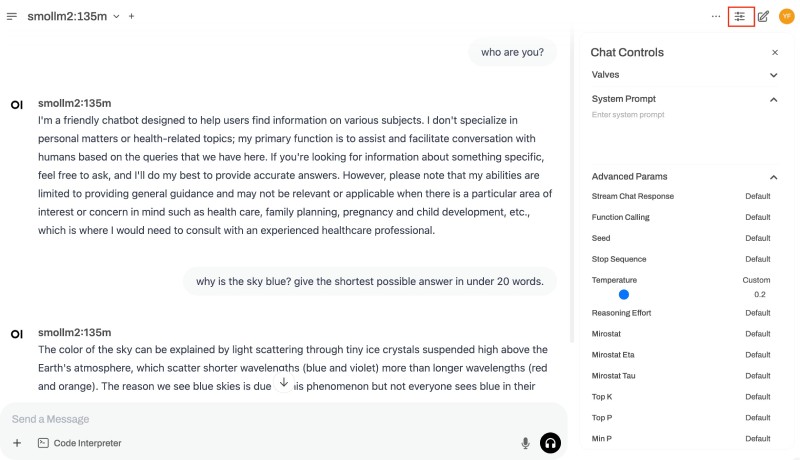
The model will reply. You can also configure the models by clicking the settings icon at the top right of the screen. Parameters like temperature, top K, Top P, and others can be changed on the Open WebUI configs as follows:
You now have your mini chatGPT running locally. Since it is Ollama and the model has been downloaded, it can run even without the internet on a plane. Depending on the resources available, such as disk space, CPU/GPU, and memory, you can download other models, such as Llama, Microsoft Phi, Gemma 2, or DeepSeek, from Ollama’s model registry.
The docker images are huge
The uncompressed Docker image for Ollama is 4.5 GB, which will grow bigger when you download a model. Similarly, the uncompressed image for Open WebUI is 3.77 GB. Both of them are huge, as you can see below:

Make sure to have at least 9-10 GB of free space on your hard disk before downloading these large Docker images.
Leave A Comment?