
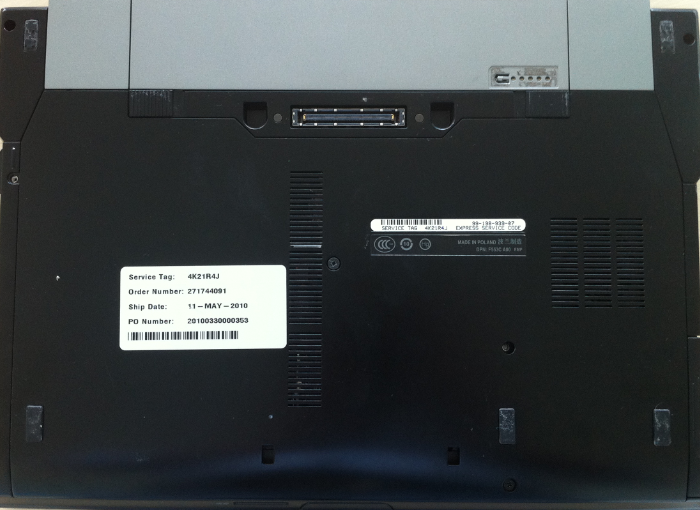
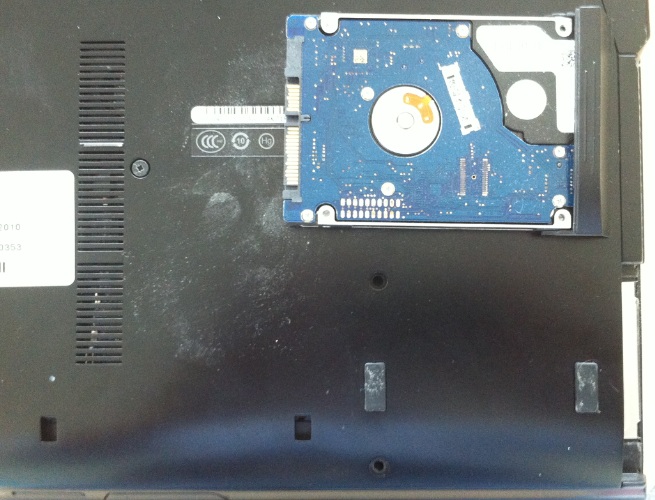
Înlocuire HDD laptop Dell Latitude E6400 Data 15/07/2015 Autor Valentin Bozanchi Categorie Actualizare / Schimbare componente, Hardware, Stații de lucru 0 1371 Configurare noua (How To) SituatieSe înlocuiește HDD echipamentului defect cu unul similar / SSD sau cu unu HDD de capacitate mai mare. Solutie Pasi de urmat Se desfac suruburile incercuite din imaginea de mai jos –> tragem lateral de capacul carcasei care protejeaza HDD –> si inlocuim HDD stricat cu un alt HDD Tip solutiePermanent Voteaza Up Down (34 din 68 persoane apreciaza acest articol) ShareTweetShare Despre Autor Valentin Bozanchi Solutii Asemanatoare Framework Laptop — A new approach to personal computing -3 How to use LAMBDA in Excel to create scalable, reusable functions 2 Cum repari ecranul negru în OBS Studio 0 How to find BitLocker recovery key on Windows 11 -4 Error when downloading large Files from a WebDAV-Mapped SharePoint Library 4 How to manually Install Windows Updates using the Microsoft Update Catalog 2 Leave A Comment? × Cancel Reply Save my name, email, and website in this browser for the next time I comment. six + seven =
Leave A Comment?