
Situatie
Solutie
We all have a few frequently used folders that we access many times a day. I used to waste time digging through multiple layers of directories to open these folders, which wasn’t efficient. To simplify things, I started pinning my most important folders to Quick Access in File Explorer, giving me one-click access. It’s an easy way to customize your File Explorer.
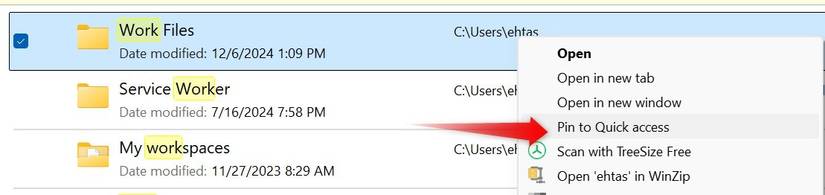
By pinning a folder to Quick Access, you can easily reach it from the Home section of File Explorer. To pin a folder, right-click it and select “Pin to Quick Access.” Be sure to unpin folders when they’re no longer needed to avoid cluttering the Quick Access section. Also, remember to unpin default folders if you don’t need quick access to them.
Leave A Comment?