
Situatie
Solutie
Notepad was overhauled with a modern interface and new features alongside Windows 11, and Microsoft has continued updating it. Now, the text editor is getting even more Markdown editing features and a few other changes.
Markdown is a popular way to use rich text formatting in plain text documents, using symbols like number signs (#) for headers, asterisks (*) or underscores (_) for bold text, and brackets for links. It’s most frequently used in software development and documentation, but it’s also used by note-taking apps like Obsidian and Apple Notes. Many generative AI tools can read and write Markdown.
Microsoft started adding Markdown support to Notepad in May 2025, using either the new toolbar to apply formatting, or just typing in standard Markdown syntax. Now, additional formatting options are being added to Notepad. You can now use strikethrough text effects and nested lists within your text document. This works with keyboard shortcuts, the toolbar buttons, or just typing the formatting.
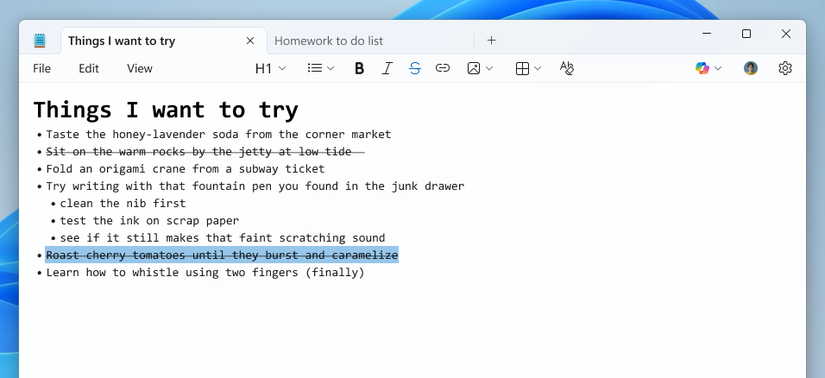
It’s a bit surprising that nested list support wasn’t already in Notepad. If you need a free Markdown text editor for your Windows PC, you’re still better off with Visual Studio Code or Notepad++ (with the Markdown++ plugin).
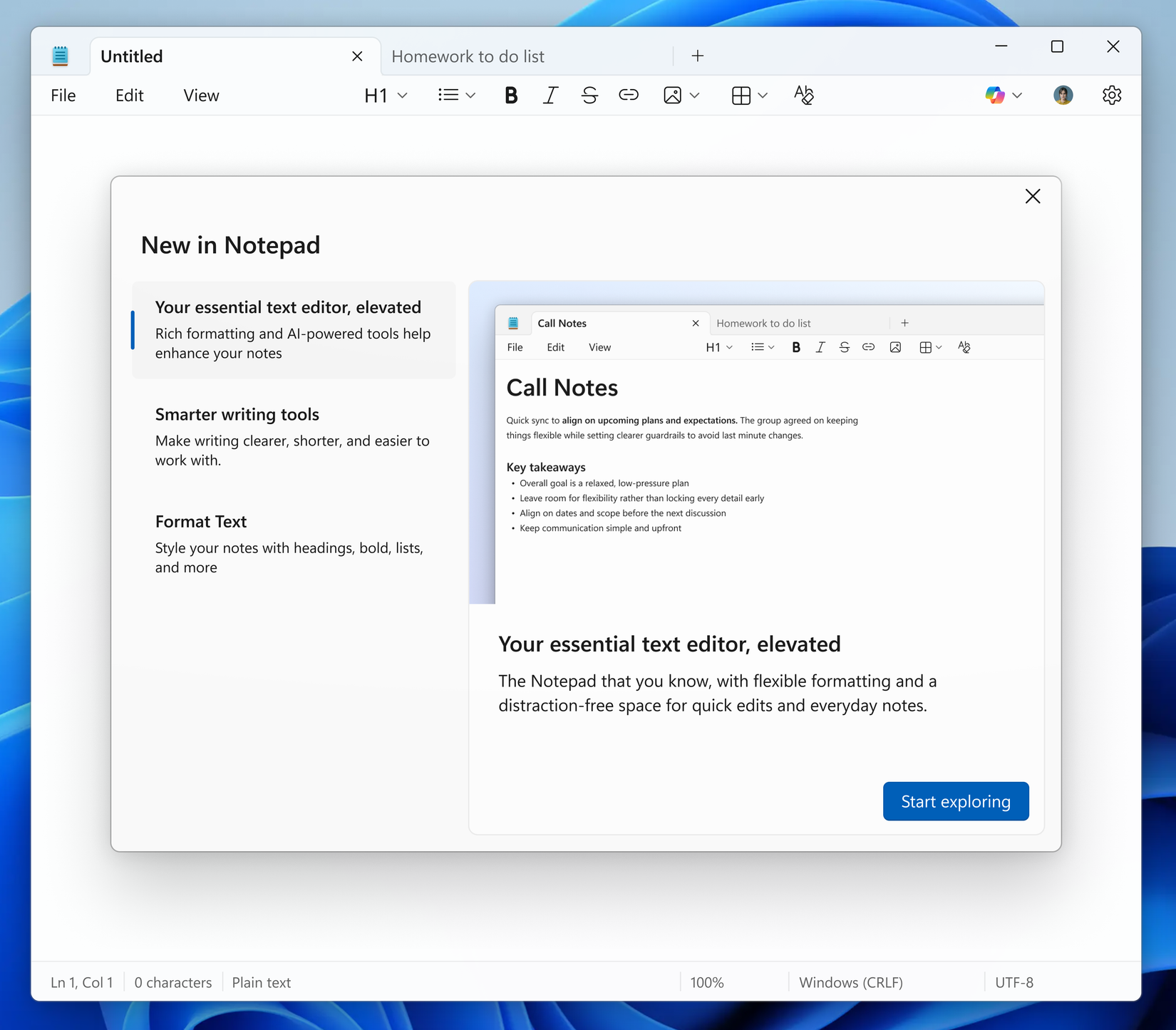
Microsoft is also adding a welcome page to Notepad that explains its newer features, like the AI writing modes and Markdown support. A blog post explained, “This dialog provides a quick overview of what’s possible in Notepad and serves as a helpful starting point for both new and returning users. You can close it anytime and revisit it later by clicking the megaphone icon in the top-right corner of the toolbar”.
Finally, you might not want the AI writing features in Notepad, but they aren’t going away. The latest update has improved support for streaming results, so text generation in the Write, Rewrite, and Summarize features will start appearing before the result is complete. You still need to sign in with a Microsoft account to use those features, even if the text generation is happening on your local hardware.
Besides the updates to Notepad, a few more updates are coming to Paint in version 11.2512.191.0. The app is getting a ‘Coloring book’ feature that uses Copilot to generate coloring book-like illustrations, and the fill tool is getting a tolerance slider for cleaner fills and creative effects.
Leave A Comment?