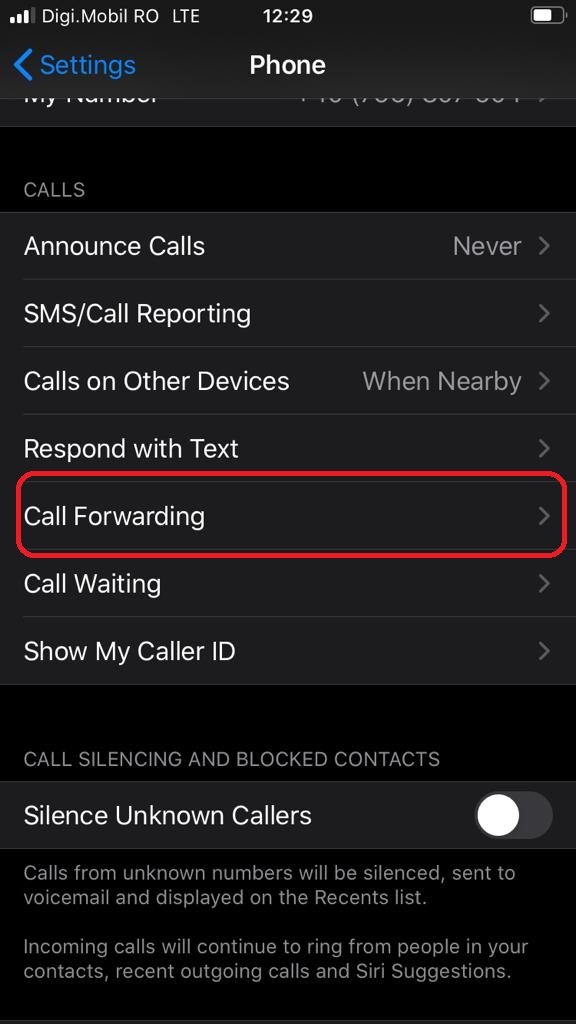
Cum sa redirectionezi apelurile de pe iPhone-ul tau Data 16/09/2020 Autor vlad damian Categorie Mobile, Soluții -5 927 Configurare noua (How To) Situatie Deschidem Settings (Configurari) . Selectam Phone. Apasam pe Call Forwarding In continuare, pentru a putea redirectionare apelurile, este necesara activarea functiei. Dupa activare putem redirectiona apelurile pe orice numar de telefon disponibil. Solutie Tip solutiePermanent Etichetare: forward Voteaza Up Down (32 din 70 persoane apreciaza acest articol) ShareTweetShare Despre Autor vlad damian Solutii Asemanatoare Procedură configurare AdGuard DNS din Terminal pe macOS 1 How to use LAMBDA in Excel to create scalable, reusable functions 3 Cum repari ecranul negru în OBS Studio 1 Your Windows 11 PC is wasting RAM on 5 apps you probably don’t even use 1 How to install & use and create skills Claude Code 0 The first turnkey local AI-powered smart home hub is here 0 Leave A Comment? × Cancel Reply Save my name, email, and website in this browser for the next time I comment. six + two =
Leave A Comment?