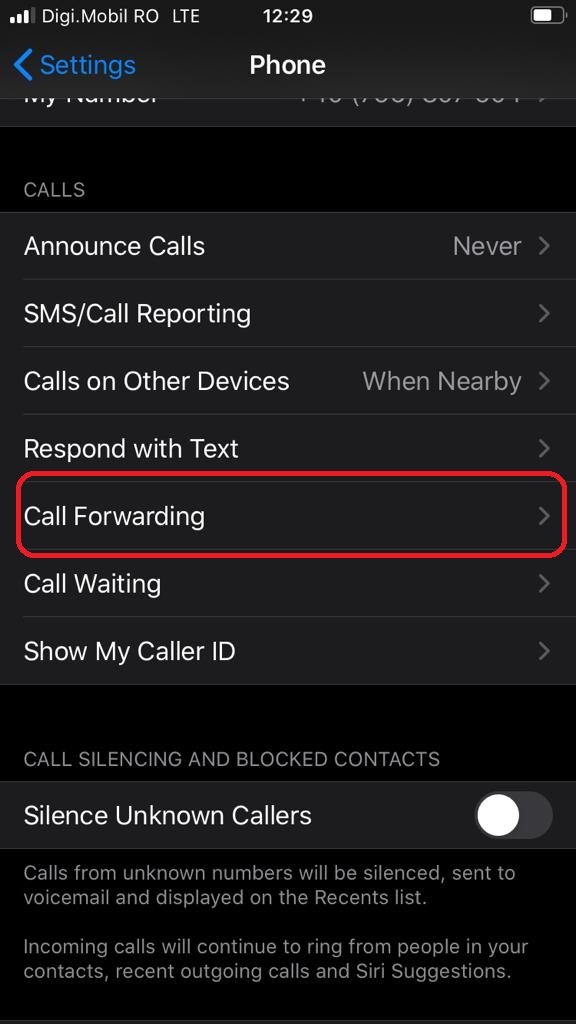
Cum sa redirectionezi apelurile de pe iPhone-ul tau Data 16/09/2020 Autor vlad damian Categorie Mobile, Soluții -6 896 Configurare noua (How To) Situatie Deschidem Settings (Configurari) . Selectam Phone. Apasam pe Call Forwarding In continuare, pentru a putea redirectionare apelurile, este necesara activarea functiei. Dupa activare putem redirectiona apelurile pe orice numar de telefon disponibil. Solutie Tip solutiePermanent Etichetare: forward Voteaza Up Down (30 din 67 persoane apreciaza acest articol) ShareTweetShare Despre Autor vlad damian Solutii Asemanatoare Windows 11’s predictive text is the hidden typing tool 8 How to quickly fix CSV files in Excel using Power Query -1 How to turn old Galaxy phone into a pocket Linux server with Termux 1 How to give your old Android tablet a second life as an Android Auto display 2 3 Excel functions, 1 cell: how to build a “pro” dashboard engine 4 PowerShell ca client MCP – automatizare browser și task-uri externe apelate direct din scripturi 1 Leave A Comment? × Cancel Reply Save my name, email, and website in this browser for the next time I comment. five − two =
Leave A Comment?