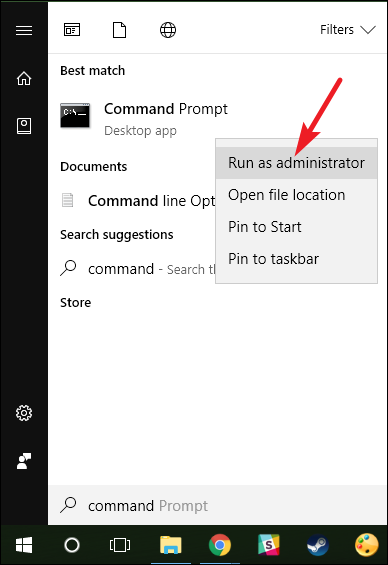
Fix ZOOM Error 104114 Windows 7/8/10 Data 09/10/2020 Autor Tiberiu Gache Categorie Configurare program, Aplicații, Stații de lucru 0 629 Rezolvare problema (Fix IT) SituatieAplicatia Zoom nu porneste Solutie Pasi de urmat Deschideti CMD cu drepturi de administrator Rulati urmatoarele comenzi: ipconfig /flushdns -> apasati enter netsh winsock reset – > apasati enter exit -> apasati enter Tip solutiePermanent Etichetare: Fix ZOOM Error 104114 Windows 7/8/10 ShareTweetShare Despre Autor Tiberiu Gache Solutii Asemanatoare How to disable every AI feature on Microsoft Edge for Windows 11 3 Software Supply Chain Attacks – detectare, prevenire și remediere 6 Cum rezolvam problema timpului din Windows cand apar decalaje de ora 3 Cum ascunzi programele instalate din lista de dezinstalare in Windows 3 Windows – verificarea și repararea fișierelor de sistem 0 Nu s-a putut crea dispozitivul de randare DX11 în Windows 11 3 Leave A Comment? × Cancel Reply Save my name, email, and website in this browser for the next time I comment. × one = nine
Leave A Comment?
