
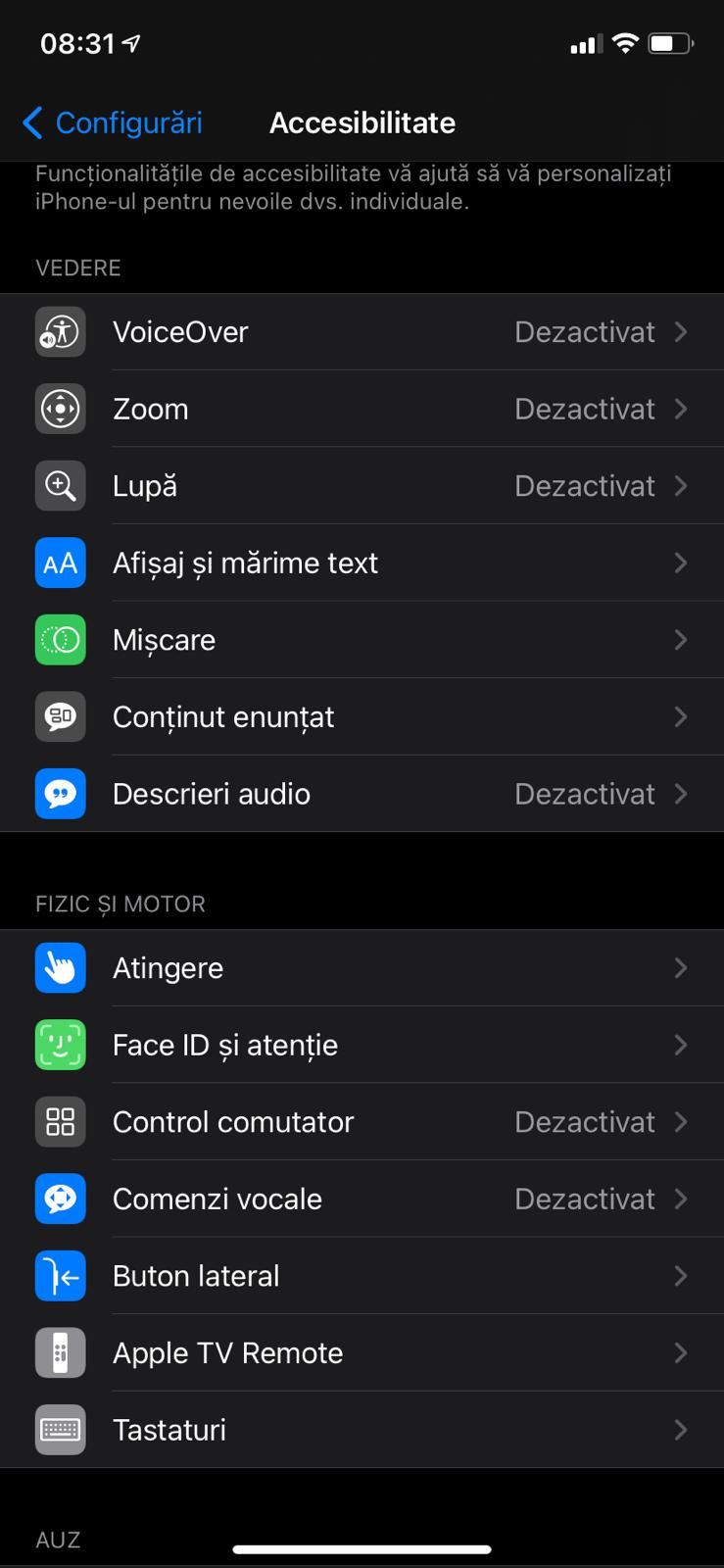
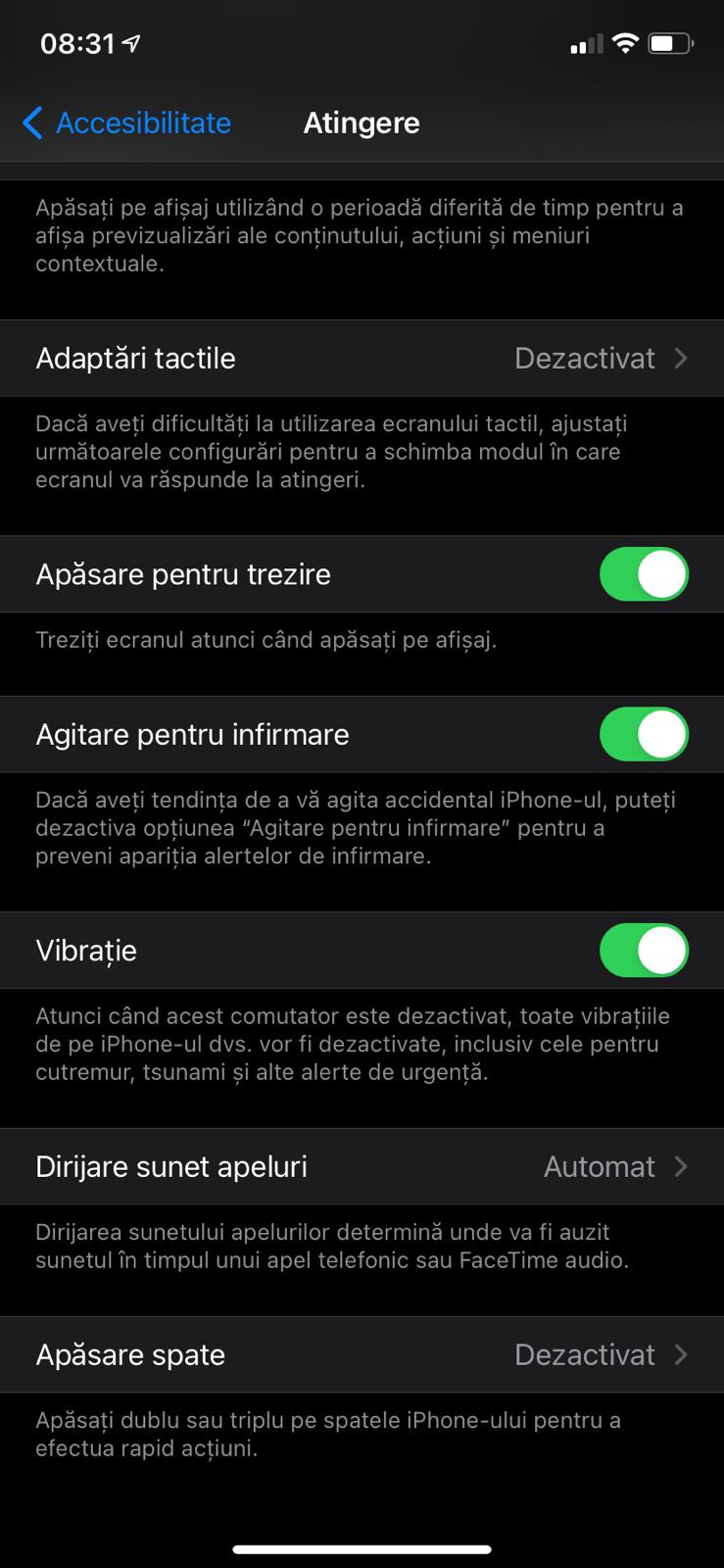
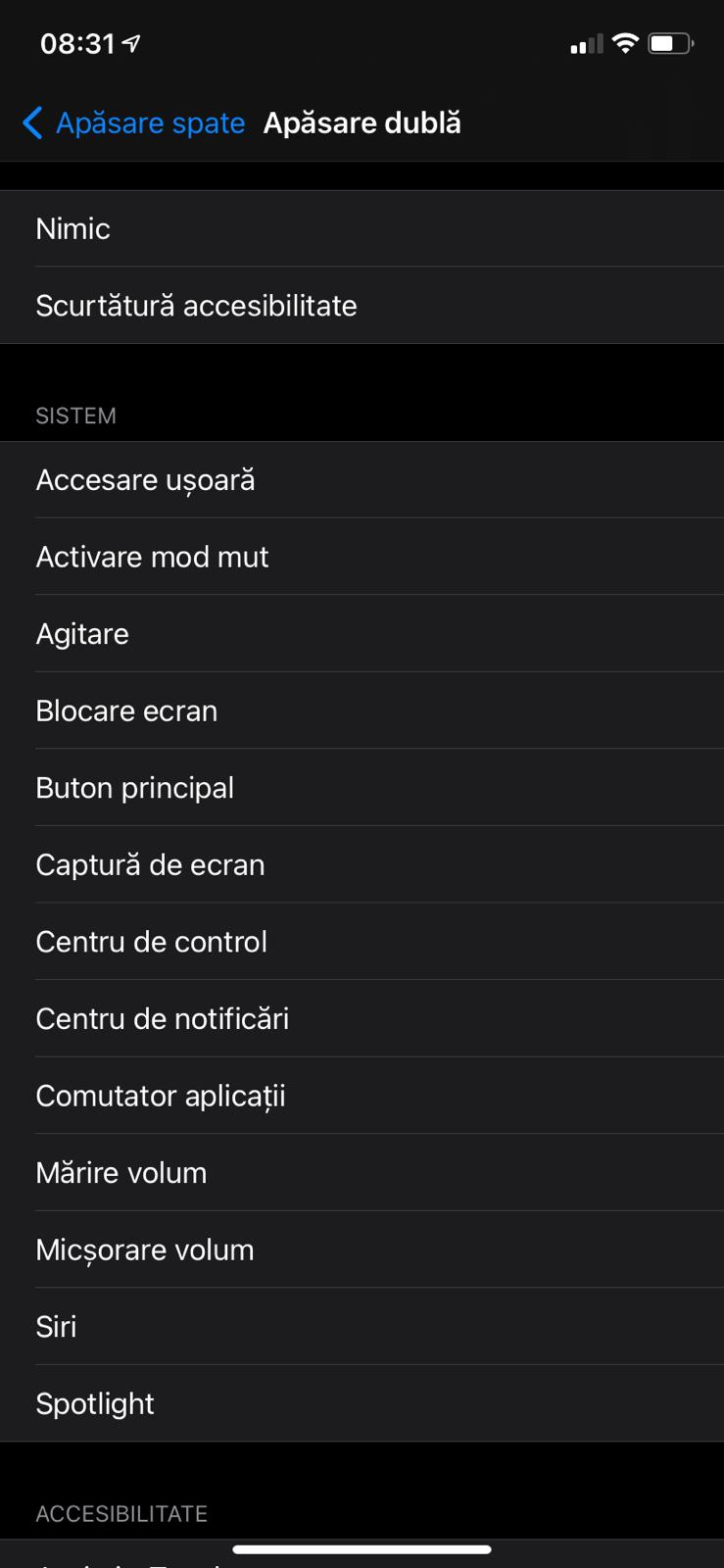
How to take screenshots by tapping the apple logo on the back of your iphone Data 18/11/2020 Autor Maria Popa Categorie Soluții 0 511 Configurare noua (How To) SituatieTo make a screenshot much easier you need to follow the steps below Solutie Pasi de urmat The first step is to enter the settings. From here we will access Accessibility. Next step, we need to access “Touch” We are going to access “Back Tap” And finally we can choose from the menu the setting we want Tip solutiePermanent ShareTweetShare Despre Autor Maria Popa Solutii Asemanatoare How to resolve a Windows Update Install Error – 0x80070002 3 How to move Taskbar to top or side on Windows 11 5 Reparare eroare:”Trust Relationship Failed” fără scoatere din domeniu și fără restart (PowerShell) 1 You’ve been deleting files the wrong way in Windows 7 Arduino Soil Moisture Sensor 5 Instalare și rulare model AI local (Llama3) pe server Linux folosind Ollama 3 Leave A Comment? × Cancel Reply Save my name, email, and website in this browser for the next time I comment. two × = fourteen
Leave A Comment?