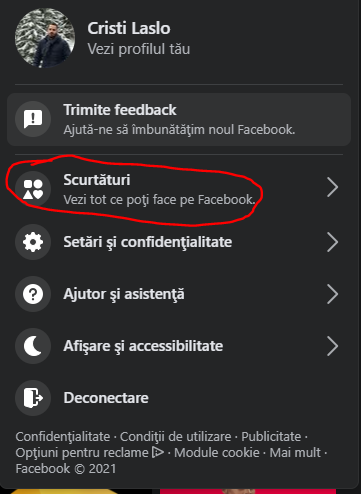
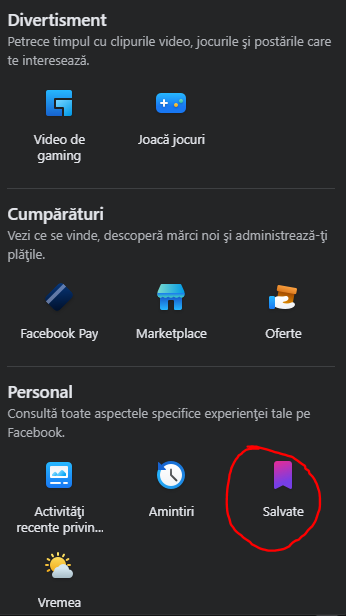
FACEBOOK: Cum poti vizualiza salvarile pe noul Facebook Data 18/05/2021 Autor Cristian Laslo Categorie Soluții -8 420 Configurare noua (How To) Situatie Solutie 1.Accesam https://www.facebook.com 2.Pe bara de sus, in partea dreapta, selectam sageata 3.Selectam “Scurtaturi” 4.Selectam “Salvari” 5.Putem vizualiza pozele,filmarile salvate. Tip solutiePermanent Etichetare: Configurare Facebook Voteaza Up Down (12 din 32 persoane apreciaza acest articol) ShareTweetShare Despre Autor Cristian Laslo Solutii Asemanatoare Stop using Rufus to burn ISOs, these 2 tools for Windows and Linux are better 4 How to setup CodeGPT + WSL and Ollama 3 Tuxedo OS install guide 3 Bypass Siri AI waitlist on macOS 27 Golden Gate Beta 5 How to enable hidden CPU performance boost mode on Windows 11 5 Functia Accesibilitate pe Samsung -2 Leave A Comment? × Cancel Reply Save my name, email, and website in this browser for the next time I comment. 6 − = four


Leave A Comment?
