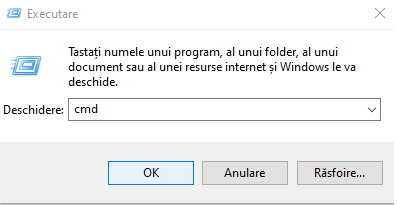
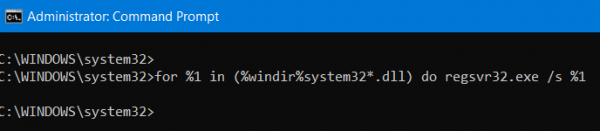
How to fix: “The Application Was Unable to Start Correctly 0xc0000142” Error in Windows 10 via CMD Data 07/06/2021 Autor Ionut Pavel Categorie OS - Windows -9 616 Configurare noua (How To) Situatie Solutie Pasi de urmat Press “Windows” + “R” keys simultaneously to open the Run prompt. Type in “cmd” and press “Enter“ Then type in the following and hit Enter: for %i in (%windir%\system32\*.ocx) do regsvr32.exe /s %i After you are done, Reboot your computer. Tip solutiePermanent Voteaza Up Down (29 din 67 persoane apreciaza acest articol) ShareTweetShare Despre Autor Ionut Pavel Solutii Asemanatoare Remediere eroare: ERROR_TOO_MANY_SESS 0 Ștergerea unei partiții de pe un HDD în Windows 10 4 How to install Linux Mainline Kernel on Rocky Linux? 0 Shorcut open Developer Tools in MS Edge v2 0 Shortcut open your home page in the current tab MS Edge 2 Shorcut open clear browsing data options MS Edge 2 Leave A Comment? × Cancel Reply Save my name, email, and website in this browser for the next time I comment. one × = nine
Leave A Comment?