
Situatie
This known bug has been affecting Logitech customers for many years on Windows 10 and 11 and might be related to updates.
Solutie
Pasi de urmat
Open Windows Update.In some situations, a driver for one of your installed Logitech products may need an update. Logitech driver updates are usually released with Windows updates, so you may not need to check for updates in Device Manager. However, the updates you need might be hiding in “Optional Updates,” a secret area of Windows Update you may not know about. To open Windows Update:
- Windows 11: Press the Windows key, click Settings, then click Windows Update in the left panel.
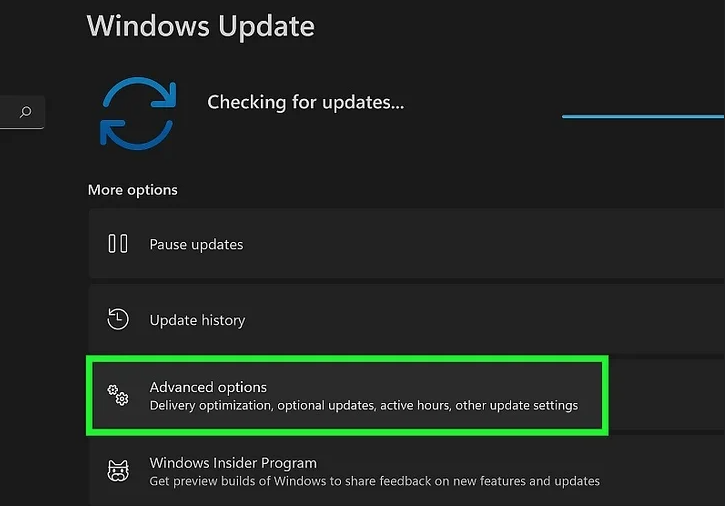
Click Advanced options
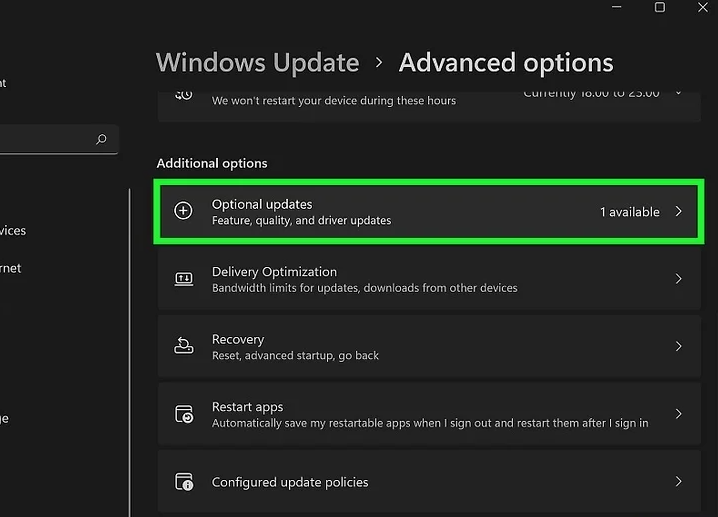
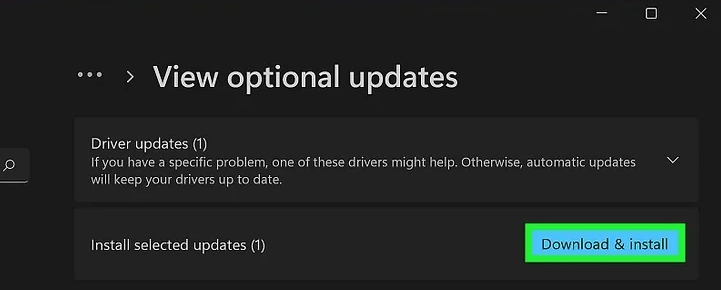
Install any optional updates.Check for optional updates in the “Driver updates” and “Other updates” sections and select the ones you want to install. Once you’ve selected the updates, click Download & install and follow the on-screen instructions to install them.
Leave A Comment?