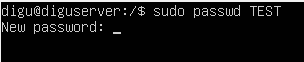
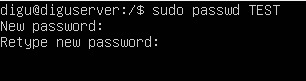
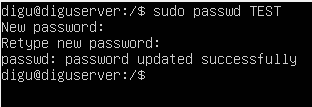
How to change a user password in Linux Server Data 05/09/2021 Autor digulescu gabriel ionut Categorie Soluții -2 392 Configurare noua (How To) Situatie Solutie 1.Open the Server Terminal 2.Write ‘ sudo passwd <username>‘ and press enter 3.Enter the new password and press enter 4.Retype the new password and hit enter 5.Password updated Tip solutiePermanent Voteaza Up Down (22 din 46 persoane apreciaza acest articol) ShareTweetShare Despre Autor digulescu gabriel ionut Solutii Asemanatoare Outlook Outbox Stuck – unable to send Emails 1 WiFi disconnects when the laptop is locked 0 Cum remediem: you can’t Sign in with this account error In Windows 11 0 Remediere: ASSIGN_DRIVE_LETTERS_FAILED 1 Cum repari eroarea “Access Denied” sau folderele care nu pot fi șterse în Windows, fără programe terțe 0 Recunoașterea dăunătorilor și bolilor din culturi cu ajutorul AI rulat local 1 Leave A Comment? × Cancel Reply Save my name, email, and website in this browser for the next time I comment. − one = eight

Leave A Comment?
